Solved

HSX Installation fails with inappropriate ioctl for device in HPE Apollo server

  • April 22, 2024
  • 3 replies
  • 133 views

Forum|alt.badge.img+6

Hi Team,

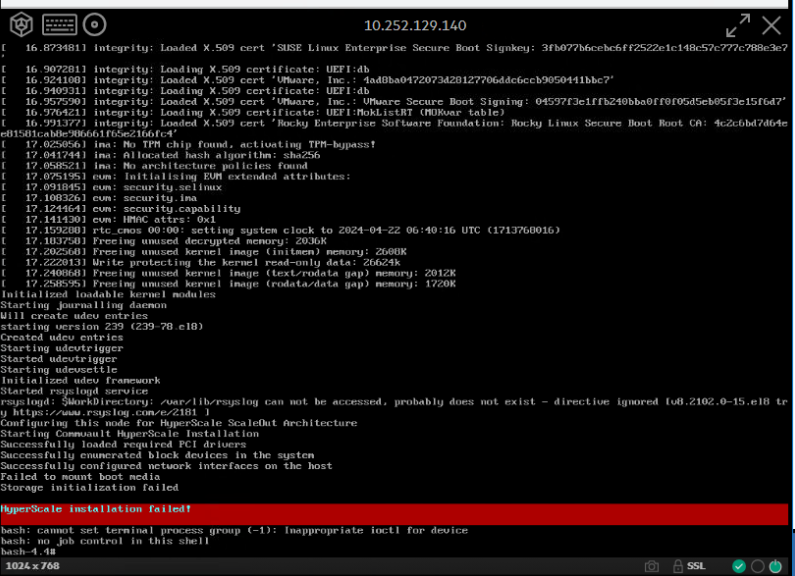
i request you to help me with below error i observed during my 7 x Apollo server HSX installation in DC1 site. 

i downloaded the ISO from commvault site to my local system and transferred to DC2 windows jump server and successfully installed in DC2 site on 7 x HPE Apollo Servers .

Later i transferred the ISO to DC1 jumb server and also have verified that all HW configurations in DC1 servers are as per HSX documentation, but when i start installation on HPE apollo servers, i get below error, please help !


Best answer by Noushad

@R Anwar  this was resolved when we redownloaded the ISO file and loaded to ILO from same system.

But on Apollo 4200 server, we have set up all HW configurations as per Commvault documentation and then loaded ISO in ILO.

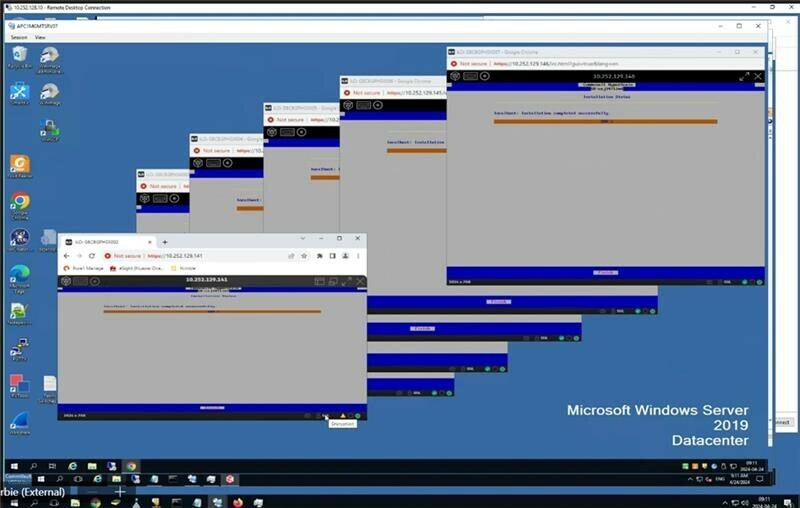
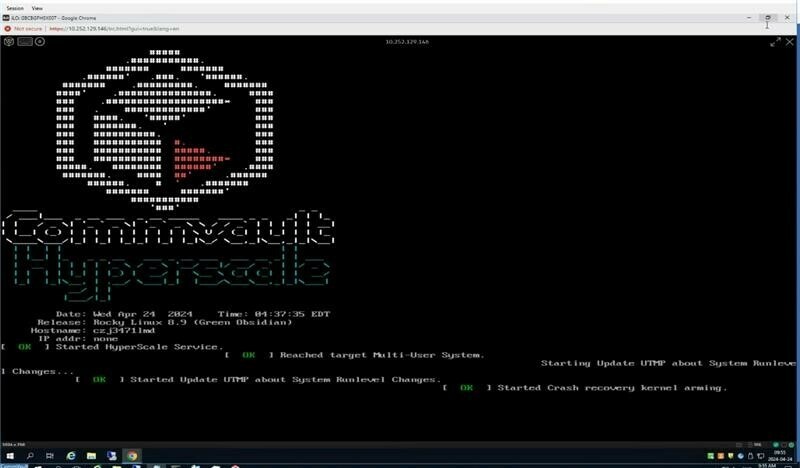
Later the installation completed as above attached . But when i click "finish" button server reboots and screen is stuck in commvault hypercale page, please guide with next steps. we can see a cursor below, but no response  when we click enter.

3 replies

R Anwar
Vaulter
Forum|alt.badge.img+10
  • Vaulter
  • April 22, 2024

Hi @Noushad 

From the bash, run tail -20 /var/log/hyperscale.log and share the screenshot for review.

Regards,


Forum|alt.badge.img+6
  • Author
  • Novice
  • Answer
  • April 24, 2024

@R Anwar  this was resolved when we redownloaded the ISO file and loaded to ILO from same system.

But on Apollo 4200 server, we have set up all HW configurations as per Commvault documentation and then loaded ISO in ILO.

Later the installation completed as above attached . But when i click "finish" button server reboots and screen is stuck in commvault hypercale page, please guide with next steps. we can see a cursor below, but no response  when we click enter.


Forum|alt.badge.img+14
  • Vaulter
  • April 25, 2024