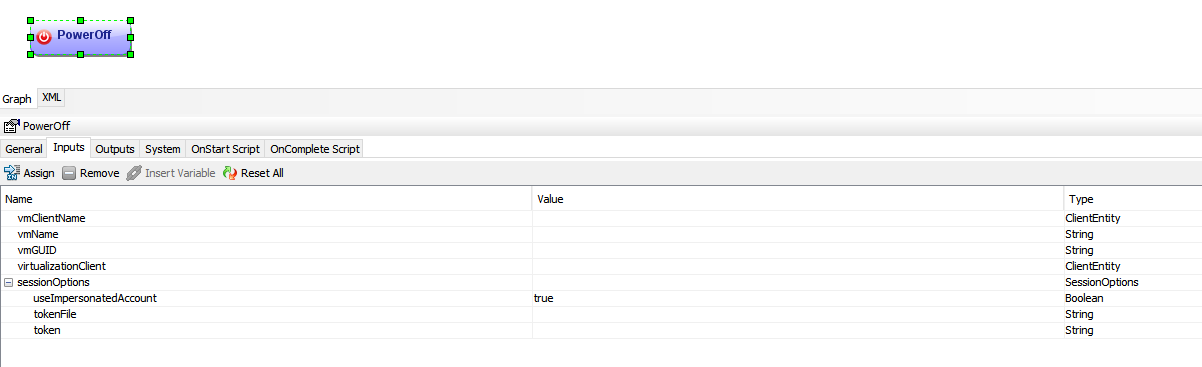
I’m trying to implement something to automate a VM power on/off, the VM is VMware based (ESXi) and is an MA.
I want my scenario to be something like this, when the VM is powered OFF :
Check readiness of the VM.
If the VM is powered off, then power it on.
Execute my aux copy
When job finished successfully, power off the VM.
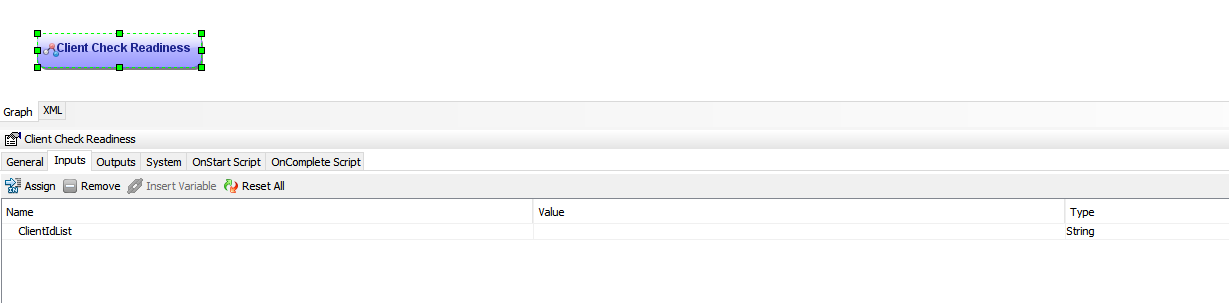
Some needed workflows required some inputs, that I struggle where I can find them, like the ones below :
Any help or recommendation on how to implement this would be appreciated.
Regards
Best answer by Sean Crifasi
@Commvault Engineer
- If you wanted to check this as a one time thing to confirm the id you can use the sql query below without the quotes. -- “select * from app_client where name like ‘<name here without brackets’” - The above would list all of the columns in the app_client table for the matching results. - If you wanted to see only the client id you could do -- “select id from app_client where name like ‘<name here without brackets’”
Is the check readiness a workflow or a standalone activity? from the inputs it looks like its expecting a list of commvault client ids. You can fetch these Ids from app_client table.
Is the check readiness a workflow or a standalone activity? from the inputs it looks like its expecting a list of commvault client ids. You can fetch these Ids from app_client table.
Hi Amey,
Thanks for your reply, how can I fetch these Ids from app_client table ? Actually, I only need to check one client, which is my MA.
- If you wanted to check this as a one time thing to confirm the id you can use the sql query below without the quotes. -- “select * from app_client where name like ‘<name here without brackets’” - The above would list all of the columns in the app_client table for the matching results. - If you wanted to see only the client id you could do -- “select id from app_client where name like ‘<name here without brackets’”
- If you wanted to check this as a one time thing to confirm the id you can use the sql query below without the quotes. -- “select * from app_client where name like ‘<name here without brackets’” - The above would list all of the columns in the app_client table for the matching results. - If you wanted to see only the client id you could do -- “select id from app_client where name like ‘<name here without brackets’”
- If you wanted to check this as a one time thing to confirm the id you can use the sql query below without the quotes. -- “select * from app_client where name like ‘<name here without brackets’” - The above would list all of the columns in the app_client table for the matching results. - If you wanted to see only the client id you could do -- “select id from app_client where name like ‘<name here without brackets’”