
Solved

How to force update on the Disable Subclients report

  • February 13, 2023
  • 4 replies
  • 55 views

Ken_H
Apprentice
Forum|alt.badge.img+14

Hello everyone,

Last week I looked at the WebConsole Cleanup Report and noticed the Disabled Subclients section listed 39 subclients.  I cleaned up many of them by promoting an existing subclient to be the default subclient then deleting the unused “default”.  That was three days ago but the Disabled Subclients report still shows the original 39 entries - including the ones I’ve cleaned up.

Question:  Is there a way to force CommVault to refresh the data within the Disabled Subclients report?

Thanks

Ken
Best answer by Kaushik Sharma

Hi Ken,

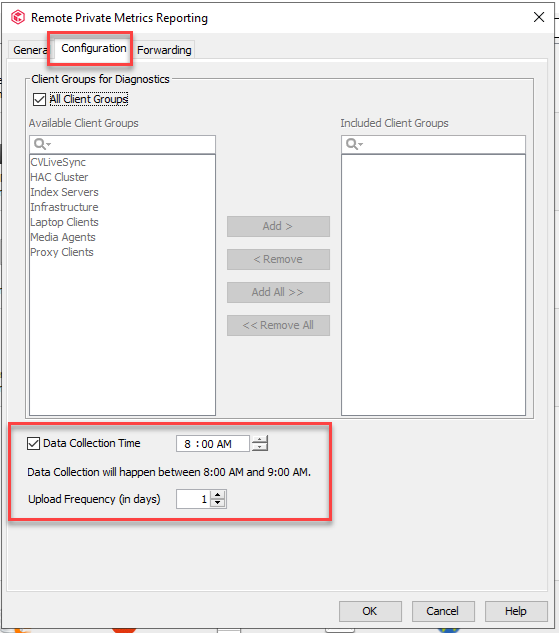
Are you able to confirm if your Private Metrics upload in Control Panel is set to a daily upload?


4 replies

Forum|alt.badge.img+2

Hi Ken,

Are you able to confirm if your Private Metrics upload in Control Panel is set to a daily upload?


Ken_H
Apprentice
Forum|alt.badge.img+14
  • Author
  • Apprentice
  • February 14, 2023

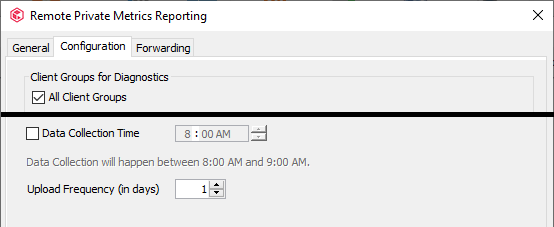
Hmm, It looks like that’s turned off.


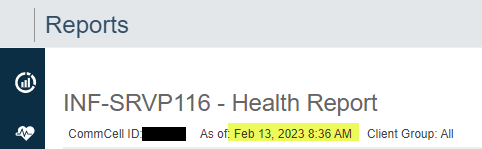
Strangely, the Health Report (that leads to the Cleanup Report > Disabled Subclients), shows it has current data.


I’ll try and enable the upload.

Ken


Ken_H
Apprentice
Forum|alt.badge.img+14
  • Author
  • Apprentice
  • February 14, 2023

I clicked the Upload Now button but I have no idea if it did anything.


Ken_H
Apprentice
Forum|alt.badge.img+14
  • Author
  • Apprentice
  • February 14, 2023

Even though I’m accessing my local web server, the use of this upload appears to have resolved the problem.  Where I previously had 39 disabled subclients, I’m now down to 23. 

Thanks for the help, I’ll mark your reply as the solution.

Ken