Solved

License Summary Report

  • February 8, 2023
  • 8 replies
  • 217 views

Forum|alt.badge.img+13

Hi,
is it possible to generate a license summary report for companies?
E. g. i associate clients to that company and then i can create a report?
Using V. 11.28.44.

Regards
Dennis
 

Best answer by Jos Meijer

Hi Dennis,

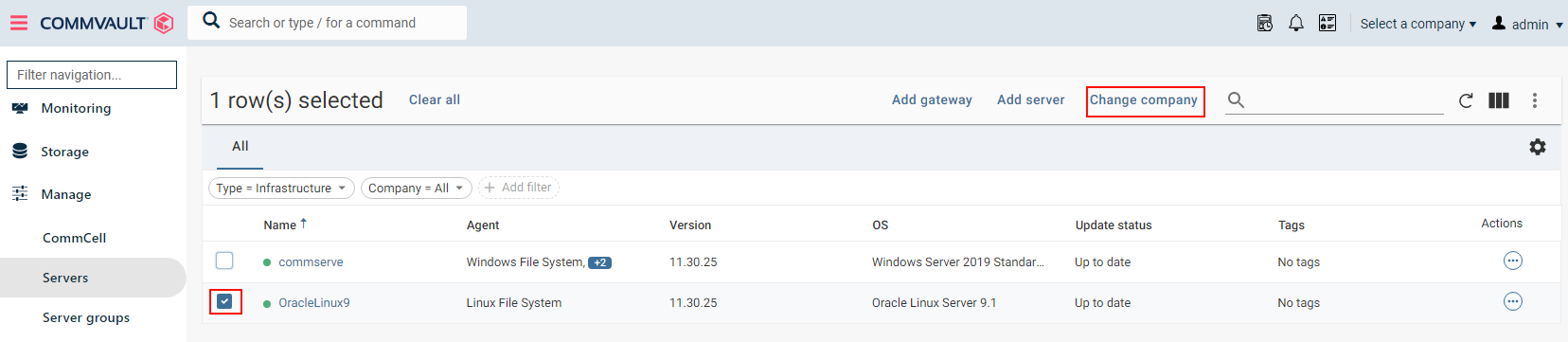
When you go to Manage → Servers you can change them to another company.

In 11.30 you need to select the server and in the top you will get an option called “Change Company”

In 11.28 I believe this option is under the actions button, not sure, they might have changed it to the 11.30 method
Then you get an additional window where you can select the company.
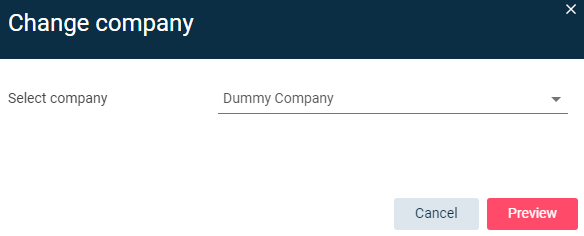

Select Preview and then acknowledge the change.

Don’t forget to refresh and recalculate your License Summary Report after this change.

8 replies

dude
Community All Star
Forum|alt.badge.img+18
  • Community All Star
  • February 8, 2023

There are options for you to extract license usage by CommCell ID. I would start by looking at the;

License Summary directly from CommCell Console then Company Usage


Forum|alt.badge.img+13
  • Author
  • Novice
  • February 8, 2023

Thanks, but i can only see the complete summary.
Is it possible to split them? That i define clients which will be included in the license overwiew?


dude
Community All Star
Forum|alt.badge.img+18
  • Community All Star
  • February 8, 2023

Go to the command center / reports and that will give you a more granular configuration where you can drill down to agents/clients etc. 


Forum|alt.badge.img+13
  • Author
  • Novice
  • February 8, 2023

OK, i start the license summary report on command center.
Is it possible to define an own company where i can define the clients that depends on that company?
Or to create a computer client group where i can get a report about the licenses (TB).
I will find out which clients/company uses how much licenses (TB).


Jos Meijer
Community All Star
Forum|alt.badge.img+16
  • Community All Star
  • February 8, 2023

I would use the Command Center's version of the License Summary Report.
You should be able to select to view licenses at Commcell level and on company level there, at least I think it's also available in 11.28… I am running 11.30 so not sure..


Forum|alt.badge.img+13
  • Author
  • Novice
  • February 8, 2023

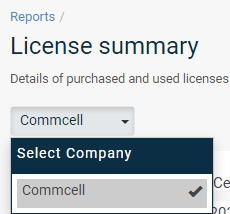
OK, i have create a company and now i see this entry.
But what must i do to put clients in it?


Jos Meijer
Community All Star
Forum|alt.badge.img+16
  • Community All Star
  • Answer
  • February 8, 2023

Hi Dennis,

When you go to Manage → Servers you can change them to another company.

In 11.30 you need to select the server and in the top you will get an option called “Change Company”

In 11.28 I believe this option is under the actions button, not sure, they might have changed it to the 11.30 method

Then you get an additional window where you can select the company.


Select Preview and then acknowledge the change.

Don’t forget to refresh and recalculate your License Summary Report after this change.


Forum|alt.badge.img+13
  • Author
  • Novice
  • February 15, 2023

Unfortunately I haven't been so far successful.
Create a company, put some test clients in it. Takes a long time……...and the report doesn’t works finne and takes a long time too.
I see this client computer group in my java console.
Then i delete the company. It automatically deletes the client computer group with the client and from the client it deletes the commvault client agent. Is this normal?