



Solved

Logs to check discovery cache issue, exchange online

  • October 2, 2023
  • 2 replies
  • 385 views

No special characters
Novice
Forum|alt.badge.img+7

Hello!
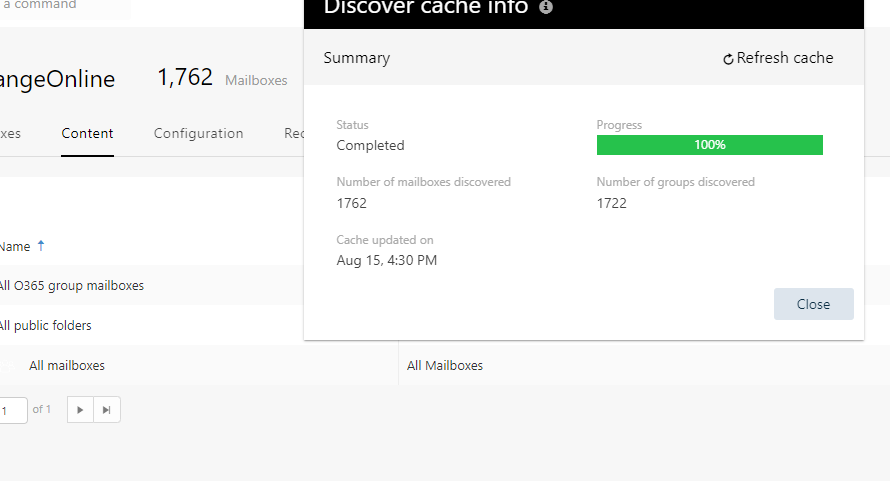
Can anyone tell me which logs I should start with when troubleshooting the issue that cache won’t update? this is an MS365 Exchange Online backup job.

Should I use the logs on the index/access node or the commserve server, or both, and what are the logs called?

I am not getting a “wrong password” error, and I have checked that MFA is disabled for the service account.


Best answer by Mike H

Hello @No special characters ,


If you are doing a “Refresh Cache” operation, you’ll want to look at CvMailDiscover.log and CvrTagCreator.log on the access node.  Looking at the time of the last successful discover, I believe you will need to configure the v3 Exchange Online PowerShell Module:


https://kb.commvault.com/article/81432

2 replies

Forum|alt.badge.img+7
  • Vaulter
  • Answer
  • October 2, 2023

Hello @No special characters ,


If you are doing a “Refresh Cache” operation, you’ll want to look at CvMailDiscover.log and CvrTagCreator.log on the access node.  Looking at the time of the last successful discover, I believe you will need to configure the v3 Exchange Online PowerShell Module:


https://kb.commvault.com/article/81432


No special characters
Novice
Forum|alt.badge.img+7

Thank you very much @Mike H - very good article and you solved my problem with discovery refresh. 

(I actually failed at first because i managed to select Category: MSExchangeDBAgent and not MSAgent…. for the nUseExoPsV2 setting. But realized my mistake soon enough.)


