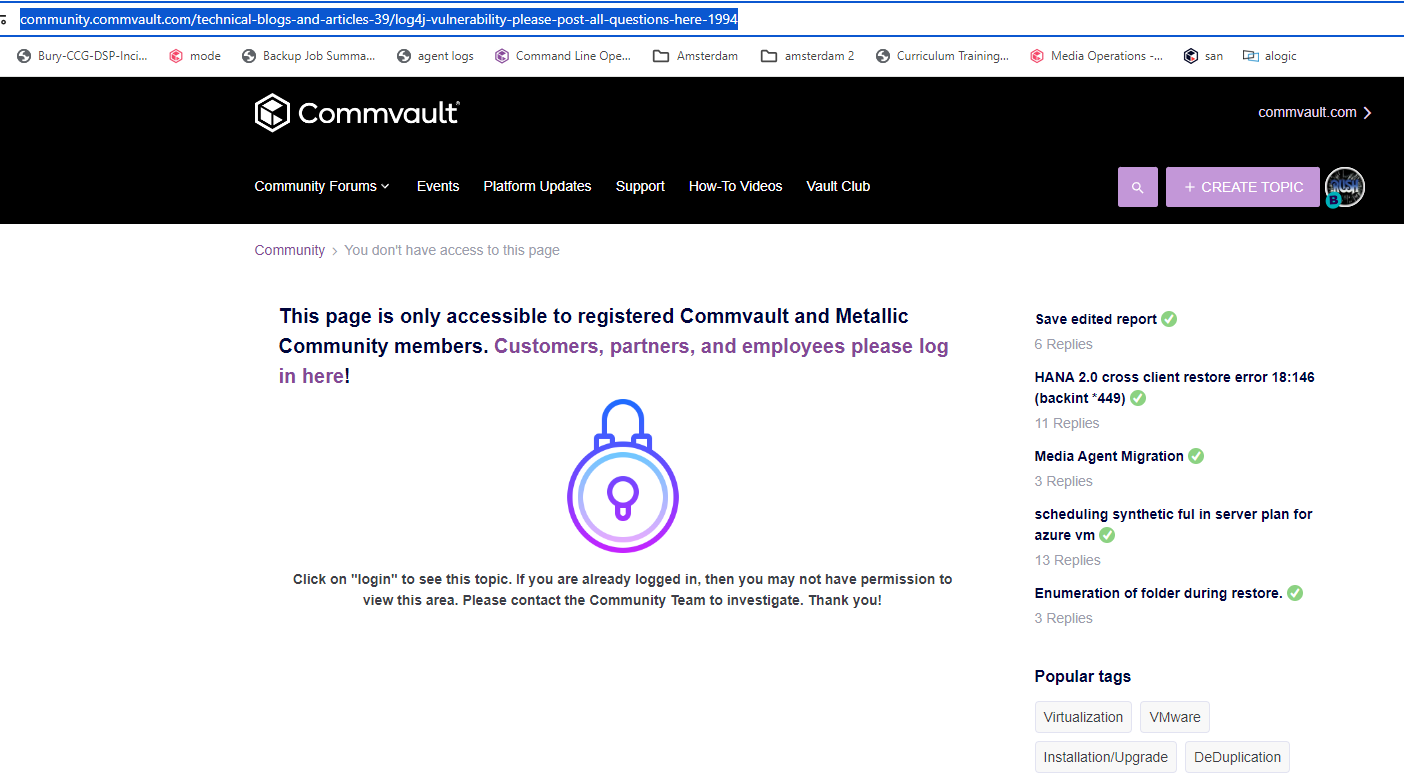
Answer

Unable to access page

  • February 5, 2024
  • 7 replies
  • 84 views

YYZ
Byte
Forum|alt.badge.img+12

Hi

I can read pages on the Community forum - but following a link, results in the above web page being shown

Heres the link I tried to follow

https://community.commvault.com/tech-blogs-commvault-39/log4j-vulnerability-please-post-all-questions-here-1994

Hope you can help

Best answer by Jennifer Kelley

Hi @YYZ - try again now. We had archived some older content when we updated the community in November, but I have moved this article back to a place where you should be able to get to it. Thanks!

If you have a question or comment, please create a topic

7 replies

Jennifer Kelley
Vaulter
Forum|alt.badge.img+17

Hi @YYZ - try again now. We had archived some older content when we updated the community in November, but I have moved this article back to a place where you should be able to get to it. Thanks!


YYZ
Byte
Forum|alt.badge.img+12
  • Author
  • Byte
  • February 7, 2024

Jennifer….Many thanks 😀


Forum|alt.badge.img

Hello Jennifer


We have the same issue with the following article:
https://community.commvault.com/tech-blogs-commvault-39/check-readiness-failing-here-is-how-to-troubleshoot-1015


Thanks in advance


Sougato Roy
Vaulter
Forum|alt.badge.img+9
  • Vaulter
  • June 3, 2025

Hello Jennifer


We have the same issue with the following article:
https://community.commvault.com/tech-blogs-commvault-39/check-readiness-failing-here-is-how-to-troubleshoot-1015


Thanks in advance

Hi,

This article is deprecated, but I’m happy to look into it further for you and will share any updates I find.

Is there anything specific you were hoping to get from it?

Thanks!

Roy


Forum|alt.badge.img

We are having problems with some clients managed by CommVault backups.

After we dejoined the Media Agents and configured them in workgroup, many clients lost the communication with CommServe, or with Media Agent, or with both.

The only workaround we found was to delete the fwlog.txt on the client with the CV services stopped and push the network configuration again, after started the services on the client.

The file was recreated and the communication and the readiness check come ok.

Some client stills not working and readiness check still fails so, I tried to search a solution and I found that article for troubleshooting readiness issues.


Thanks

BR


Jennifer Kelley
Vaulter
Forum|alt.badge.img+17

Hi ​@Team Backup - I’ve moved this out of the archives so you and others can access it. Thanks for the feedback and let us know if it helps?  https://community.commvault.com/tech-blogs-commvault-39/check-readiness-failing-here-is-how-to-troubleshoot-1015

 As ​@Sougato Roy noted, we’d archived some older articles but happy to pull them back out where helpful. 


Forum|alt.badge.img

Thank you so much Jennifer !!