Solved

Prevent Synthetic Full Backups

  • Aug 7, 2024 10:38 AM UTC
  • 3 replies
  • 132 views

Forum|alt.badge.img

Hi,

Need for 1 day prevent synthetic full backups to start

Changing it in all schedules seems a little bit not best practice

Any way to disable it globally and turn it back again?

Best answer by Scott Moseman

What is the reason for disabling Synth Fulls for 1 day?

My suggestion would be to see if this could be done with a Blackout Window.

Thanks,
Scott

 

View original

3 replies

Forum|alt.badge.img+19

Hello @evgenich 


You are able to disable the schedule completely for the day: 

https://documentation.commvault.com/2023e/expert/disabling_schedule.html

But this wont target just synthetic full jobs.  I'm not sure of a way to achieve this for the entire environment. 


Kind regards

Albert Williams


Scott Moseman
Vaulter
Forum|alt.badge.img+23

What is the reason for disabling Synth Fulls for 1 day?

My suggestion would be to see if this could be done with a Blackout Window.

Thanks,
Scott


Aplynx
Vaulter
Forum|alt.badge.img+17
  • Vaulter
  • Aug 27, 2024 1:56 PM UTC

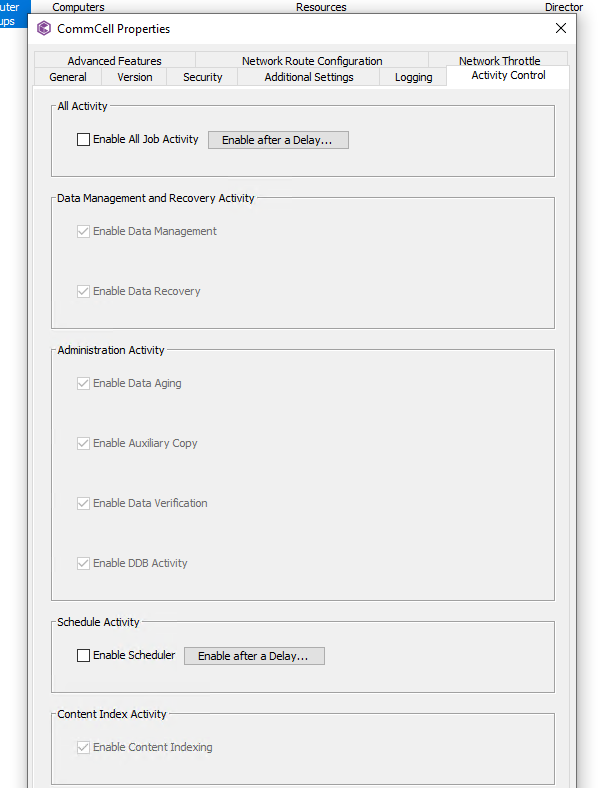
You could disable schedules or activity under the CommServe.

You could create an automatic group to pick up specific machines, IDA types, etc and disable activity.