


Answer

Retrieve Content of subclient by powershell

  • February 13, 2023
  • 3 replies
  • 177 views

Forum|alt.badge.img+8

Hi teams,

i want to retrieve the content of this subclient by powershell.
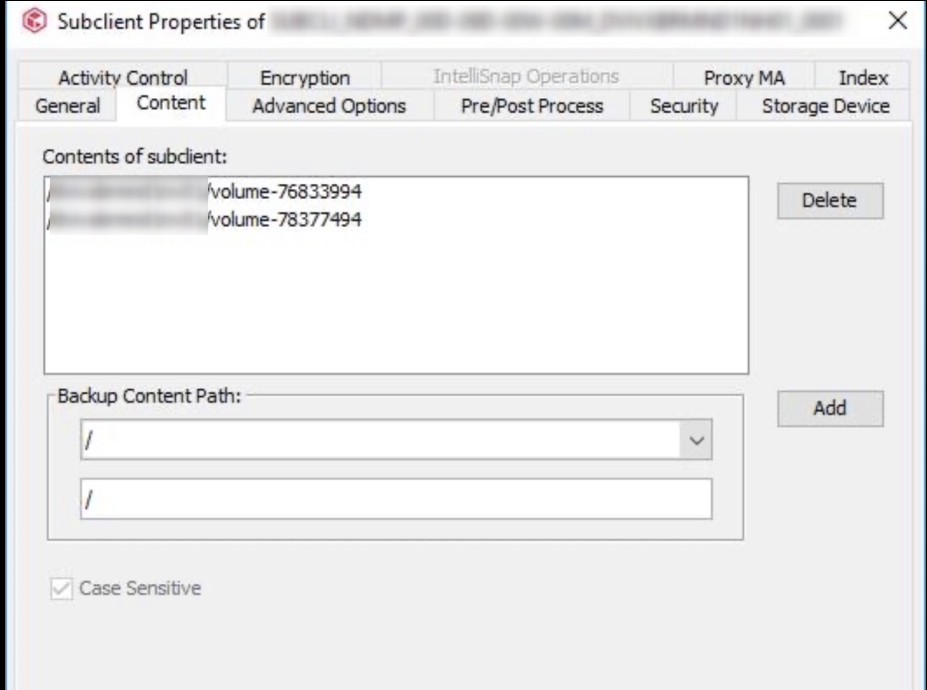
 

try with “Get-CVSubClient.Content.content” but no way ( )

Help Appreciate

Thanks

Best answer by virgil

Hi,


find the solution

Get-CVSubclient -ClientName ‘Name’ –Name Default -AllProperties | Select @{ Name = 'subClientProperties'; Expression = { $_.subClientProperties.content } }

3 replies

Onno van den Berg
Commvault Certified Expert
Forum|alt.badge.img+20
  • Commvault Certified Expert
  • February 13, 2023

@virgil can you please share some additional information like what have you tried already, are you getting an error, are you suing the latest version of the Powershell SDK? Thanks!


Forum|alt.badge.img+8
  • Author
  • Byte
  • February 13, 2023

Hi Onno,

i install the latest Powershell SDK from Github

The only infos i can retrieve from subclient are with this command :

Get-CVSubclient -ClientName “NAME” -Name default -AllProperties

In return, it give me a list a properties … → subClientProperties
-------------------
{@{status=8; useLocalContent=False; useLocalArchivalRules=True; canChangeEncryptionSetting=False; hcSubclientProp=; impersonateUser=; planEntity=; cassandraProps=; splunkProps=; proxyClient=; dcPlanEntity=; subClientEntity=; dfsSubclientProp=; fsSubClientProp=; regio…


I can’t see the ‘Content’ Properties….

is there a way to pick that ?

Regards


Forum|alt.badge.img+8
  • Author
  • Byte
  • Answer
  • February 14, 2023

Hi,


find the solution

Get-CVSubclient -ClientName ‘Name’ –Name Default -AllProperties | Select @{ Name = 'subClientProperties'; Expression = { $_.subClientProperties.content } }

