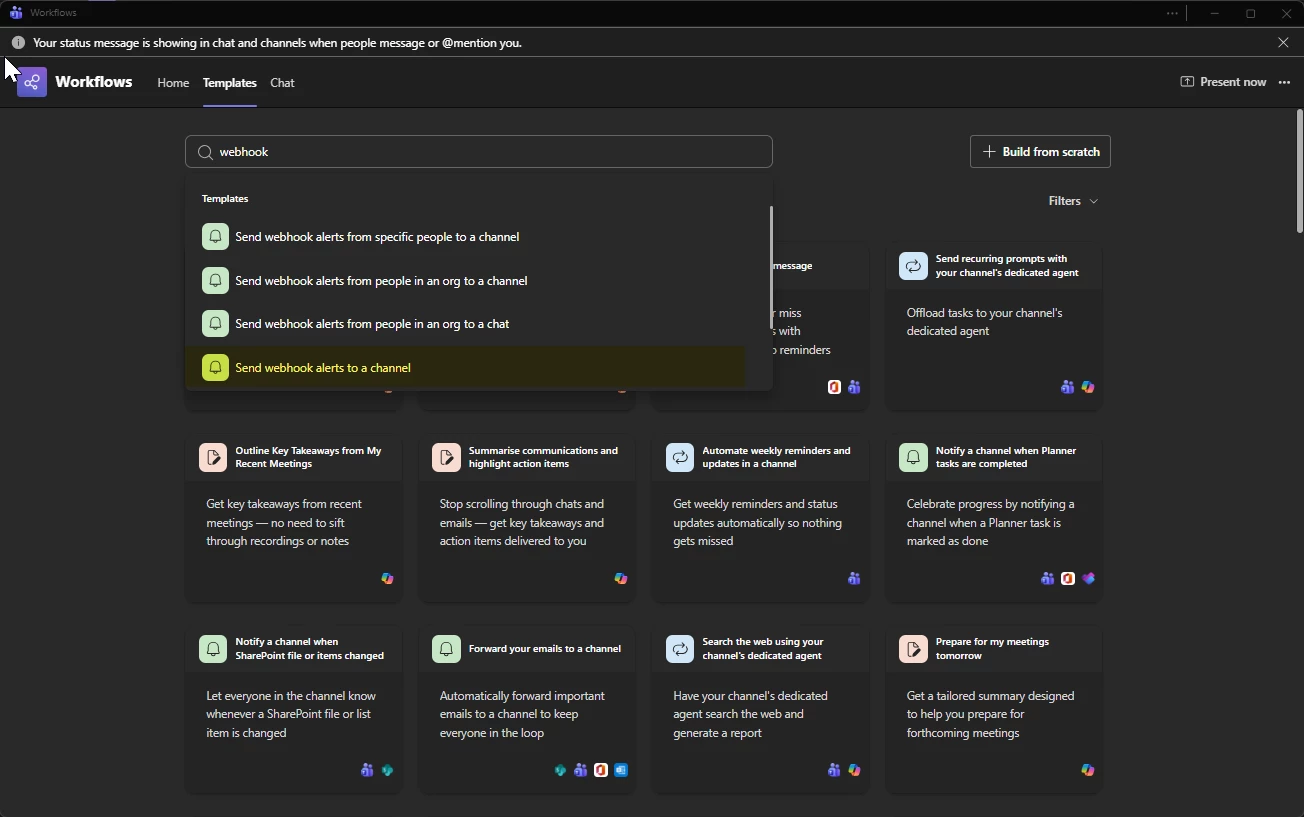
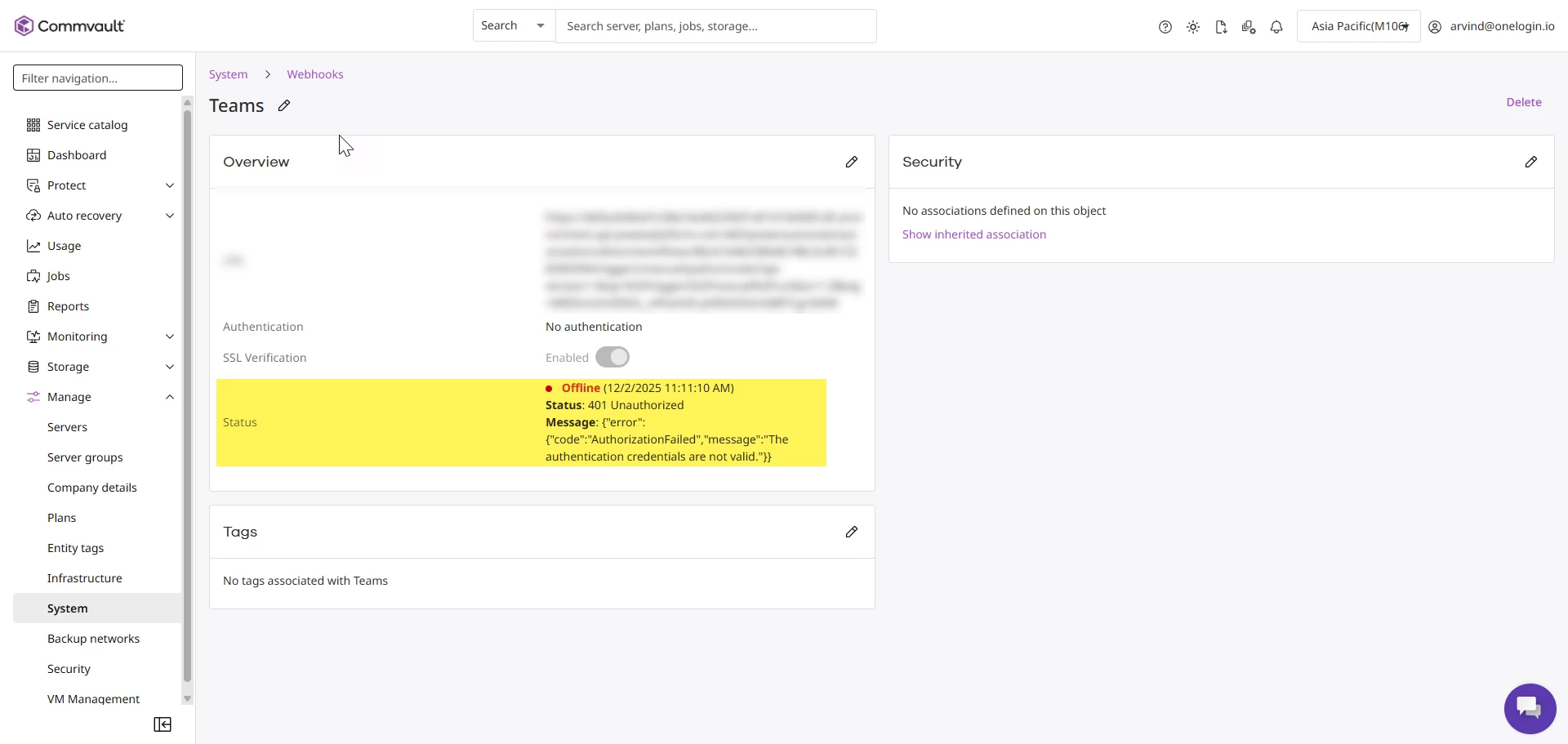
Via MS TEAMS >Workflows>Manage I’ve created a workflow called Send Webhook Alerts to a Channel and copied the URL created. I’ve then go to Commvault Command Center>Manage>systems and created a Webhook and provided a name and used the copied URL. I’ve then sent a test alert from Commvault to the webhook however the status of the Webhook in Commvault remains in red with error he status 401 Unauthorized with the message {"error":{"code":"AuthorizationFailed","message":"The authentication credentials are not valid."}}
I’m not providing any credentials. Any suggestions would be very much appreciated.
Best answer by Arvind
Good Day @up114743,
From what you've described, the issue appears to be coming from the Microsoft side rather than from the Commvault configuration.
It looks like you're using the default “Send Webhook alerts to a channel” workflow template. When configuring the workflow, please ensure the correct option is selected as outlined in Microsoft’s documentation:
After creating the workflow, you only need to copy the generated URL. There are no token selections required. However, if the flow is set to Private within your tenant, this can cause the authorization error you’re seeing.
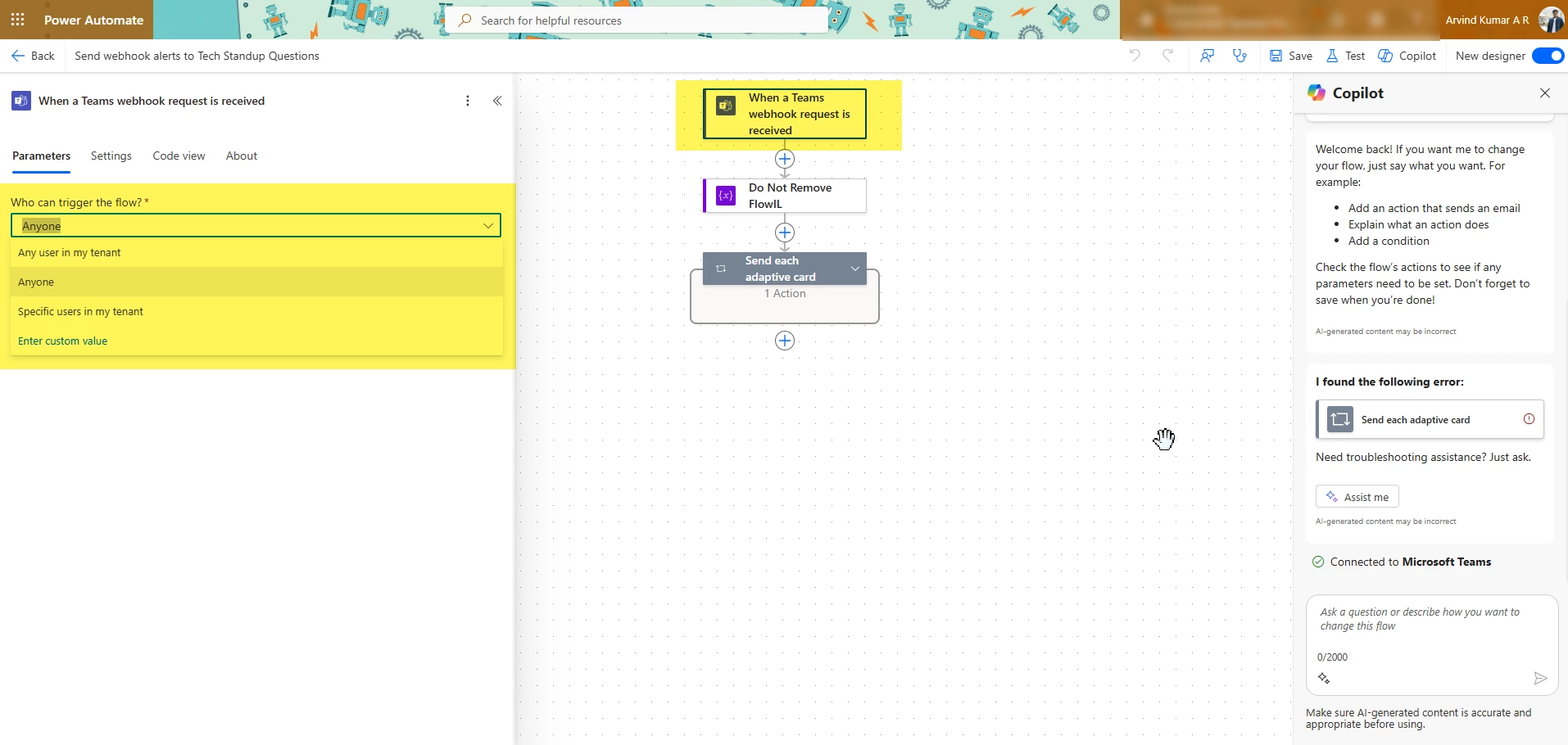
Edit the flow and select the first operation: “When a Teams webhook request is received”
Ensure “Who can trigger the flow?” is set to “Anyone”
Any other option restricts it to your tenant and will result in authentication failures.
After updating this, use the newly generated URL and test again. It should work without authentication errors.
Additional Note: Microsoft Teams does not use the standard JSON format that Commvault’s default notifications generate. You must use the Teams-specific notification template in the Alert Definition.
The error message: **{"error":{"code":"AuthorizationFailed","message":"The authentication credentials are not valid."}} indicates that the request is reaching the endpoint, but the authentication token or credentials being used are invalid, expired, or not authorized to perform the requested operation.
Common Causes
Expired Access Token The token used in the API call has expired and must be refreshed.
Incorrect or Missing Token The Authorization header may be missing, malformed, or using an incorrect token type.
Request to kindly review the Web Server logs at the time the alerts were being tested. This will help us gather more detailed information related to the issue and determine the next steps.
From what you've described, the issue appears to be coming from the Microsoft side rather than from the Commvault configuration.
It looks like you're using the default “Send Webhook alerts to a channel” workflow template. When configuring the workflow, please ensure the correct option is selected as outlined in Microsoft’s documentation:
After creating the workflow, you only need to copy the generated URL. There are no token selections required. However, if the flow is set to Private within your tenant, this can cause the authorization error you’re seeing.
Edit the flow and select the first operation: “When a Teams webhook request is received”
Ensure “Who can trigger the flow?” is set to “Anyone”
Any other option restricts it to your tenant and will result in authentication failures.
After updating this, use the newly generated URL and test again. It should work without authentication errors.
Additional Note: Microsoft Teams does not use the standard JSON format that Commvault’s default notifications generate. You must use the Teams-specific notification template in the Alert Definition.