Question

Connections to Commvault SQL DBs

  • February 10, 2025
  • 2 replies
  • 60 views

Forum|alt.badge.img+4

Hello!

While playing in my home lab, with some limited functions i have decided to play a little with Network Interfaces ip configurations etc.


Since i have switched networks and addresation Commvault is not longe able to work 


In logs while trying to reinstal packages i do have this error:

 

I have changed SQL configuration in this place - here is a new address.
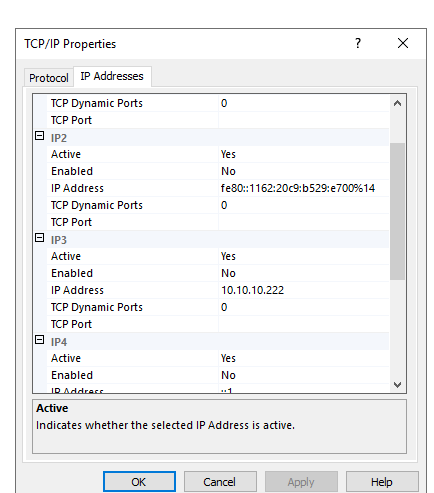
Commvault is installed Localy on same server as SQL.


I have no access to WebConsole, CommandCenter or even Commcell Console.


Is there any config file, or reg entry where i can check how CV wants to connect to by DB?

I do not have much experience with SQL DBs.


Im running on 11.36

2 replies

Mohamed Ramadan
Novice
Forum|alt.badge.img+10

hello ​@Grzegorz 

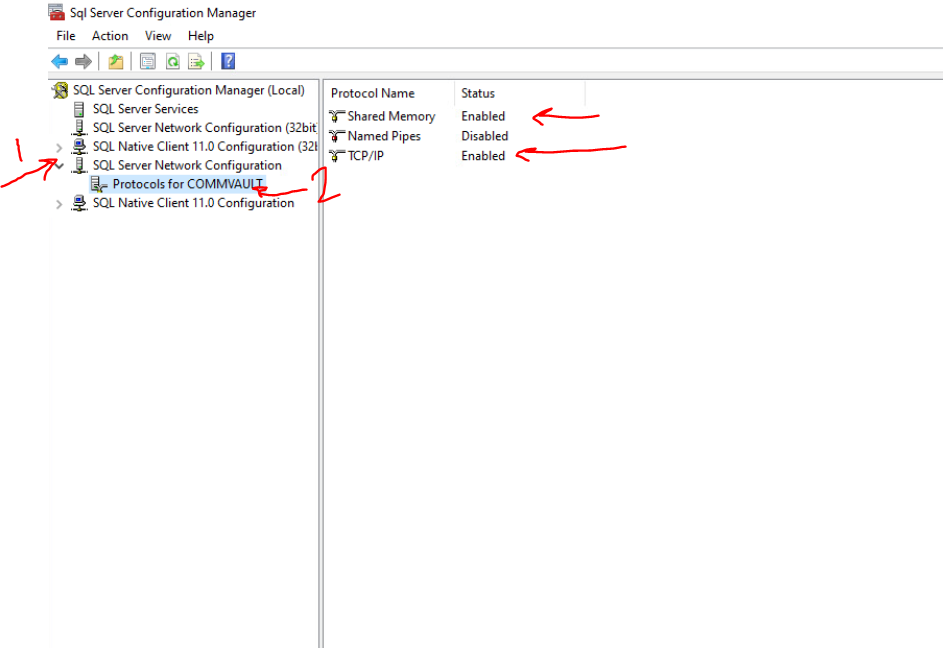
First, open the SQL Server Configuration Manager and verify if the protocol configuration for Commvault appears as shown below.

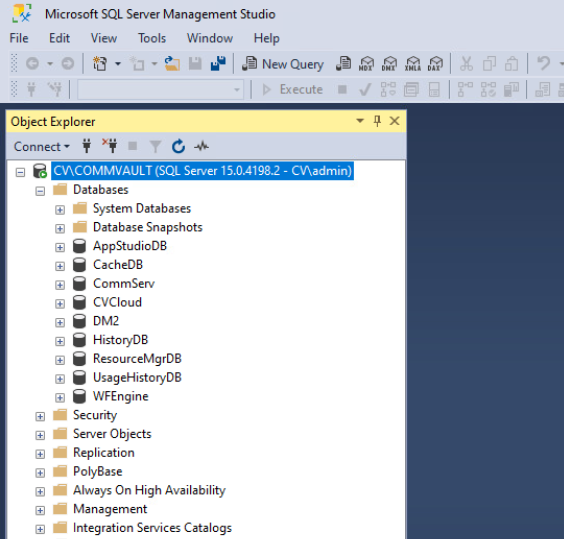
Next, open SSMS and try connecting to the server using Windows Authentication. Then, check if you can browse the Commvault DB as shown below.


Best Regards,
Mohamed Ramadan
Data Protection Specialist


sbhatia
Vaulter
Forum|alt.badge.img+9
  • Vaulter
  • April 25, 2025

Looks like the issue is with SQL not listening on the new IPs you configured. From the TCP/IP settings you shared, the IPs (like 10.10.10.222) are active but not enabled—which means SQL Server isn’t accepting connections on them yet. You’ll need to go into SQL Server Configuration Manager > TCP/IP > IP Addresses, find the new IPs, and set Enabled = Yes, then restart the SQL Server service.

Also, Commvault pulls the SQL connection info from the registry during startup. You can check this in:

HKEY_LOCAL_MACHINE\SOFTWARE\CommVault Systems\Galaxy\Instance001\database and validate the connections.