

Question

Health Report Errors

  • February 20, 2026
  • 3 replies
  • 17 views

Forum|alt.badge.img+16

I’ve got a new installation that’s just completed and am having an issue with the Health Report in the Dashboard.

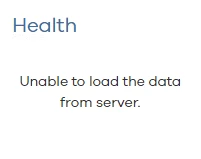
The Error I’m seeing states ‘Unable to load the data from the server’.

I’ve checked all services, restarted Tomcat/IIS and the CVCloud DB are online.

When you click on the Health Report it then loads an error that the ‘User does not have access to the page’.


The user is part of the ‘master’ role with associated entities configured correctly. Any ideas where I could start troubleshooting from as the next step?



3 replies

Jos Meijer
Community All Star
Forum|alt.badge.img+21
  • Community All Star
  • February 20, 2026

Is this 11.40?

There is a know issue with this installation where you need to:

  • Go to the registry
  • Open location HKEY_LOCAL_MACHINE\SOFTWARE\CommVault Systems\Galaxy\Instance001\Database
  • Check if key pCREAccess exists

If not:

  • Copy the value of key: pEXECACCESS
  • Create a key pCREAccess
  • Paste the value you just copied
  • Restart Tomcat

Forum|alt.badge.img+16
  • Author
  • Challenger
  • February 20, 2026

Hi


It is V11.40.

Added the required Reg key and restarted Tomcat service using Process Manager. We’re still seeing the same error.


  • Novice
  • February 20, 2026

Im running into the same issue on 11.40.

Applied the reg key (didn’t exist) and restarted Tomcat.


