




There used to be a command in the documentation using which I used to increase the number of rows in the reports, which is by the way set to maximum 10000 rows. I know that we can go past 10000 using reports in command center or web console. But here I am asking about the same to be done in commcell console reports. I know there was a command and I used that several times. But now its nowhere to be found. Does anyone remembers that?
Solved
Increase job summary report row from 10000 (default) using the command line command
- Novice
Best answer by Chris Hollis
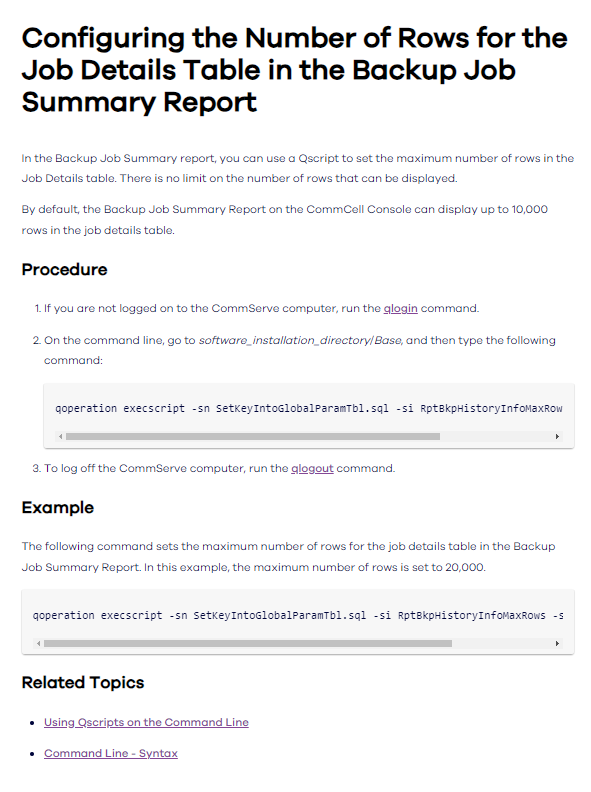
Found this article: https://documentation.commvault.com/11.24/expert/configuring_number_of_rows_for_job_details_table_in_backup_job_summary_report.html
qoperation execscript -sn SetKeyIntoGlobalParamTbl.sql -si RptBkpHistoryInfoMaxRows -si y -si nnnnn
Example:
qoperation execscript -sn SetKeyIntoGlobalParamTbl.sql -si RptBkpHistoryInfoMaxRows -si y -si 20000
Does this help?
Regards,
Chris



Readiverse Academy Certifications

Enter your E-mail address. We'll send you an e-mail with instructions to reset your password.