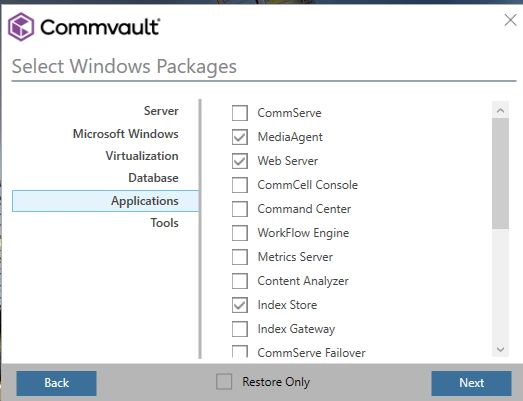
Question

installation WEB server. Cannot create the installation package.

  • February 8, 2026
  • 3 replies
  • 28 views

Forum|alt.badge.img

By default, the Web Server is installed as part of the CommServe installation when IIS is enabled on the computer.

If you did not install the Web Server during the CommServe installation, or if you want to install additional Web Servers on other computers, 
you can do so by using the installation package that was created from the Download Manager application.

How do you create the installation package for the web server, because I cannot select webserver. If i install the Command center ,the web server is not installed. I use 11.40.38.
My co-worker see the same issue.

https://documentation.commvault.com/11.40/commcell-console/installing_web_server.html

3 replies

RubeckDK
Explorer
Forum|alt.badge.img+11
  • Explorer
  • February 9, 2026

Weird stuff indeed….Have you tried creating and installing a package for the Metrics Reporting Server?
Arlie says it will install the Web Server package as part of the installation process..

Not pretty but might work… do not know.. Just throwing out ideas. 


/RubeckDK


Forum|alt.badge.img
  • Author
  • Novice
  • February 9, 2026

RubeckDK
 

Thanks, You might be right!


Forum|alt.badge.img+19
  • Vaulter
  • February 11, 2026

In 11.40 you need to enable a key to install Web Server on a Windows machine, although you haven’t mentioned the operating system.

https://documentation.commvault.com/11.40/software/enabling_windows_installations_for_commvault.html

As it requires an interactive install, you need to use bootstrap to download the software for Web Server component as it downloads the SQL Express binaries that are used when installing the Web server.

After adding the key the Web server will be allowed to be selected from the Server list: