Question

LiveSync Failover Failure - Error 30:436 (SYSADMIN Role Validation Failed)

  • February 25, 2026
  • 1 reply
  • 27 views

Forum|alt.badge.img+3

Hello Team,

We are facing an issue during LiveSync failover in our Commvault Linux installation.

commvault version - 11.40.34
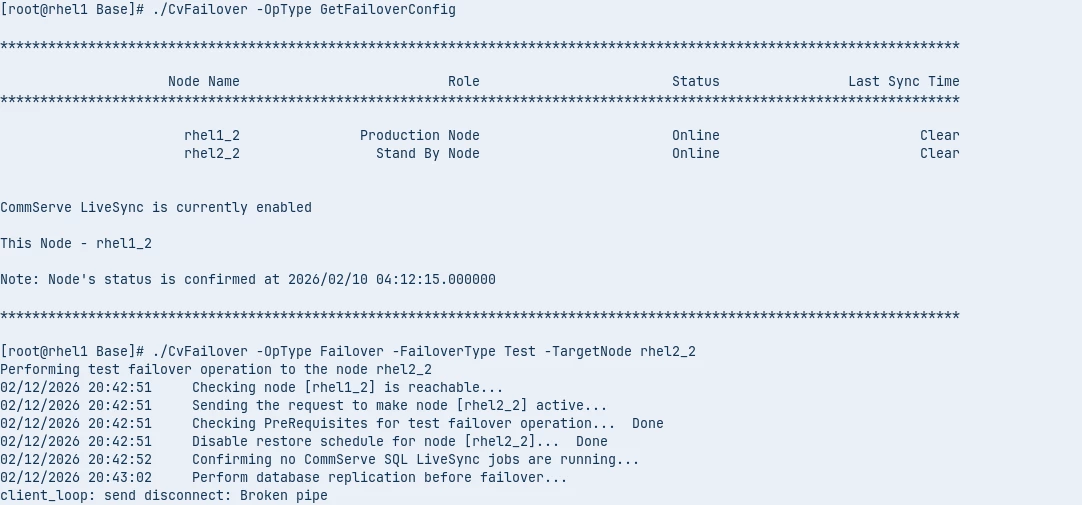
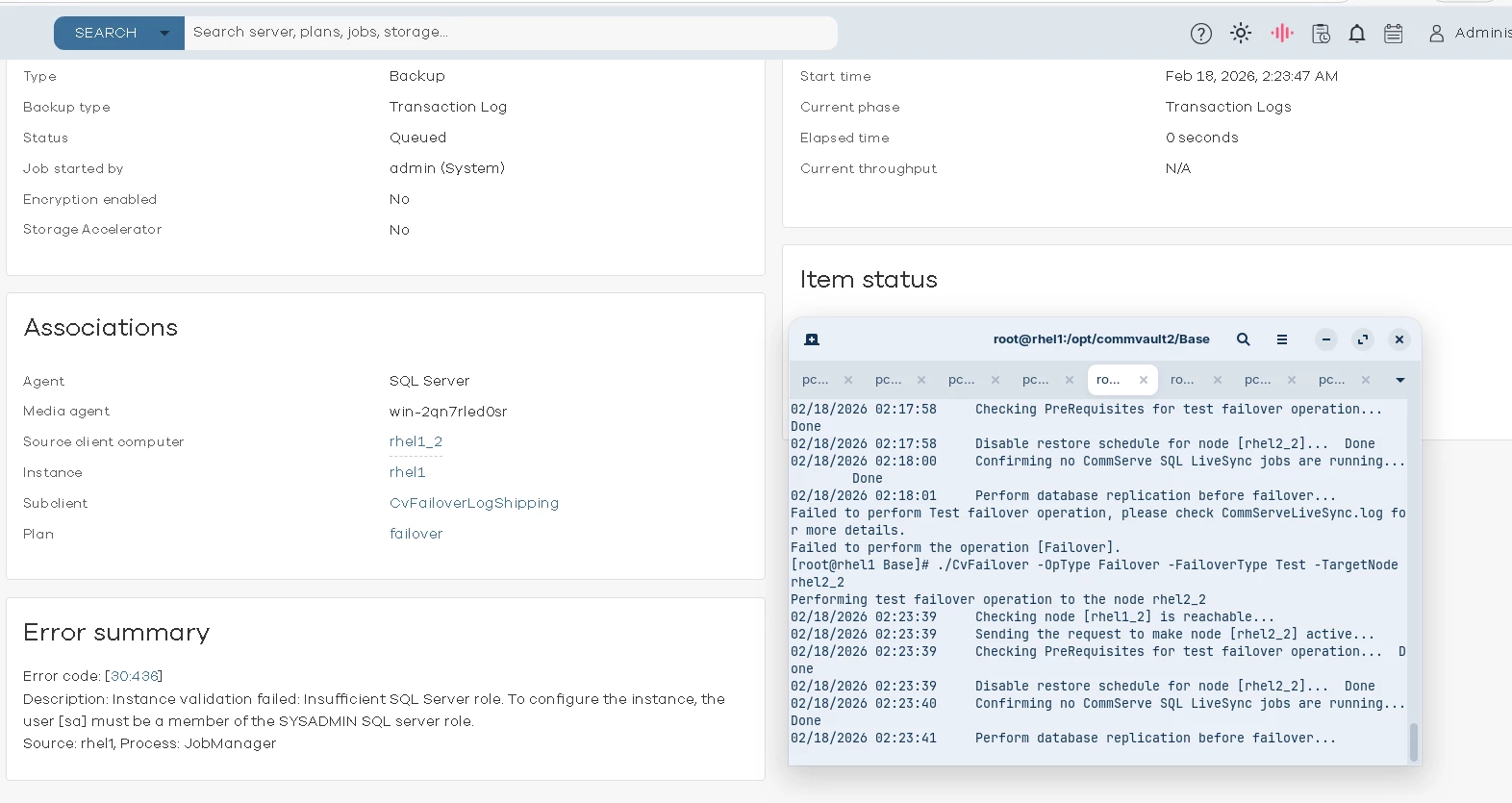
When we attempt to perform the failover, the CvFailoverLogShipping job gets triggered but fails with the following error:
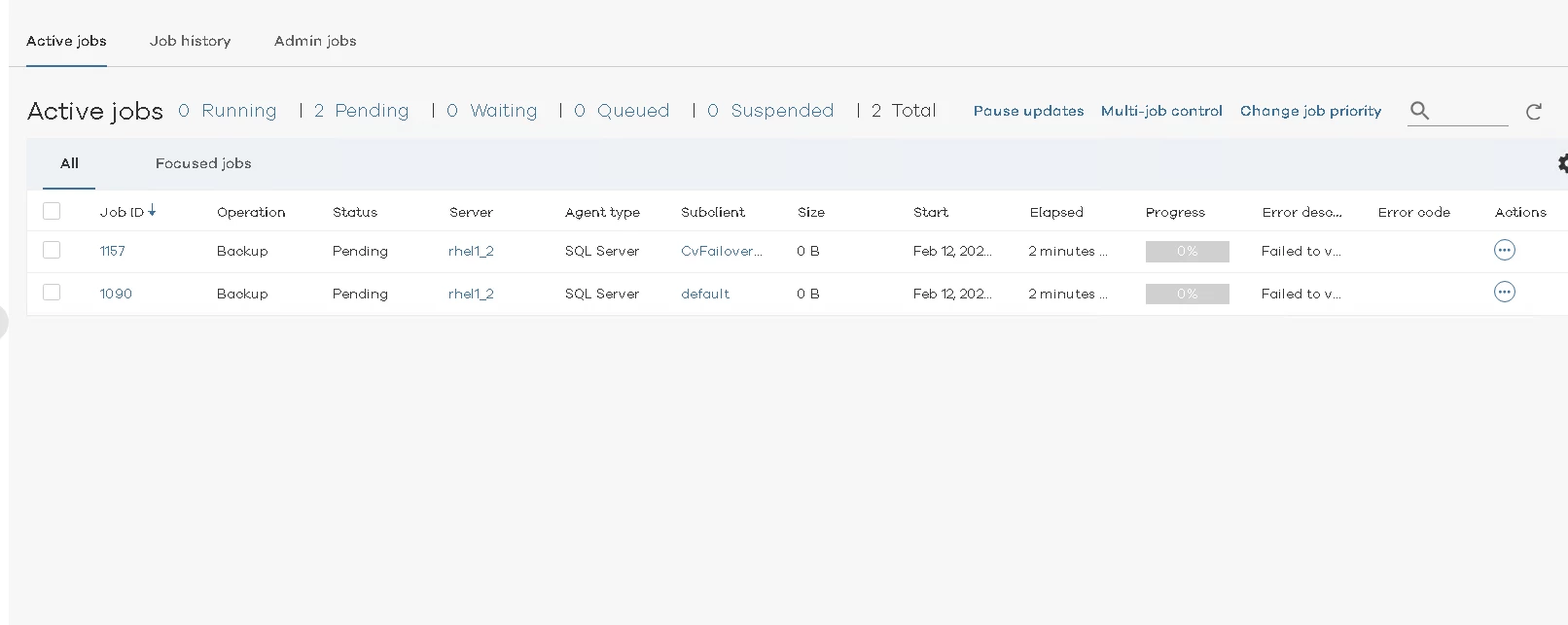
Error code: [30:436]
Description: Instance validation failed: Insufficient SQL Server role. To configure the instance, the user [sqladmin_cv] must be a member of the SYSADMIN SQL server role.
Source: rhel1
Process: JobManager
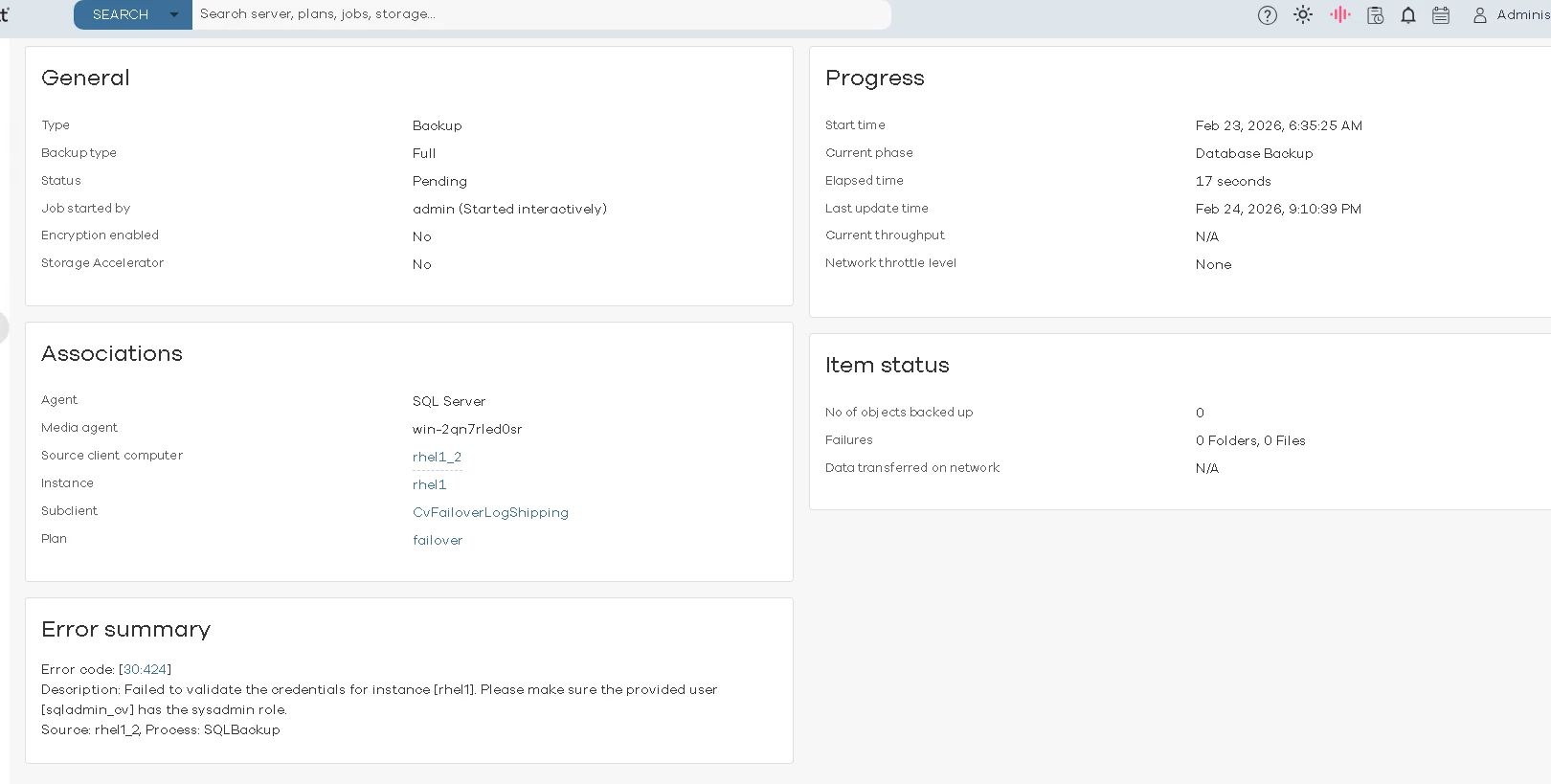
Troubleshooting performed:

  • Verified the SQL login configured in Commvault.

  • Assigned required permissions, including SYSADMIN role, to the SQL user.

  • Revalidated credentials after updating permissions.

  • Verified permissions from the standby node as well; permissions appear consistent on both sides.

  • Despite this, the instance validation continues to fail with the same error.
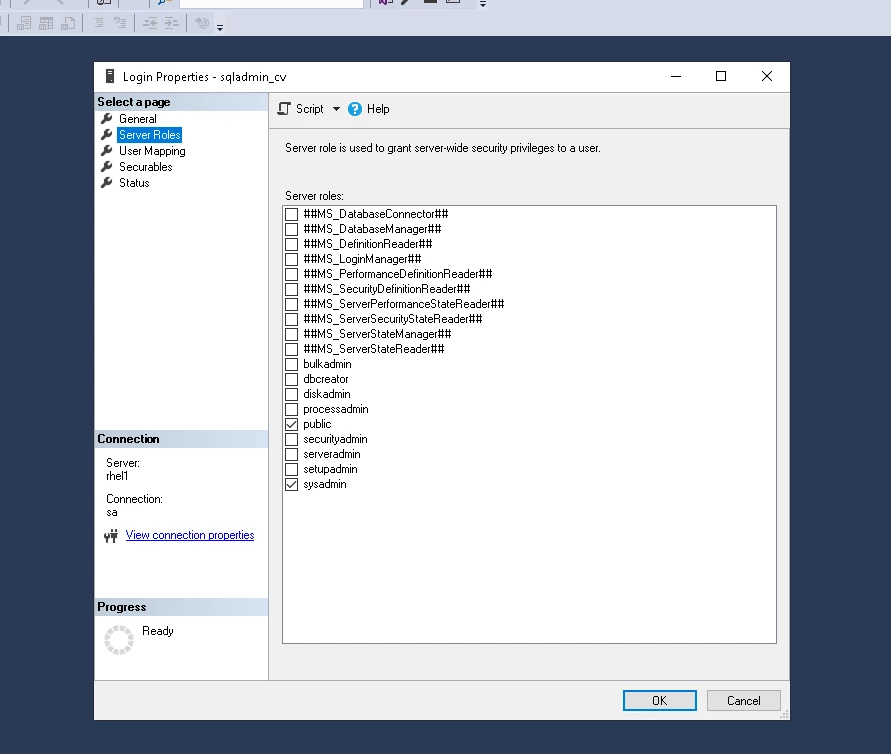
create new user and assigned all required permission

Requesting assistance to identify why SYSADMIN role validation is failing during LiveSync failover.

Please let us know what additional logs or diagnostic information are required.

Thanks,

 

1 reply

Forum|alt.badge.img+9

Hi ​@Aishwarya Upadhye,

Below error, mostly happens when the NT AUTHORITY\SYSTEM account being used does not have the sysadmin roles assigned. This has been outlined in the following documentations -> Configuring User Accounts for the SQL Server Agent and the KB Article -> 30:424 Failed to validate the credentials for instance [...]. Please make sure the provided user [...] has the sysadmin role.


Error Code: [30:424] : Description: Failed to validate the credentials for instance [rhel1]. Please make sure the provided user [SYSTEM] has the sysadmin role.


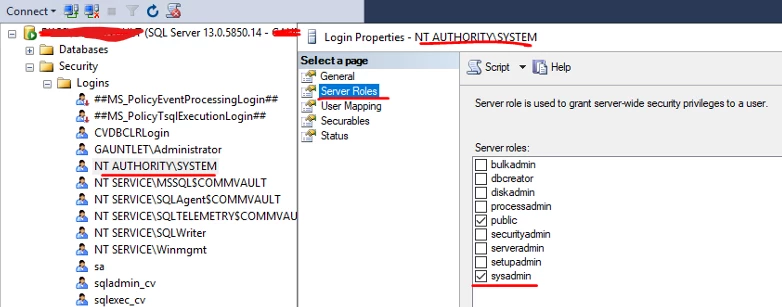
To verify/assigns the sysadmin role to the 'NT AUTHORITY\SYSTEM', please follow the below steps:

===

1. Open SSMS and connect to the CS Instance.

2. From the Explorer, Expand Security -> Logins -> right-click NT Authority\SYSTEM -> Properties -> Under "Server Roles", ensure that "sysadmin" role is selected for 'NT Authority\SYSTEM', if not check it and Hit on OK.


- Once the sysadmin role is assigned, navigate to the Production Failover Instance for Client 'rhel1_2', Under Accounts tab select Local System Account.

- Perform a check readiness of the Production Failover Instance and ensure Client & Instance both are ready.

- Once Instance is ready you may resume the job to see if it progresses.


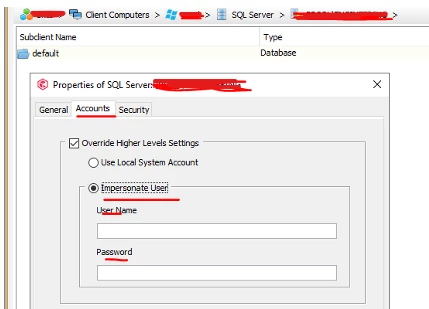
Also, If you would like to use a different account which has the sysadmin roles, you can impersonate that user at the Instance level in the Commcell Console following below steps:

1. In Commcell Console -> Select the Click the Failover Client -> SQL Server -> Right-click on the Instance -> Properties.

2, Under Accounts tab, you can select "Override Higher Levels Settings", select "Impersonate User" and type the user account having sysadmin role on the SQL Instance  and click Ok.


Regards,

Dheeraj