Question

Move index directory on Index Server node

  • March 25, 2026
  • 10 replies
  • 69 views

Forum|alt.badge.img

Hi,

I need to move the index directory on the index server node.

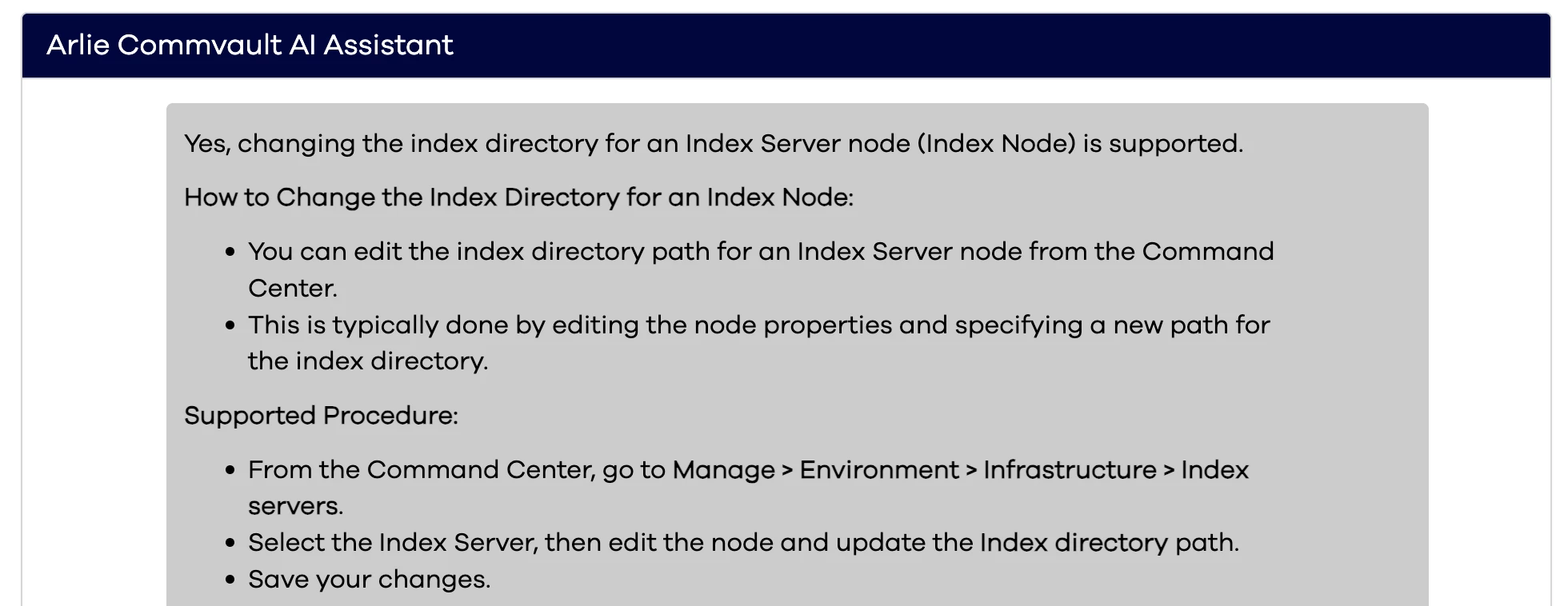
Documentation and Arlie point to the workflow IndexServerDirectoryMove but this does not exist in the current environment and it is not available on the store.

It is also not possible to manually change the directory location as the path in the edit node screen is greyed out.

I hope anyone can help me with this issue.

 

10 replies

dude
Community All Star
Forum|alt.badge.img+20
  • Community All Star
  • March 25, 2026

Forum|alt.badge.img
  • Author
  • Apprentice
  • March 25, 2026

Hi ​@dude,

Thank you for the documentation but this documentation is for the index cache on the media agent.

I need to move the index directory on the node for the index server that is used for MS365 index. It was not configured correctly so now lives on the C: drive causing errors and potentially issues when the drive fills up.


dude
Community All Star
Forum|alt.badge.img+20
  • Community All Star
  • March 25, 2026

My bad ​@Paul G 


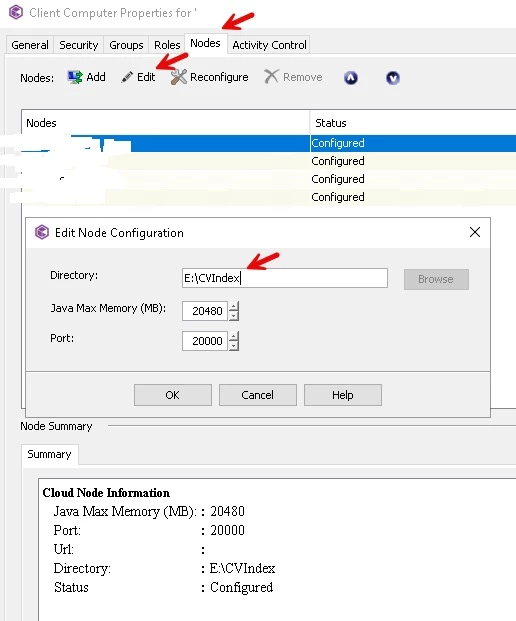
Can you go to the client, nodes tab, edit and change ? Im showing my environment below;


Forum|alt.badge.img
  • Author
  • Apprentice
  • March 25, 2026

Thank you ​@dude.

I can change the path in the CommCell console at that location. I was only looking in the command center interface and did not think about the java console.

I will test this tomorrow after all data has been copied over to the new location. Are you sure CV will accept this change as the command center directory path is greyed out?


Too bad that Commvault no longer has the workflow for this. That would have made this much easier and less error prone.


dude
Community All Star
Forum|alt.badge.img+20
  • Community All Star
  • March 25, 2026

I have the same behavior. I cant edit in Command Center but allows me to change in Java UI.


Forum|alt.badge.img
  • Author
  • Apprentice
  • March 26, 2026

Hi ​@dude,

I just tested the move but I cannot change the path in the java console. It looks the same as in your screenshot but I cannot change the path itself. I was afraid this would be the case as the browse button is also greyed out.

I will create a case with support to get a solution and share it here for others.


Forum|alt.badge.img
  • Author
  • Apprentice
  • March 26, 2026

Commvault Support told me it is not possible to change the index directory on the same node.

They provided steps to install a second instance on the same server and how to create a completely new index server which can be associated to the MS365 applications but this means I would need to replay all backups to populate the index. This is not a good solution in my eyes as replay can take a long time depending on the amount of data.

If I would install a second instance on the same server, I would add it as a second node to the index server and use the steps to remove the original node which will facilitate the move of the index data.

I won't use this option as second instances usually cause issues in the long run. I will just have to live with the current situration and expand the disk where the index is currently located.

@dude Thank you for thinking with me on this issue.


dude
Community All Star
Forum|alt.badge.img+20
  • Community All Star
  • March 26, 2026

@Paul G this is an interesting one.

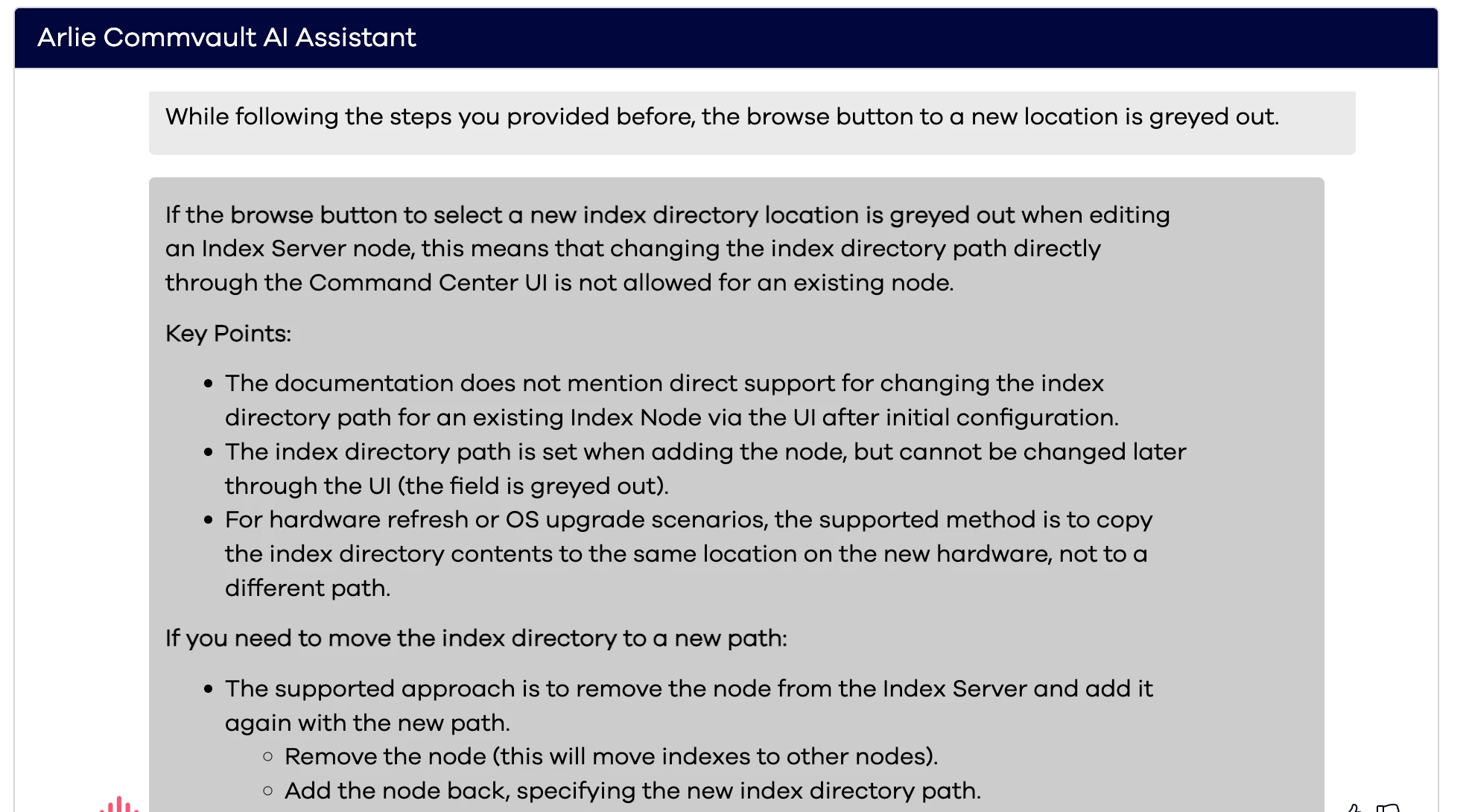
Commvault AI Arlie says it is supported but then says its not supported.

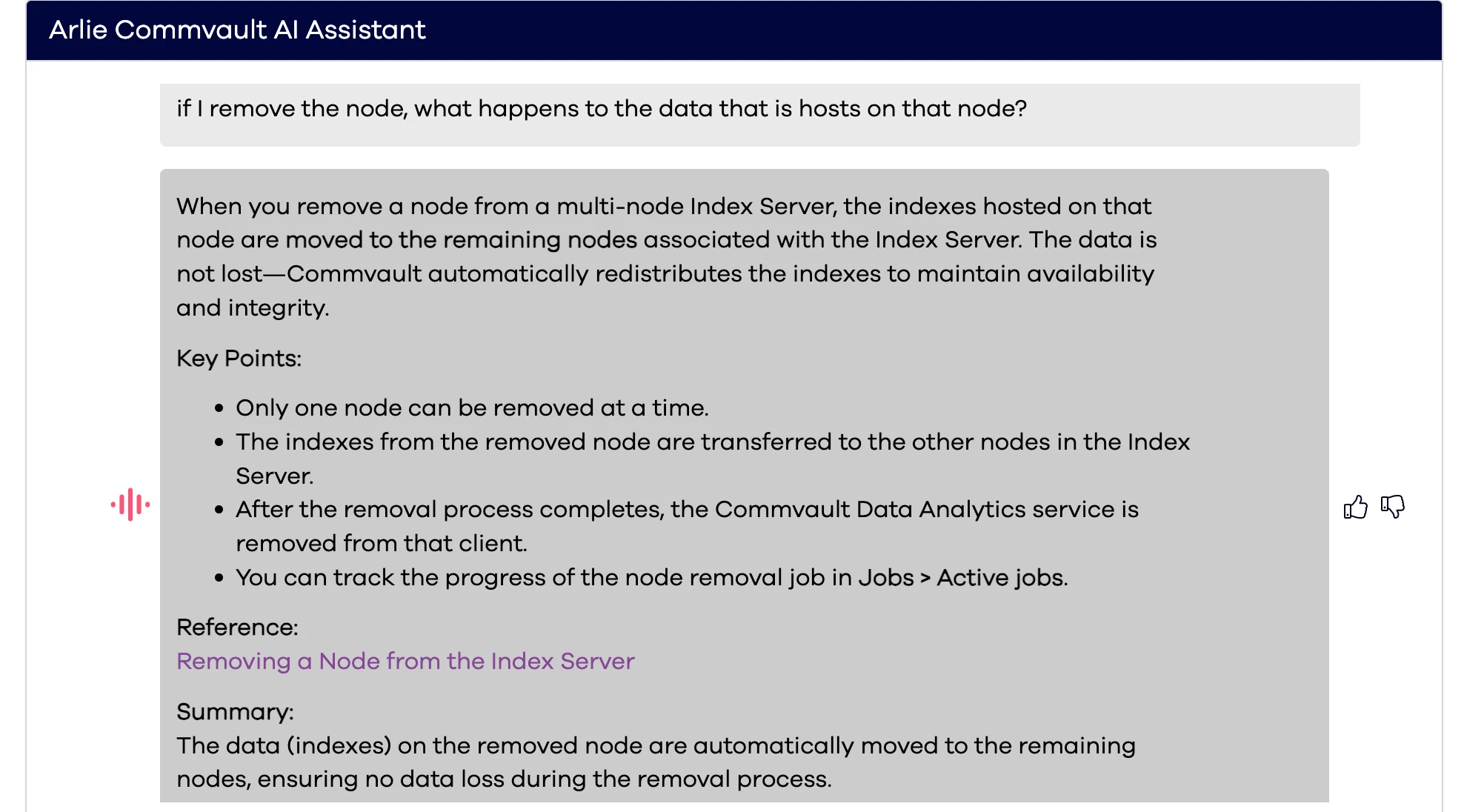
Take a look at the below screenshots. I dont think you need to recreate a completely new Index Node. Perhaps the process to remove the node one at a time (shown below) waiting for data to be distributed to other nodes is the easiest route here. What do you think?


When I say that the Browse option is greyed out, it says its not;


Forum|alt.badge.img
  • Author
  • Apprentice
  • March 26, 2026

Well, it is a 1 node index server so I would first need to add a new node to replicate to.

It used to be possible as Arlie linked me to KB article KB 80544 but it seems that this was changed after 11.32. The KB article links to 11.24 BOL.

I think this was possible when the Index Server was called Index Server Cloud but since new architecture was created in later feature releases, this is no longer possible.


dude
Community All Star
Forum|alt.badge.img+20
  • Community All Star
  • March 26, 2026

Understood. Well, looks like we are in a corner here. Deploying a new server it is then.