Question

Restore from windows filesystem to NDMP server

  • July 21, 2025
  • 9 replies
  • 89 views

Hello All,

I hope this email finds you well.

I'm currently working on a data restoration task and have a specific question regarding Commvault's capabilities in a cross-platform scenario.

We have a backup created from a standard Windows filesystem (e.g., using a Windows File System Agent). Our target for this restoration is a Dell PowerScale (Isilon) system, specifically into an NDMP share/volume.

My primary question is whether Commvault supports the direct restoration of a backup taken from a standard Windows filesystem to an NDMP target on a Dell PowerScale appliance.

If this functionality is indeed supported, could you please provide us with the relevant documentation, and ideally, a high-level overview of the steps involved in performing such a cross-platform restore?


Regards,

Robert

9 replies

Emils
Vaulter
Forum|alt.badge.img+13
  • Vaulter
  • July 22, 2025

Hi ​@Robert.R 

Thanks for reaching out. I don’t believe this is natively supported.

In previous cases, customers were required to create a share on the target Filer and issue an out of place restore to the file share.

I will double check internally but I thought I’d respond in the meantime with the workaround I know of.


  • Author
  • Byte
  • July 22, 2025

Hi Emils,

Thank you for your quick response.

You mean map drive the NMDP share into fileserver if yes i tried but during the restore option that the drive is not visible.

Robert


Emils
Vaulter
Forum|alt.badge.img+13
  • Vaulter
  • July 22, 2025

Hi ​@Robert.R 

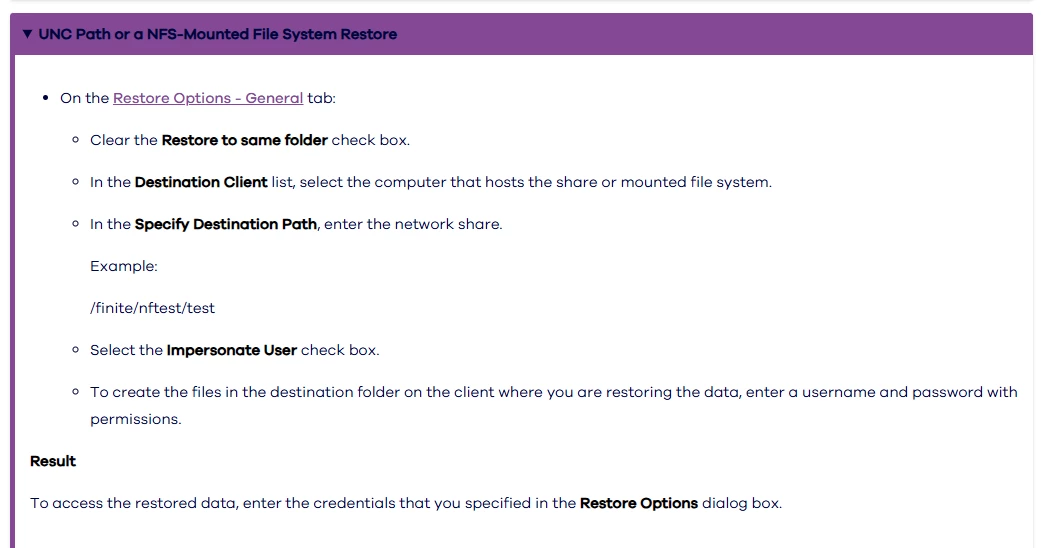
Once the NDMP volume is available as a share, you don’t need to map the drive, you can directly restore to the share location: \\<SERVER/IP>\sharename or “/finite/nftest/test” using the steps in:

https://documentation.commvault.com/v11/expert/restoring_data_using_windows_file_system_agent.html


Note: ensure the MediaAgent used has access to the Filer IP. 


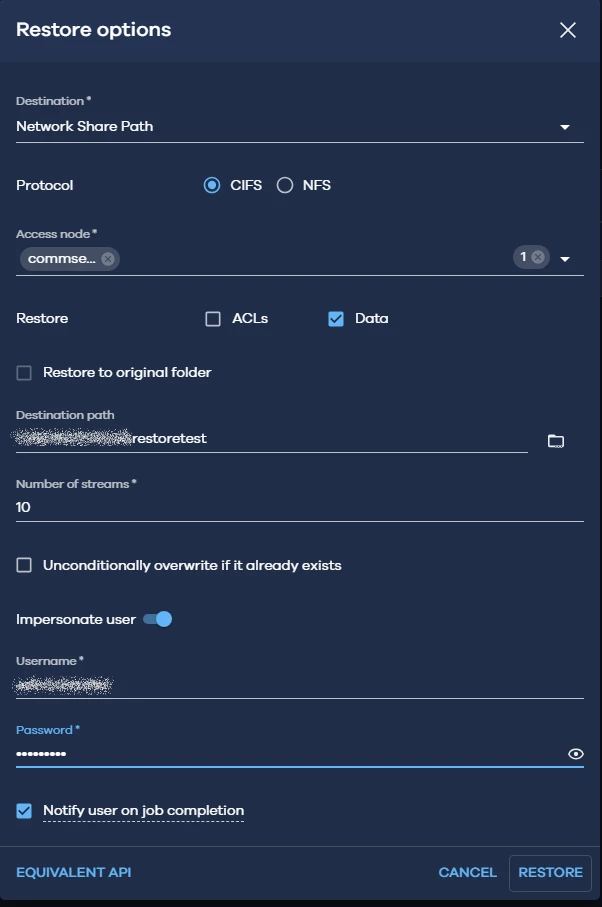
OR in CC and select Network Share Path with a Windows Access node for SMB or Linux Access node for NFS. 

https://documentation.commvault.com/11.40/essential/performing_file_server_restores.html

eg:


  • Author
  • Byte
  • August 5, 2025

Hello Emils,

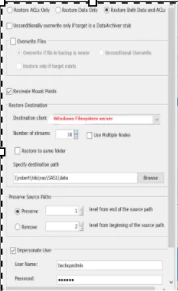
I’ve tried the option but no luck. affixing the screenprint for your reference


Rajiv
Vaulter
Forum|alt.badge.img+12
  • Vaulter
  • August 5, 2025

Hi ​@Robert.R You have to provide the destination client that has access to the destination share \\share\folder and provide the path manually here.

Best,

Rajiv Singal 


  • Author
  • Byte
  • August 19, 2025

Hello Rajiv,

Thank you for your response.

My scenario that the NDMP client is not showing in Destination 


Rajiv
Vaulter
Forum|alt.badge.img+12
  • Vaulter
  • August 19, 2025

@Robert.R By NDMP client you mean the filer or the access node that has access to the NDMP client?

Best,

Rajiv Singal


  • Author
  • Byte
  • September 15, 2025

@Robert.R By NDMP client you mean the filer or the access node that has access to the NDMP client?

Best,

Rajiv Singal

Yes filer


Emils
Vaulter
Forum|alt.badge.img+13
  • Vaulter
  • September 18, 2025

The NDMP client itself will not be shown here… It will be a Commvault Client aka as the access node, typically a MediaAgent which has access to the share that you specify in the destination Path.

for example, we have a mediaagent called ROB-MA1 which you're able to access and navigate the share you've created a share from the ”Dell PowerScale appliance” let's call it DELL-NDMP01. 

So to issue the restore, the client you would use is ROB-MA1 and the destination would be \\DELL-NDMP01\<someshare>\Restoretest. Ensure you've entered the credentials in Impersonate User. (Refer to the instructions in my reply above).

Hope this helps.

Thank you