
Question

SAP - How does one disable a database for a given SAP instance?

  • November 19, 2025
  • 2 replies
  • 6 views

roc_tor
Byte
Forum|alt.badge.img+7

So, I’ve inheirited this installation a few years ago.  One thing I never had to contend with, until now, is SAP.  We’re moving to the cloud and I simply need to disable a few databases from backing up.


Now, SAP was done through the Command Center - I’ve been using the browser for everything to this point.  However, as I understand it (and this seems logical ...) - if we change things in the browser (which is “under the hood”), what’s done through command center may override those changes.  Thus, if it’s done throught the command center (aka, plans), it should be managed (as best as possible) through the command center.   This is akin to using stick-shift to automatic, it seems.

Is this correct thinking?  Start with command center plans - work with it in plans/subclients and finish it with plans/subclients.


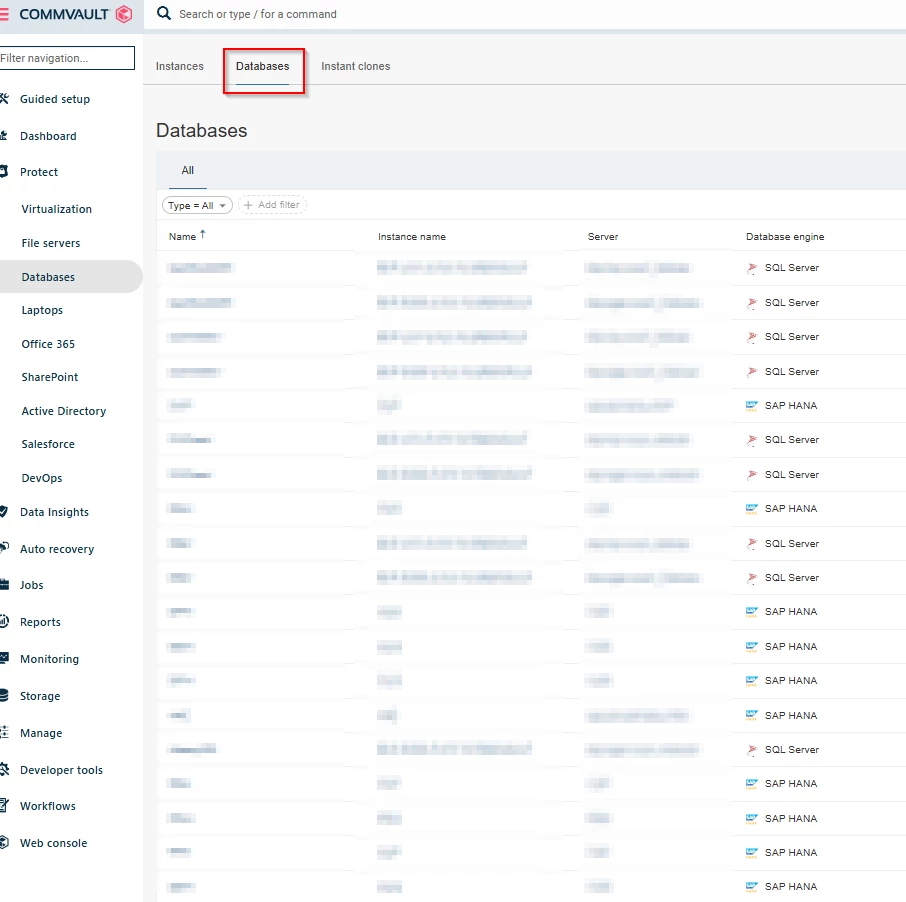
Second - Ok - how does one disable a database backup in CV 11.32?  I have found “delete” on a database, but that smacks of delete the database - which is not what I wish to do.  In browser-ease, I’d like to simply retire the database.  Keep it in place (let it age out) but no more backing up.  

The AI has been.. less than useful.  It doesn’t seem to understand the interface in 11.32. 

Thank you for any wisdom you can spare me.
2 replies

roc_tor
Byte
Forum|alt.badge.img+7
  • Author
  • Byte
  • November 19, 2025

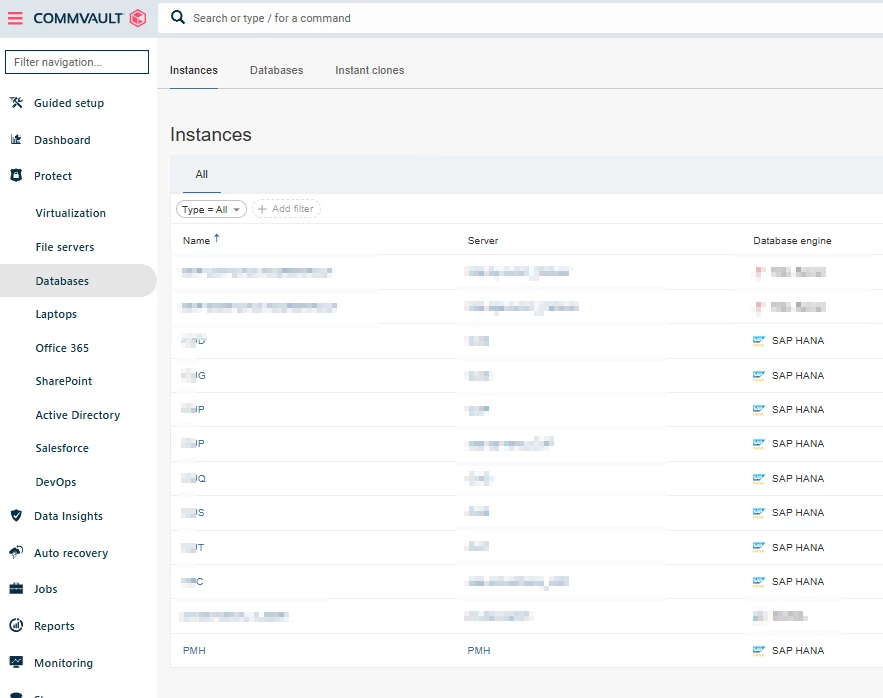
Adding a couple screenshots.. this is what I’m seeing:


The isntances tab:
 

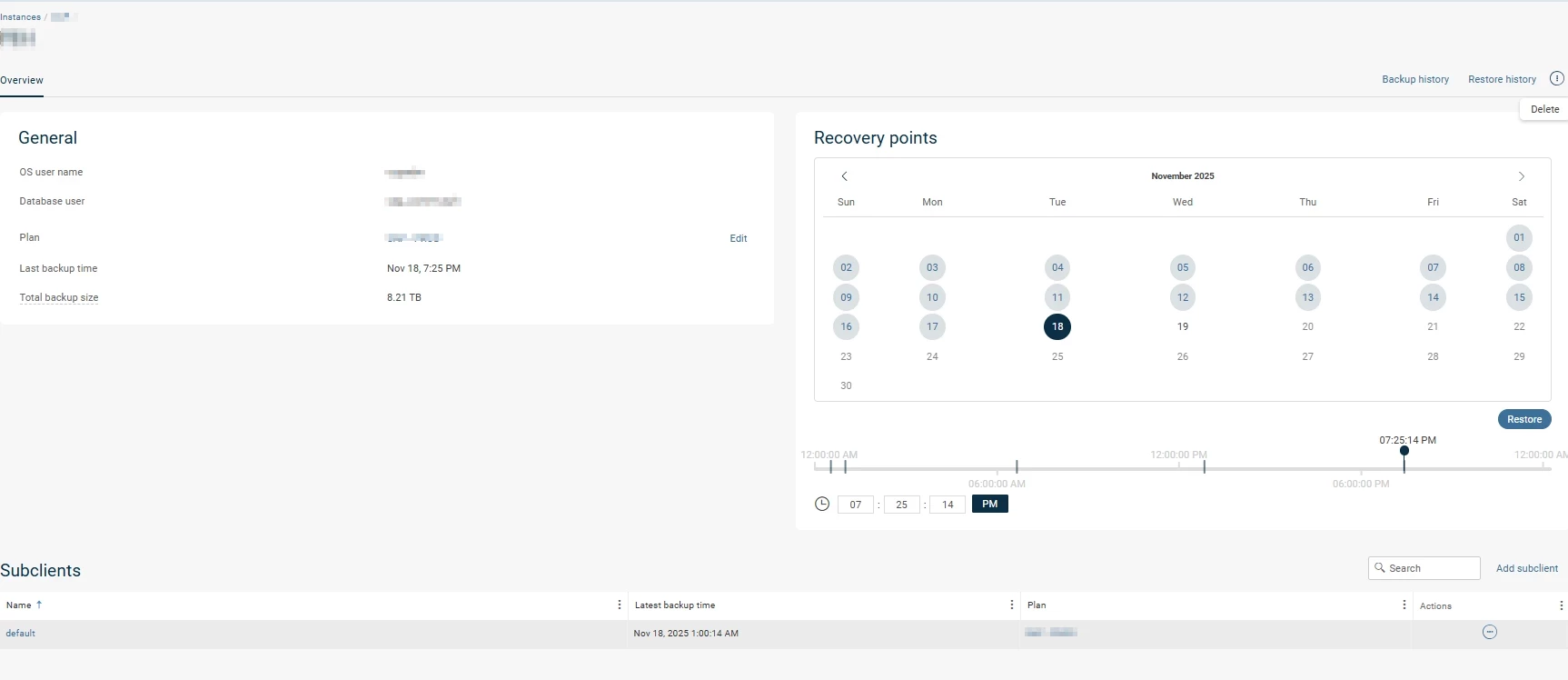
Selecting a database I want to retire:
 

All I seem to see HERE is the “delete” option in the upper right. This sounds.. destructive… 

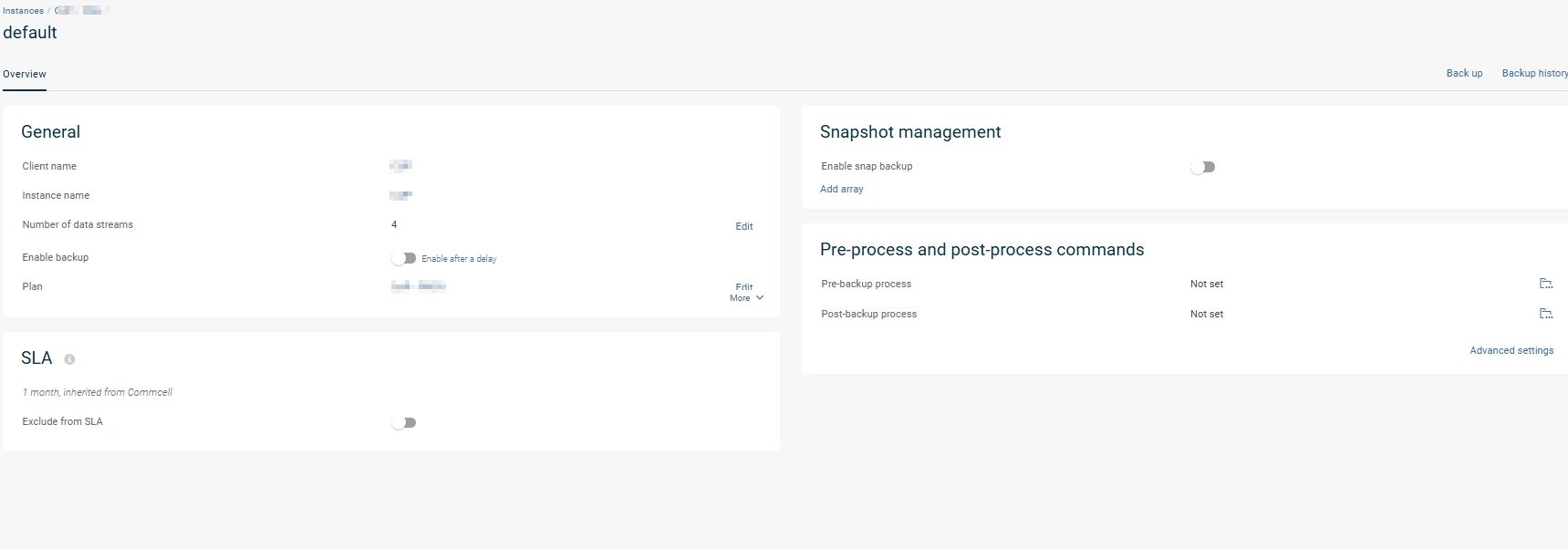
Selecting the “default” subclient in the lower left:
 

I can disable from there…

However, reports such as missed SLA and  the “X days since last backup” will still go off, which doesn’t seem to happen with the retire option. 

Any ideas on how to retire rather than disable?  Or is that the only behavior this agent has?


Forum|alt.badge.img+15
  • Vaulter
  • December 3, 2025

You can go to the Plan assigned to each Database subclient and do not associate it; Edit Association and assign to None.

The schedule from the plan will not be linked with the subclient.

Then in Protect → Databases → Instances  you have the Deconfigure option to release license but as you have version 11.32 is not showing in the console as I can see in your screenshots so it would be good if you upgrade your environment.