




Answer

SQL TLogs Storage Policy Best Practices

  • August 1, 2025
  • 6 replies
  • 78 views

dude
Byte
Forum|alt.badge.img+16

I am looking at creating a storage policy for SQL/Oracle Logs Backups and I do see the the Java GUI gives me the option for a Log Storage Policy as well as it describes its functionalities in the documentation (https://documentation.commvault.com/v11/expert/enabling_log_storage_policy.html).

If I attempt to instead create a "Plan", it seems like the option does not exists. Am I missing anything? 

  1. What is the recommended approach for Log Backups when it comes to the different management interfaces?
  2. Should Logs have its own Policy always? Any documentation available that describes the best practices for that particular purpose?
  3. In the second screen shot, there would be a list of DDB storage pools. Considering Logs are not Dedup, should that just be unchecked I assume?
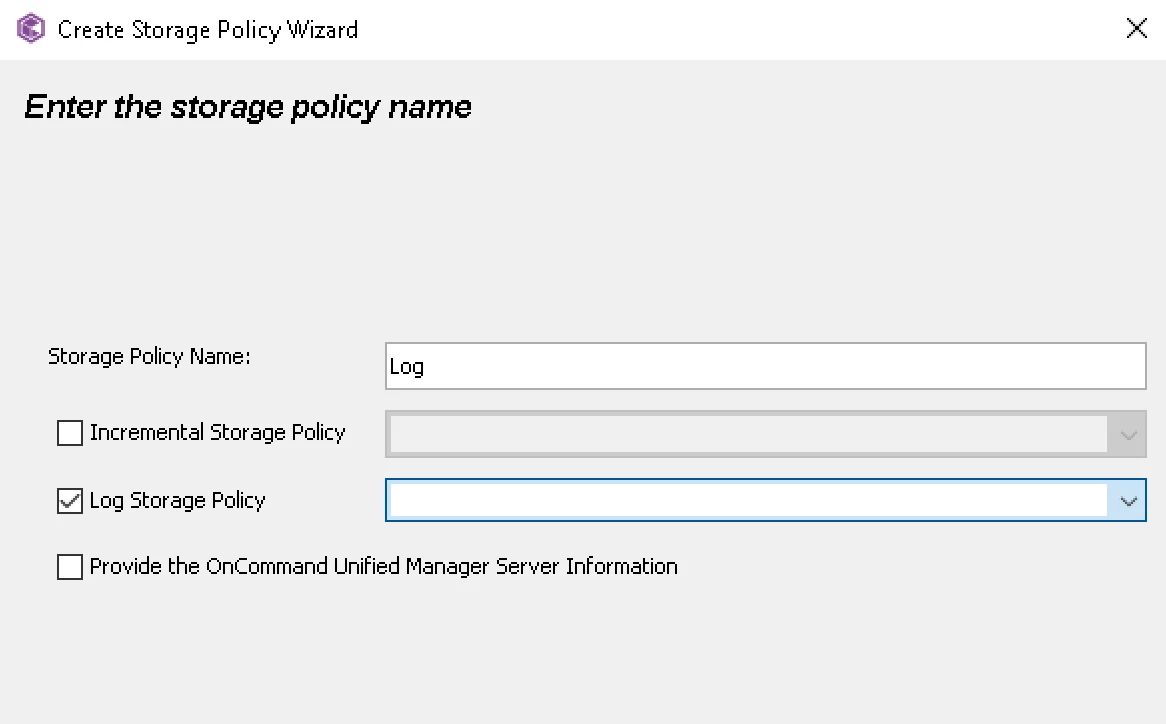
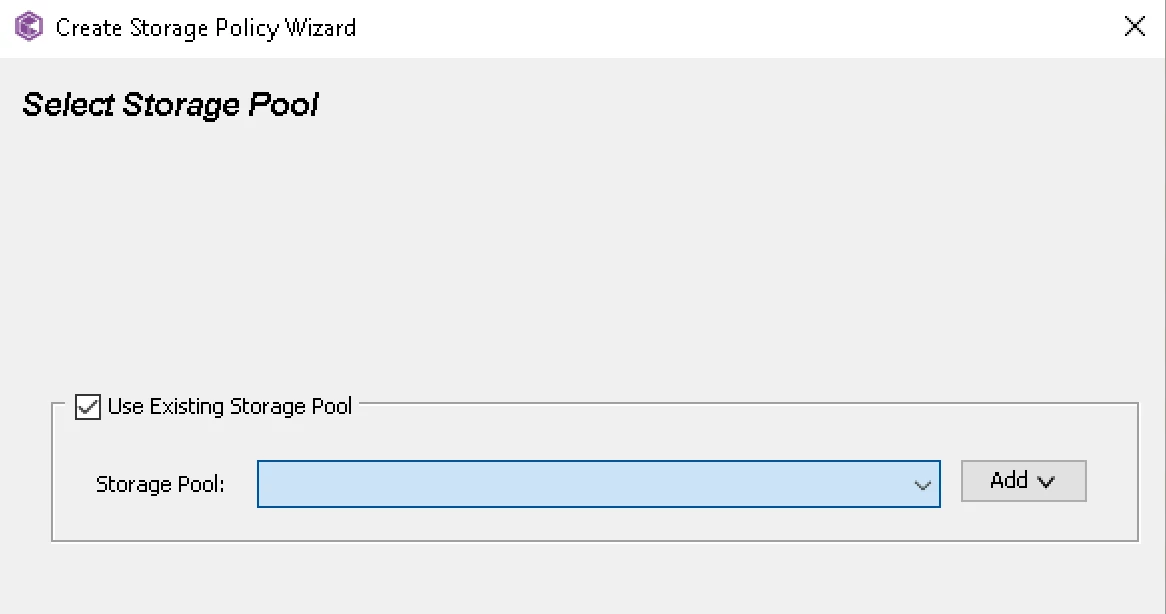
 

Thanks

Best answer by Scott Moseman

Keep it simple and use Plans in Command Center.  The Log Storage Policy in the Java GUI is no longer necessary.  Some people may have used (or still use) it to keep different retentions for Fulls and Logs, but you can do that in the Plan using Extended Retention.

If you have Dev and Prod with different retentions you can create two separate Plans or optionally a Base Plan and a couple Derived Plans.  The Base + Derived Plan setup is nice if you’re going to have most of the rest of the settings the same between them.

Thanks,
Scott
 

6 replies

Forum|alt.badge.img+7
  • Vaulter
  • August 1, 2025

Hi ​@dude Regarding plan specific documentation for SQL Server agent , please refer to this this
https://documentation.commvault.com/11.40/essential/creating_plan_for_configuring_sql_server_backups.html


dude
Byte
Forum|alt.badge.img+16
  • Author
  • Byte
  • August 1, 2025

@Sujay kumar thanks for sharing the link but that does not address my questions. If you can review my post and share additional details I would appreciate it. Thanks


Forum|alt.badge.img+7
  • Vaulter
  • August 1, 2025

@dude 
log storage policy for database agents by default non deduplicated by design , even if you associate the deduplicated storage policy
https://documentation.commvault.com/2024e/essential/deduplication_support.html

by default from plan have it own log storage policy associated  but Commserv console should allow you to change to different log storage policy from the list
we can navigate Comcell console->SQL server Subclient properties->Storage Device->Log storage Policy

​​​


Scott Moseman
Vaulter
Forum|alt.badge.img+19

Why do you want a separate policy for the logs?

https://documentation.commvault.com/2024e/expert/deduplication_support.html
“You can assign a deduplicated storage policy for database log file backups. However, the database agents consider the storage policy as a non-deduplicated storage policy and do not deduplicate the logs.”

We do not dedupe logs, even when going to a dedupe policy, so there’s typically not a reason any longer to assign a different policy for the log backups.

Thanks,
Scott


dude
Byte
Forum|alt.badge.img+16
  • Author
  • Byte
  • August 4, 2025

@Scott Moseman I do not want to separate. Goal is to make it as simple as possible and following best practices. JAVA GUI Shows Log Storage Policy which sort of points the user in the direction of separating from the database backup policy which is why I asked first. Command Center does not have that.

What also happens is that we have Dev SQL Servers and Prod which have different retention settings, so in that case, would make sense to have different policies correct?


Scott Moseman
Vaulter
Forum|alt.badge.img+19
  • Vaulter
  • Answer
  • August 4, 2025

Keep it simple and use Plans in Command Center.  The Log Storage Policy in the Java GUI is no longer necessary.  Some people may have used (or still use) it to keep different retentions for Fulls and Logs, but you can do that in the Plan using Extended Retention.

If you have Dev and Prod with different retentions you can create two separate Plans or optionally a Base Plan and a couple Derived Plans.  The Base + Derived Plan setup is nice if you’re going to have most of the rest of the settings the same between them.

Thanks,
Scott


