




Question

Understanding the "Show Deleted Items" Functionality

  • May 15, 2025
  • 2 replies
  • 113 views

Nikos.Kyrm
Byte
Forum|alt.badge.img+15

Hello to all,

In O365 Exchange Online restore operations, I've noticed a 'Show Deleted Items' button. The documentation states, 'When messages from previous backups have been deleted, you can show or hide the deleted messages.'

https://documentation.commvault.com/2024e/expert/viewing_deleted_mail_messages.html


However, its functionality isn't clear to me.

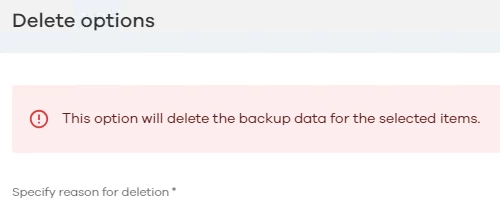
I also tested deleting an email from a backup (following screenshot), but then I couldn't see it again, even with the 'Show Deleted Items' option enabled!


Please for your feedback.

Best regards,
Nikos

2 replies

Damian Andre
Vaulter
Forum|alt.badge.img+23

Hey ​@Nikos.Kyrm 

Show deleted items will show mailbox items that have been removed from production - i.e the user deleted an email from outlook. That is not shown by default and needs to be toggled. Its there as we have to compare between two backup operations to see what was removed.

However, the option you have your screenshot for will permanently remove ability to see or restore the email from the backup.

So two different things - check out this M365 mailbox course we put together which can explain in further detail!


Nikos.Kyrm
Byte
Forum|alt.badge.img+15
  • Author
  • Byte
  • May 27, 2025

Hi ​@Damian Andre 

Thanks for your reply!

I understand that Commvault doesn’t actually delete an email once it has been backed up.

For example, if an email is backed up and later deleted from the production environment, it will still remain in the Commvault backup—even after future backup jobs. Probably because the retention for o365 is always infinity.

Best regards,
Nikos


