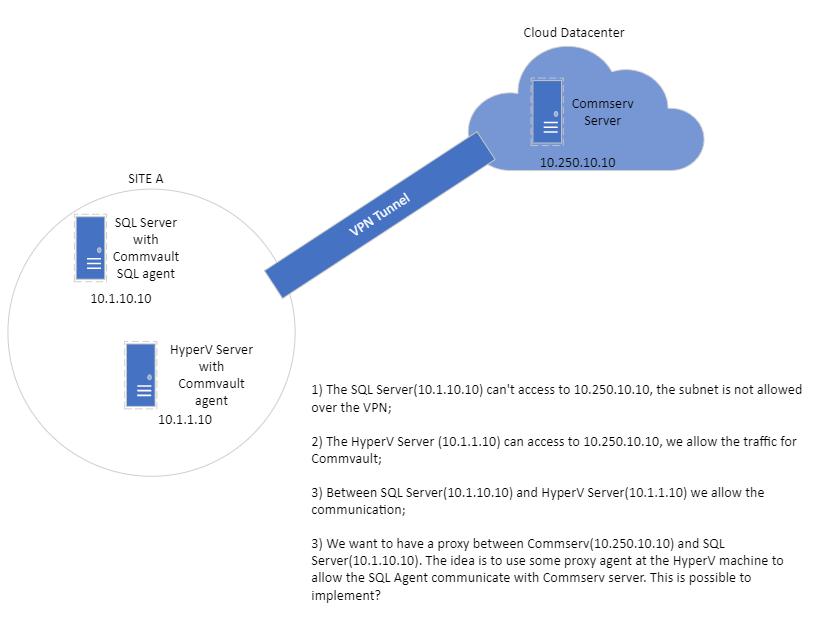
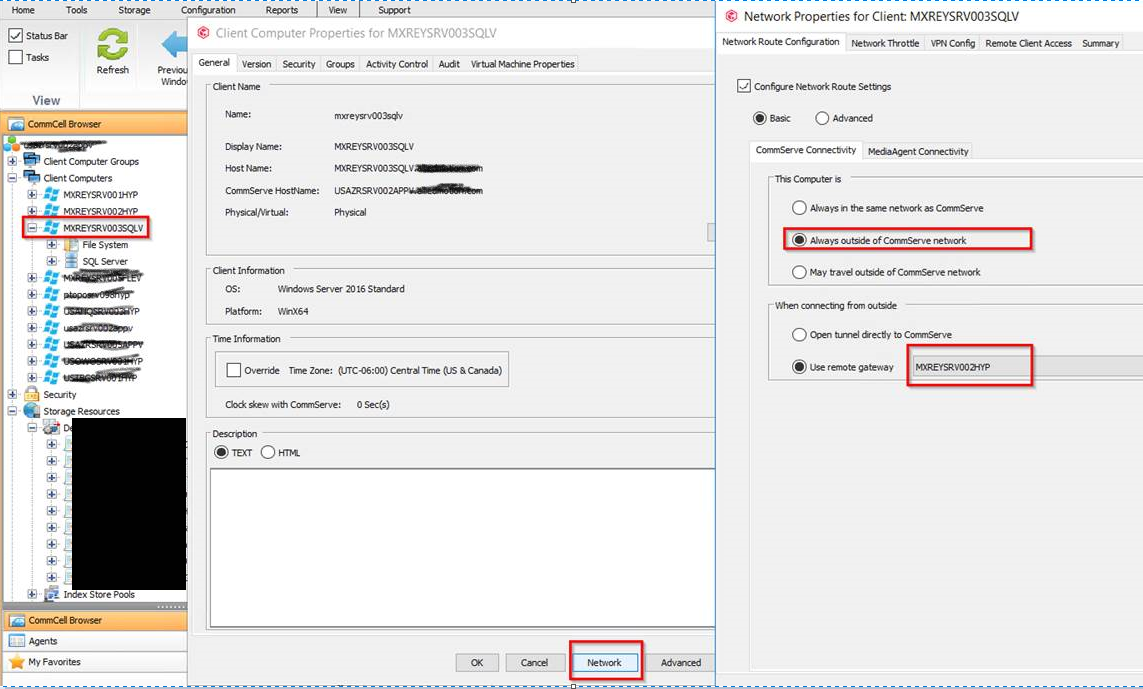
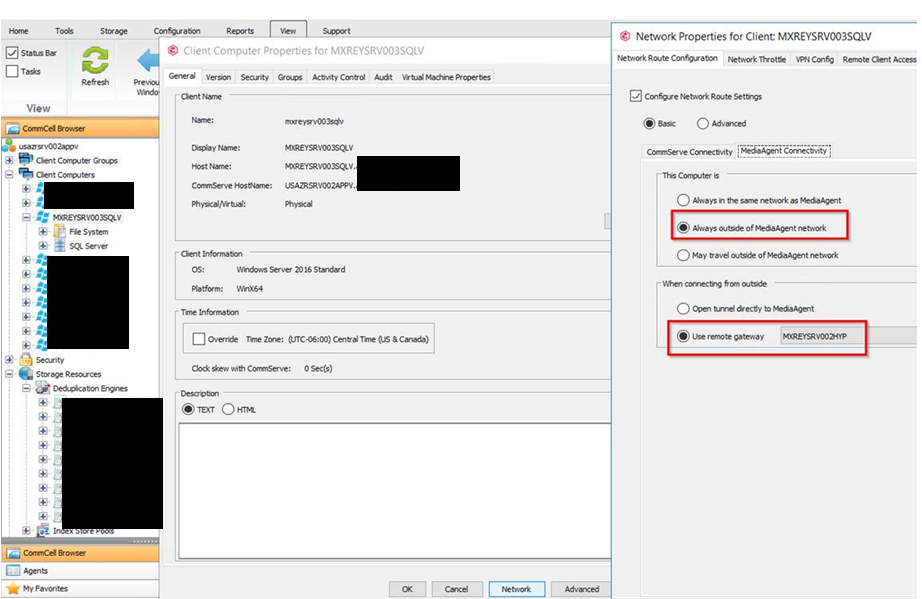
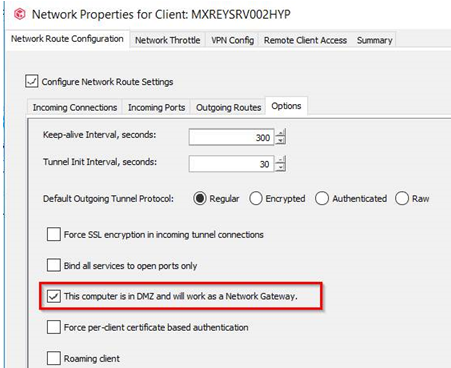
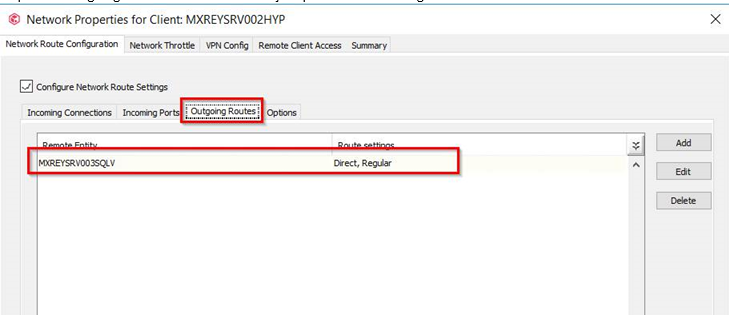
Commvault is super flexible with networking. You can route data through any client, and even string multiple proxy clients together (although the configuration starts to get complex, it works!).
The SQL client also needs the Hyper-V proxy listed in incoming connections, so both the proxy and the SQL client know how to communicate with each other.
If that doesn't work, try this:
On the properties of the SQL client, goto the advanced network settings and get to the summary tab - that will list out the text that should be in fwconfig.txt in the base directory on the client. Copy the text and paste it into fwconfig.txt on the SQL client just to make sure it has received the right network config. Once the client is already installed you can get into a chicken/egg scenario where the network does not push out. That's one way to seed it, assuming you have access to the SQL client.
The SQL client also needs the Hyper-V proxy listed in incoming connections, so both the proxy and the SQL client know how to communicate with each other.
If that doesn't work, try this:
On the properties of the SQL client, goto the advanced network settings and get to the summary tab - that will list out the text that should be in fwconfig.txt in the base directory on the client. Copy the text and paste it into fwconfig.txt on the SQL client just to make sure it has received the right network config. Once the client is already installed you can get into a chicken/egg scenario where the network does not push out. That's one way to seed it, assuming you have access to the SQL client.