Question

sa password - Commserve on Linux

  • January 27, 2026
  • 3 replies
  • 28 views

Forum|alt.badge.img+1

Hi all,

I need to move the CS DB to another location as I didn't follow the best practices for the LV size and mixed it with other stuff on the same volume. For Windows, I could solve everything with my own admin account and MSSMS.
However, I need to do this now on the Linux environment and I'm afraid of changing the sa password to allow me connecting to the system remotely and use MSSMS GUI.
What happens if I change the sa account password? Can later I force an operation via Commcell console, so Commvault will ask me for the new one?

For example, on Linux I can easily do this:
stop sql server service
/opt/mssql/bin/mssql-conf set-sa-password
start sql server service

Until here, fine. What about ensuring the Commvault knows the new pwd?

The reason is that to perform the change of CS DB location I need to detatch the databases, move the mdf files and attach them again.

Is there any other way to do it on Linux environment?

Thanks in advance.

3 replies

Scott Moseman
Vaulter
Forum|alt.badge.img+23

There’s no problem here, Commvault does not use the “sa” account.

Thanks,
Scott


Forum|alt.badge.img+1

@Scott Moseman thanks a lot for the confirmation!
Let me share the steps as it might be useful to someone else, because there is no clear instructions on CV documentation regarding such operations when Commserve is running on Linux.

Stopped Commvault services and then the MSSQL service:

commvault stop

systemctl stop mssql-server.service


I changed the sa account via command line using:

/opt/mssql/bin/mssql-conf set-sa-password
 

# /opt/mssql/bin/mssql-conf set-sa-password

Enter the SQL Server system administrator password:

Confirm the SQL Server system administrator password:

Configuring SQL Server...

The system administrator password has been changed.

Please run 'sudo systemctl start mssql-server' to start SQL Server.


PS: here I used a strong pwd but avoided special chars

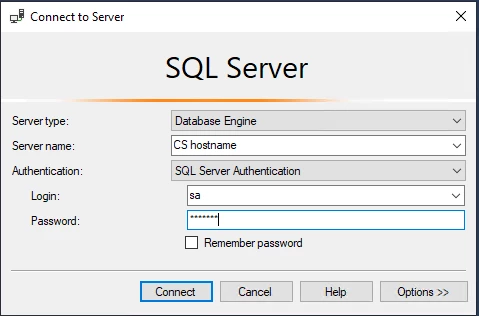
From a remote Windows machine with MS SSMS, just did:

Voilà, worked just fine!

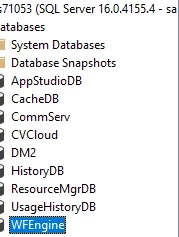
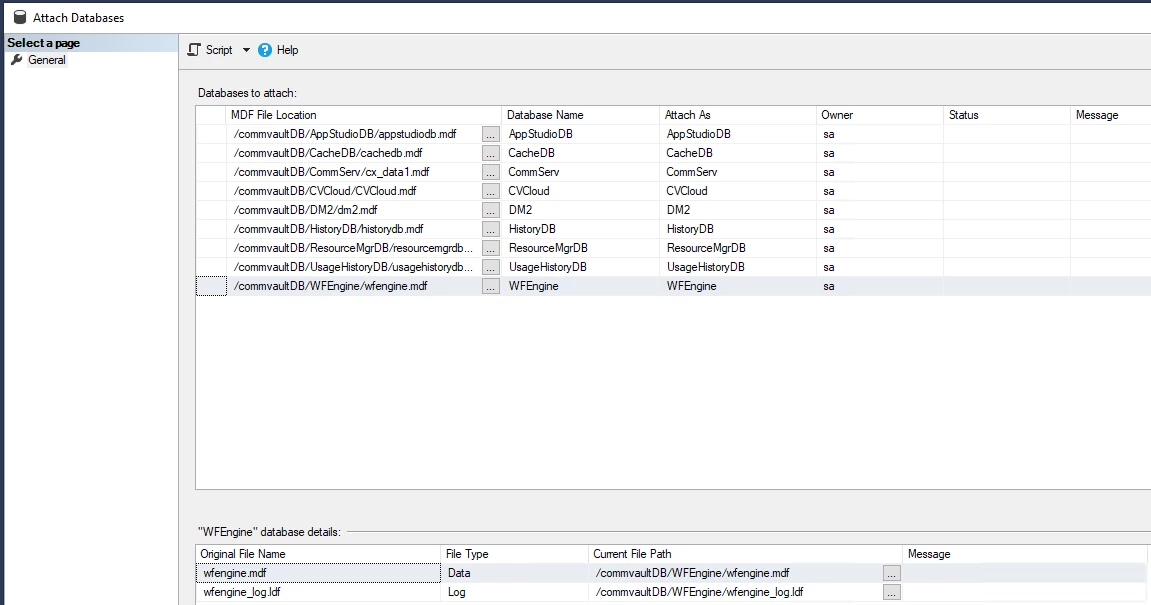
At this point, just followed the detach/copy/attach steps 4,5,6 from Changing the Location of the CommServe Database Files, which will be something like this:

Hit OK and then all databases are back to the SQL engine as before.

Start the SQL service and CV services:
systemctl start mssql-server.service

commvault start


Enjoy your installation now with the DB files moved to the desired/adjusted volume/path.

Thanks again!


Scott Moseman
Vaulter
Forum|alt.badge.img+23

Nice write-up!

Thanks,
Scott