I’m setting up a Synology NAS as a backup repository in a vSAN environment with Commvault. I need advice on the best protocol to use (iSCSI, CIFS, or NFS) for optimal performance and reliability. What are the best practices for configuring the NAS in this setup?
Any recommendations would be appreciated.
Best answer by Michael Woodward
It is largely dependent on the OS that your MediaAgents use.
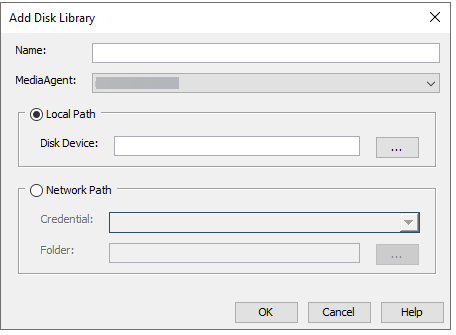
If you use Windows for MediaAgents then you can use iSCSI or CIFS depending on if you want to attach the drives locally (via iSCSI) or via Network Path (then CIFS). As you can see in the screenshot below you have the option for both Local and Network paths:
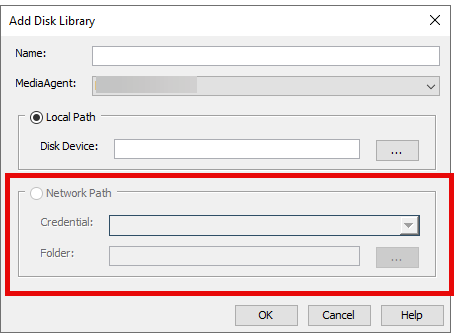
If you’re using Linux MediaAgents then NFS is the best (and recommended) method. as Linux MediaAgents don’t have the “Network Path” option you have to mount the volume and then just use the mount as a local path (screenshot below)
Thanks for the great question, Commvault really does not care what you use as we are storage agnostic. When it comes to performance i recommend looking towards your hardware vendor for advice.
It is largely dependent on the OS that your MediaAgents use.
If you use Windows for MediaAgents then you can use iSCSI or CIFS depending on if you want to attach the drives locally (via iSCSI) or via Network Path (then CIFS). As you can see in the screenshot below you have the option for both Local and Network paths:
If you’re using Linux MediaAgents then NFS is the best (and recommended) method. as Linux MediaAgents don’t have the “Network Path” option you have to mount the volume and then just use the mount as a local path (screenshot below)