
Solved

Virtualize Me option missing

  • February 23, 2021
  • 4 replies
  • 281 views

Forum|alt.badge.img+10

Hi all!

Based on documentation (11.22) there should be an option for P2V (Virtualize Me) in Command Center:

https://documentation.commvault.com/11.22/essential/98093_performing_virtualize_me_for_windows_or_unix_computers.html


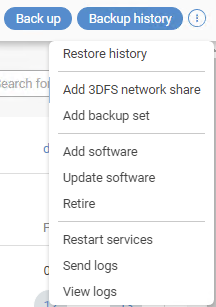
There is no such thing in my case:

What am I missing?

Version: 11.22.9.


Thanks!


Best answer by euMike

Nevermind, found the solution.


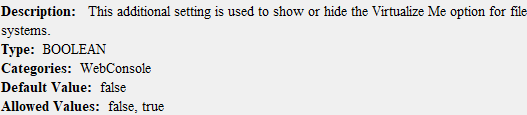
There is an additional setting “showVirtualizeMe” and it is disabled by default.
 

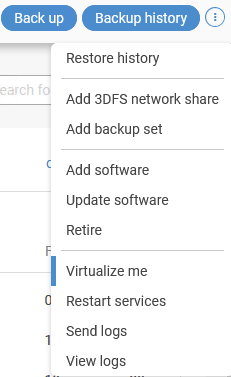
Restarting the services and voila.
 

4 replies

Forum|alt.badge.img+10
  • Author
  • Community All Star
  • Answer
  • February 23, 2021

Nevermind, found the solution.


There is an additional setting “showVirtualizeMe” and it is disabled by default.


Restarting the services and voila.



Mike Struening
Vaulter
Forum|alt.badge.img+22

That has to be the fastest self answering post I’ve seen in a while :-)

I’ll go ahead and mark your reply as the Best Answer for posterity!


Forum|alt.badge.img+3
  • Vaulter
  • February 23, 2021

Hi @euMike ,

Can you confirm if the recovery target is created? If not, can you please follow the doc link and confirm if you are able to see the option without the need for additional setting.


https://documentation.commvault.com/11.22/essential/98093_performing_virtualize_me_for_windows_or_unix_computers.html


Thanks,

Karthik


Forum|alt.badge.img+10
  • Author
  • Community All Star
  • February 24, 2021

Hi Karthik,

Yes, recovery target was already created along with first System State backup of that particular client.