Question

Report Builder no longer available with 11.40 ?

  • October 13, 2025
  • 3 replies
  • 90 views

Forum|alt.badge.img+11

Hi,
I just learned, that the WebConsole is no longer available with 11.40.
So far, so good.
But what I really miss is the Report Builder, that is no longer available with new installations of Commvault.

Are there any plans to make it available in the CommandCenter as well in the near future ?

and if so, when will this happen ?

rgds

Klaus

3 replies

Forum|alt.badge.img+8

Hi ​@johanningk,

Report Builder feature that was previously available in the Web Console, is no longer included in new Commvault installations starting with version 11.40, as the Web Console has been deprecated as per the Deprecation Notice for Web Console, however you can manage reports in Command Center as per the doc on Managing Reports in the Command Center

Migration to the Command Center is required. While most functionalities have equivalent alternatives in Command Center, Report Builder is not currently one of them.

Engineering Team is working on adding this feature in a future release, but there is currently no confirmed timeline or specific Feature Release for its availability.

In the meantime, for custom reporting needs, you can utilize the built-in reports and downloadable reports available from the Commvault Store within the Command Center.


Regards,
Dheeraj


Forum|alt.badge.img+5
  • Byte
  • December 3, 2025

...IMO opinion is a kind of commavult joke ….You delete functionality as WebConsole but give nothing on place of it ….other word You can not create now Your own report or edit copy of existing one ….


in Your above link is stated “Administrators can configure end-user access to reports and edit reports in the Report Builder.”


and on next page Adding a Report You will find ;) 


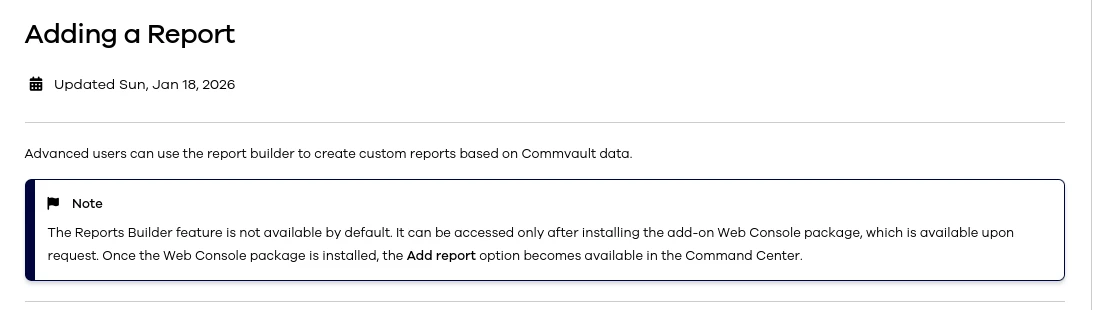
Adding a Report

Updated Thu, Nov 27, 2025

Advanced users can use the report builder to create custom reports based on Commvault data.

Procedure

  1. From the navigation pane, click Reports.

    The Reports page appears.

  2. At the top of the page, click Actions > Add report.

    The report builder opens on the Web Console.


mean You need WebConsole which is deprecated in 11.40  …….and that all i in official instruction from 27 Nov 25 (1 week old) ?????  Quite fresh but from people who wrote that still no time to be aware that WebConsole not exist 


CV team please start use logic ….first make replacement and then deprecate it :( no opposite direction


Jennifer Kelley
Vaulter
Forum|alt.badge.img+17

Hi ​@johanningk ​@Marcin_CF we’re hearing you and understand the frustration - and thank you for sharing the specifics regarding both the feature priorities and the inconsistencies in documentation. In the short term, ​@Amanda Powell and I have raised the issue flagged regarding the reports documentation pointing back to the web console with our engineering leads and via an MR.

Obviously, the larger concern goes beyond docs. Looking forward, the community team will work more with our product and CX leads to address and improve the console and reporting transition experience and communications. cc ​@Sougato Roy ​@Damian Andre