Question

Workflow Activity - ExecuteCommand - truncates parameter value on Linux clients ?

  • Jan 12, 2026 5:22 PM UTC
  • 4 replies
  • 127 views

Forum|alt.badge.img+13

Hi Guys,
just want to know, whether it is a bug or a feature, that the Workflow Activity ExecuteCommand changes the value of the input parameter command ?

I tried to create a Workflow that executes commands on a linux client.

If the command ends on .exe (funny), the program suffix is automatically removed by the WorkFlow,
As a result, the executable is not found.
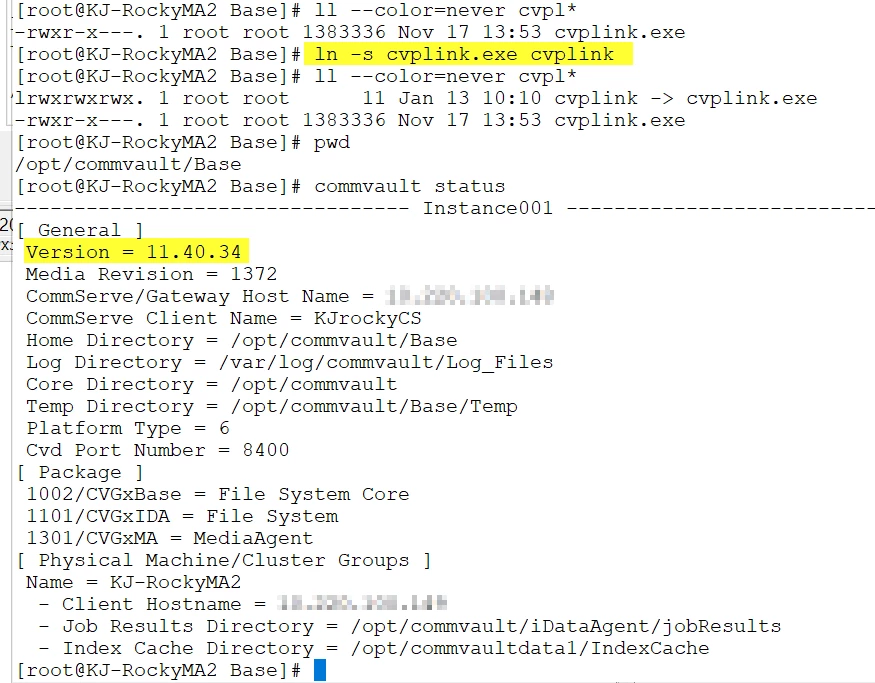
As a workaround, I created a symbolic link pointing to the .exe file having the same name, but without the suffix. The Workflow does, what is expected, but I wonder why the program is altered at all.

this happens in my environment running on V11.40

rgds
Klaus

4 replies

CV_GK
Vaulter
Forum|alt.badge.img+7
  • Vaulter
  • Jan 13, 2026 5:04 AM UTC

Hi ​@johanningk 

Are CS and affected clients on same cv version?


Forum|alt.badge.img+17
  • Vaulter
  • Jan 13, 2026 6:59 AM UTC

Hi ​@johanningk ,

Request to kindly share the Workflow Job ID along with the Workflow Engine logs, and please confirm whether the CommServe is running on the latest MR for SP40.


Forum|alt.badge.img+13
  • Author
  • Challenger
  • Jan 13, 2026 9:22 AM UTC

Hi,

CS and MA have been running 11.40.20 and I updated them today to 11.40.34.

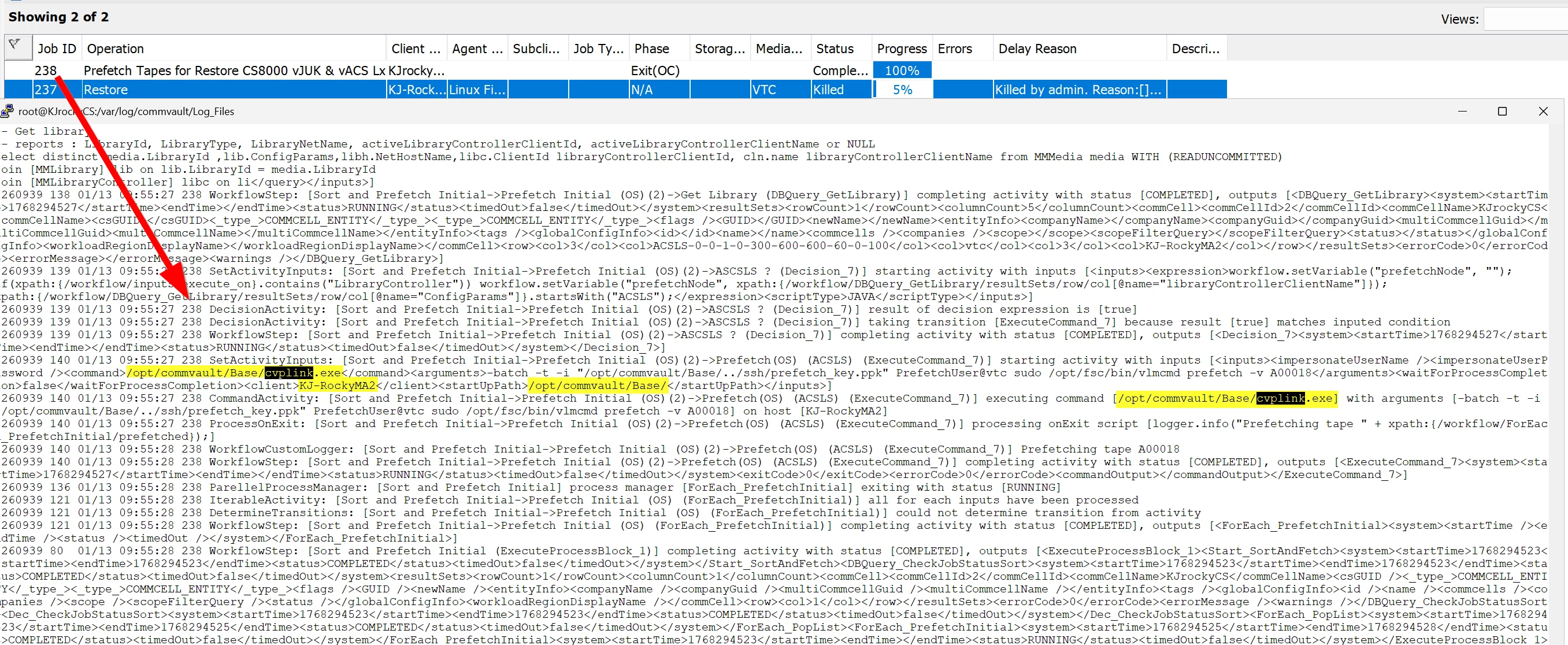
This is the WorflowEngine.log on the CS while running the WF.
you can see, the command requested is called cvplink.exe (a Commvault executable)

On the MediaAgent (client), that is used to execute the command you see the following errors in the cvd.log.
The .exe suffix is been removed from the command

The Workflow ExecuteCommand Activity is shown in the following picture

If I now create a symbolic link on the MediaAgent (client), everything is working as expected.

Previous Versions of the ExecuteCommand have been executed on the CommServe and used ssh instead of cvplink.exe.
I wanted to request the execution on another client, but ssh was not found per default and not allowed using absolute path (/bin/ssh).
Therefore I decided to replace it with the cvplink.exe command, that comes with Commvault, leading to this symptom.

I tried to avoid creating symbolic links in the OS to get access to a ssh client, but now it looks like this is required, at least as a workaround.


Forum|alt.badge.img+17
  • Vaulter
  • Feb 12, 2026 8:48 AM UTC

Hi ​@johanningk ,

Thank you for sharing the detailed information, logs, and screenshots.

We would appreciate it if a support ticket could be created to allow us to review this further and understand why the previous CommServe was using SSH instead of cvplink.exe. This will help us perform a deeper analysis and provide a permanent resolution.