Question

Command Center Menu Minimized

  • October 1, 2025
  • 2 replies
  • 29 views

Forum|alt.badge.img+1

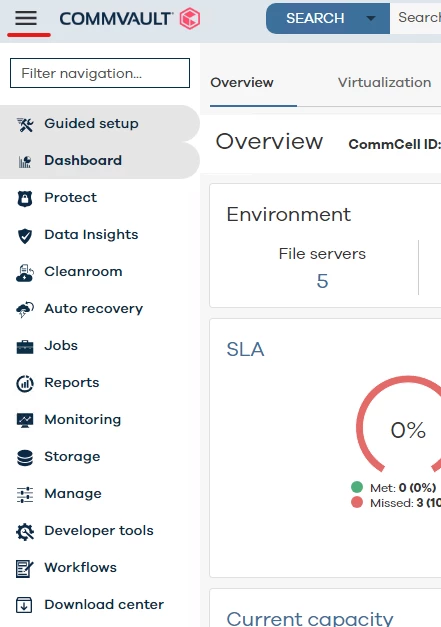
Every time I log into Command Center the main menu (top left hamburger) is always minimized. I tested this on Chrome and Edge. I’m running Commvault 11.36.72. Is there any way to change the default behavior so that the menu is expanded by default? Having to click that hamburger every time is quite annoying, and I don’t think my brain is ever going to associate the icons with their intended meanings.

Thanks 

2 replies

Forum|alt.badge.img+8

Hi ​@ThatGuyJ ,

The toggle button should be expanded by default like below.

If you haven't set any specific Navigation Preferences, please try resetting them to default by navigating to Manage → Customization → Navigation Preferences. After that, clear your browser cookies and check if the issue persists.

Let us know if this helps. Thank you!


Regards,

Dheeraj


Forum|alt.badge.img+1
  • Author
  • Byte
  • October 2, 2025

Hello Dheeraj,

I tried your suggestion. I reset all navigation preferences and cleared cookies. The issue remains where the menu is toggled to minimized by default. I tried both Edge and Chrome to see if it was browser related and tried with dark mode enabled and disabled. In all cases the menu was minimized by default.