Answer

report showing system state backups checked / unchecked

  • May 20, 2024
  • 1 reply
  • 63 views

Forum|alt.badge.img+10

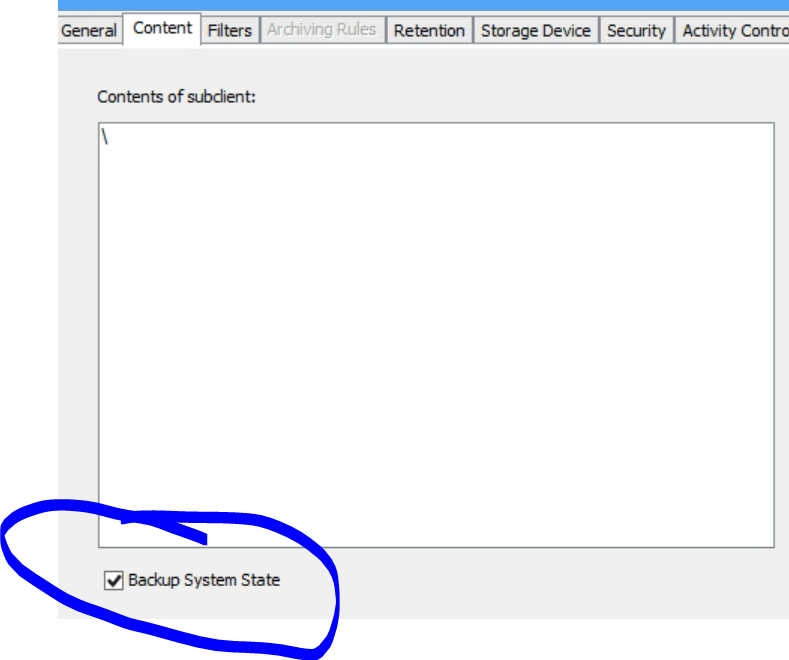
Would you tell me what Commvault report options to select to show if system state backups checked or unchecked in the contents section in the subclient properties.


Best answer by Erase4ndReuseMedia

You could use a CommCell Configuration Report (via the CommCell Console)

CommCell Configuration Report:

  1.     General tab > Include section > Deselect all options
  2.     Computers tab > Agent Types > Select Windows File System
  3.     Subclient tab > Select Include Subclient Information (do no select any other options)
  4.     Output tab > Select Text > Select Text:Comma
  5.     Run

Within the Client Properties section of the outputted report, look at the Subclient column - for each Subclient, if there is an (S), that Subclient is targeting the System State.

1 reply

Erase4ndReuseMedia
Byte
Forum|alt.badge.img+14

You could use a CommCell Configuration Report (via the CommCell Console)

CommCell Configuration Report:

  1.     General tab > Include section > Deselect all options
  2.     Computers tab > Agent Types > Select Windows File System
  3.     Subclient tab > Select Include Subclient Information (do no select any other options)
  4.     Output tab > Select Text > Select Text:Comma
  5.     Run

Within the Client Properties section of the outputted report, look at the Subclient column - for each Subclient, if there is an (S), that Subclient is targeting the System State.