Microsoft Teams Chat Backup Update
Microsoft has made changes to how chat backup is billed and managed through the Teams Export API. As part of this update, Microsoft has stopped metering and billing for the Export API, which previously required manual configuration for chat data protection.
🧭 What This Means for Commvault Users
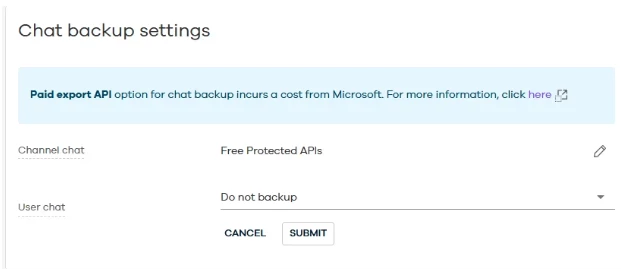
The former Teams Chat Backup Settings option has been retired. With Microsoft’s change, Commvault now enables the Export API by default, ensuring 1:1 (user) chats are automatically supported in Commvault SaaS without additional setup.
-
Channel chat: Supported through Free Protected APIs
-
User chat: Supported automatically via the Export API
Status: Implemented and active by default
Reference of the Settings [Chat backup settings]
💡 Why This Matters
This update simplifies chat protection and ensures seamless integration with Microsoft Teams without added licensing complexity. Commvault continues to align with Microsoft’s evolving API framework to maintain reliable data protection across collaboration workloads.
For more information on Microsoft’s updated Teams API licensing, refer to Microsoft’s official documentation:
🔗 Microsoft Graph Teams Licensing Documentation