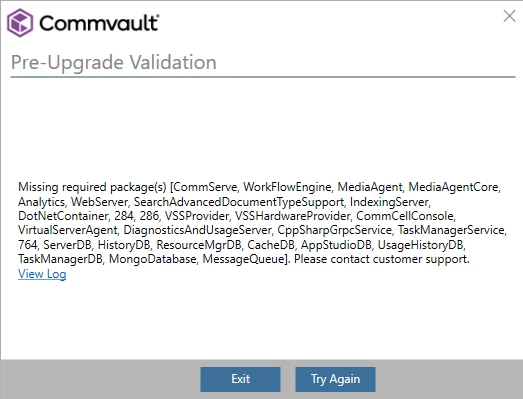
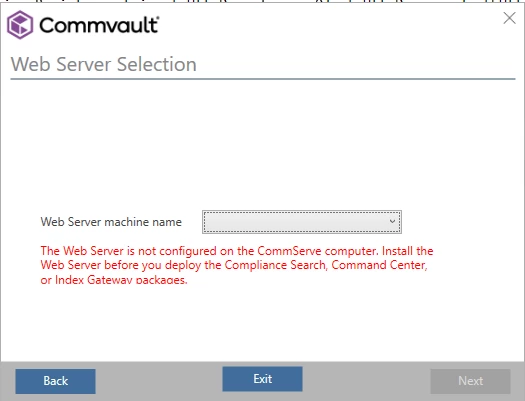
Web Console Deprecation – What Customers Need to Know
Commvault is continuing its move toward a single, modern management experience through the Command Center. As part of this transition, the legacy Web Console has been officially deprecated and is no longer included by default in newer Commvault platform releases.
This article explains what the deprecation means for you, when the Web Console may still be required, and how to request access if your environment depends on it.
Why is the Web Console being deprecated?
The Web Console is being retired as Commvault standardizes on the Command Center as its primary management and reporting interface. The Command Center provides equivalent or enhanced capabilities, improved security alignment, and is the strategic platform for all future feature development.
Deprecation timeline
• Version 11.38: Web Console interface marked as deprecated
• Version 11.40: Web Console removed from the default installation media
• Version 11.42 and later: Web Console not available on new or upgraded installations
When is the Web Console still needed?
Although deprecated, Commvault recognizes that some customer environments still rely on Web Console functionality in limited scenarios, such as:
• Editing or maintaining reports using Report Builder
In these cases, access to the Web Console package is still supported through a controlled request process.
How to request access to the Web Console package
Commvault provides an automated workflow to request access to the Web Console package when there is a valid business or technical requirement.
To submit a request:
1. Sign in to the Commvault Cloud Services Portal
2. Navigate to Workflows
3. Select the workflow titled “Request WebConsole Package Access”
4. Enter your CommCell ID and contact email address
5. Provide a brief explanation of why the Web Console is required
6. Submit the request
What happens next?
After submission, you will receive a confirmation notification. If additional information is required, a Commvault representative will contact you. Once approved, you will receive a secure download link for the Web Console package.
Additional information
For detailed eligibility criteria and workflow information, refer to the Commvault Knowledge Base article:
How to obtain the Web Console Package (KB89689)
Moving forward
While access to the Web Console remains available for specific scenarios, customers are strongly encouraged to adopt the Command Center as their primary interface to take advantage of ongoing enhancements, security improvements, and future innovations.