Solved

Not able to continue in the hands on lab AWS Hypervisor Config for Commvault Cloud SaaS | Hands-on Guide


Forum|alt.badge.img

I’m having problems finishing the guide since I’m not able to proceed. I keep clicking the “+” sign for adding or the save button sometimes. I already testing using different browsers with no extension and still the same issue.


Course:AWS Hypervisor Config for Commvault Cloud SaaS | Hands-on Guide
URL: https://readiverse.commvault.com/partner/learn/courses/29/aws-hypervisor-config-for-commvault-cloud-saas-hands-on-guide/lessons/217/aws-hypervisor-config-for-commvault-cloud-saas

 

Best answer by Sougato Roy

Hi ​@Hemet,

Thank you for being patient. 
I have received an update from the team that the issue has been resolved. Can you please check from your end and confirm everything looks good?


Thanks,

Roy
 

View original
If you have a question or comment, please create a topic

6 replies

Sougato Roy
Vaulter
Forum|alt.badge.img+11

I’m having problems finishing the guide since I’m not able to proceed. I keep clicking the “+” sign for adding or the save button sometimes. I already testing using different browsers with no extension and still the same issue.


Course:AWS Hypervisor Config for Commvault Cloud SaaS | Hands-on Guide
URL: https://readiverse.commvault.com/partner/learn/courses/29/aws-hypervisor-config-for-commvault-cloud-saas-hands-on-guide/lessons/217/aws-hypervisor-config-for-commvault-cloud-saas

 

Hi Hemet,

The behavior is unusual. Would you be able to provide a screenshot of the problem here so that I can check it with the enablement team?

Alternatively, you can contact them by emailing enablement-help@commvault.com and informing them of your issue, and they'll help you. Please let us know whichever way works for you.


Thank you,

Roy


Forum|alt.badge.img
  • Author
  • Novice
  • July 21, 2025

I’m having problems finishing the guide since I’m not able to proceed. I keep clicking the “+” sign for adding or the save button sometimes. I already testing using different browsers with no extension and still the same issue.


Course:AWS Hypervisor Config for Commvault Cloud SaaS | Hands-on Guide
URL: https://readiverse.commvault.com/partner/learn/courses/29/aws-hypervisor-config-for-commvault-cloud-saas-hands-on-guide/lessons/217/aws-hypervisor-config-for-commvault-cloud-saas

 

Hi Hemet,

The behavior is unusual. Would you be able to provide a screenshot of the problem here so that I can check it with the enablement team?

Alternatively, you can contact them by emailing enablement-help@commvault.com and informing them of your issue, and they'll help you. Please let us know whichever way works for you.


Thank you,

Roy

Hi Roy, 

I have been stuck in these parts. I have tried like many times to refresh my browser or use another browser. I also used a browser with no extension to see if maybe it was because of an extension.

Here are the screenshots of where I’m stuck.

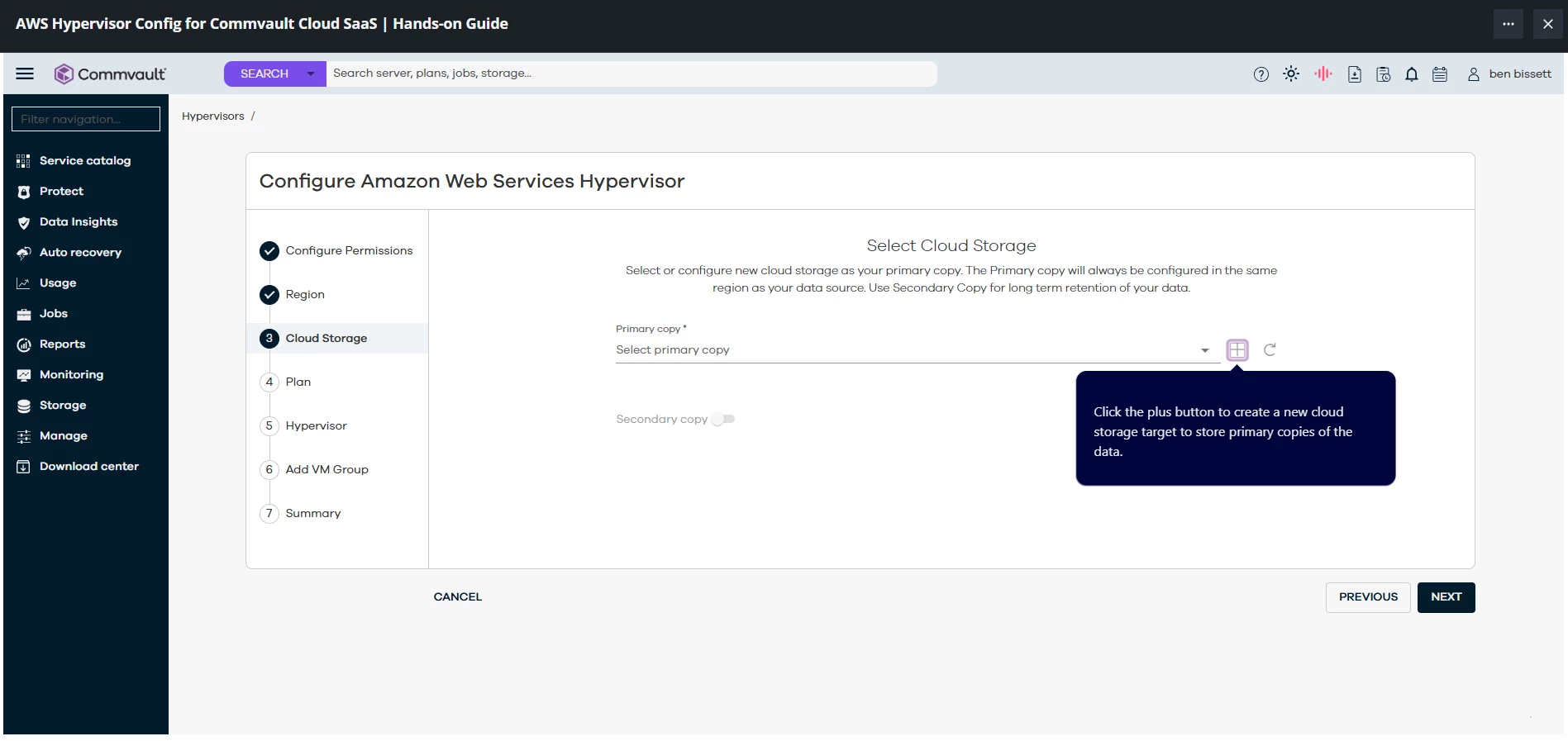
This 1st part is where the “+” button. Sometimes it works randomly after 5 to 10 minutes of clicking everywhere and click the “+” button.

1st Part


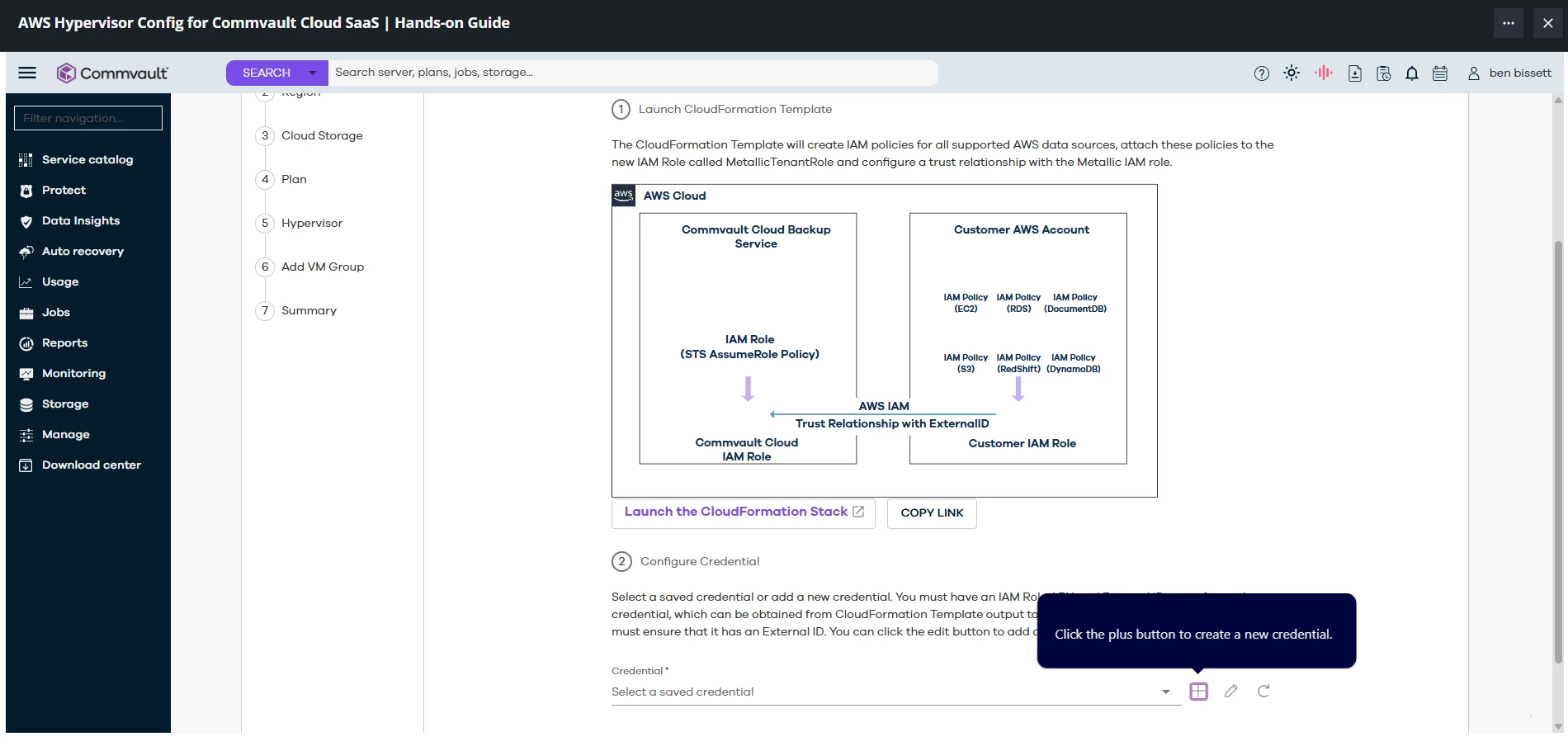
This 2nd part is where I’m also sometimes do get stuck because the “+” button is clicked but not doing anything. Sometimes it works like after a long time.

2nd Part

​
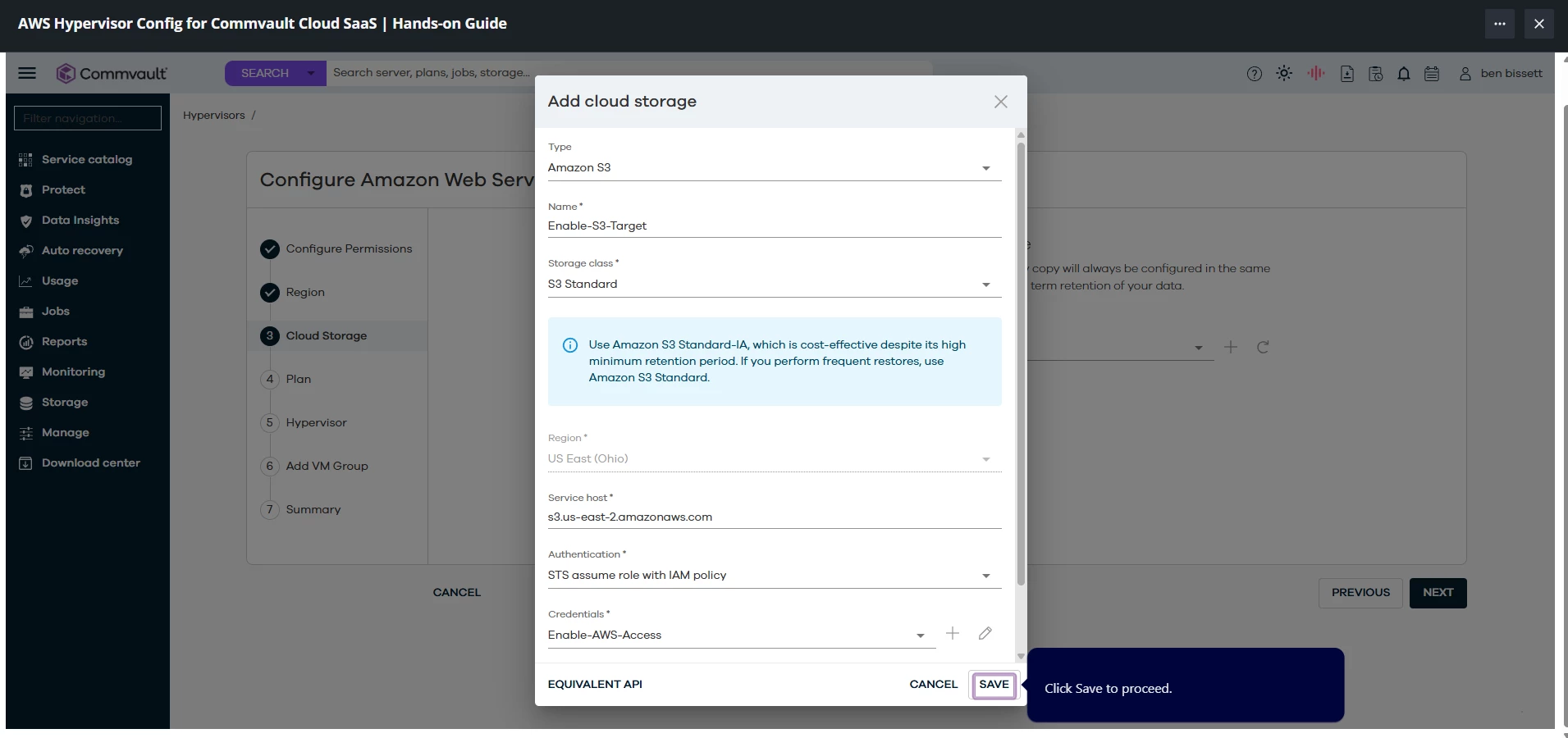
This last part is where I cannot proceed. The save button here does nothing. I tried waiting too or clicking everywhere else but I’m stuck here.
 

Last Part


Sougato Roy
Vaulter
Forum|alt.badge.img+11

I’m having problems finishing the guide since I’m not able to proceed. I keep clicking the “+” sign for adding or the save button sometimes. I already testing using different browsers with no extension and still the same issue.


Course:AWS Hypervisor Config for Commvault Cloud SaaS | Hands-on Guide
URL: https://readiverse.commvault.com/partner/learn/courses/29/aws-hypervisor-config-for-commvault-cloud-saas-hands-on-guide/lessons/217/aws-hypervisor-config-for-commvault-cloud-saas
 

Hi Hemet,

The behavior is unusual. Would you be able to provide a screenshot of the problem here so that I can check it with the enablement team?

Alternatively, you can contact them by emailing enablement-help@commvault.com and informing them of your issue, and they'll help you. Please let us know whichever way works for you.


Thank you,

Roy

Hi Roy, 

I have been stuck in these parts. I have tried like many times to refresh my browser or use another browser. I also used a browser with no extension to see if maybe it was because of an extension.

Here are the screenshots of where I’m stuck.

This 1st part is where the “+” button. Sometimes it works randomly after 5 to 10 minutes of clicking everywhere and click the “+” button.

1st Part


This 2nd part is where I’m also sometimes do get stuck because the “+” button is clicked but not doing anything. Sometimes it works like after a long time.

2nd Part

​
This last part is where I cannot proceed. The save button here does nothing. I tried waiting too or clicking everywhere else but I’m stuck here.
 

Last Part


Thanks for sharing the screenshots. I'll ask the team and let you know as soon as I have an update on this.


Best regards,

Roy


Forum|alt.badge.img
  • Author
  • Novice
  • July 21, 2025

Thanks Roy!

Sincerely,
Hemet


Sougato Roy
Vaulter
Forum|alt.badge.img+11

Hi ​@Hemet,

Thank you for being patient. 
I have received an update from the team that the issue has been resolved. Can you please check from your end and confirm everything looks good?


Thanks,

Roy


Forum|alt.badge.img
  • Author
  • Novice
  • July 25, 2025

Hi ​@Sougato Roy, 


Thank you for the update. It’s working now and everything looks good on my end. Really appreciate your help!

Sincerely,
Hemet