Answer

Not able to continue in the hands on lab AWS Hypervisor Config for Commvault Cloud SaaS | Hands-on Guide

  • July 21, 2025
  • 6 replies
  • 83 views

Forum|alt.badge.img+1

I’m having problems finishing the guide since I’m not able to proceed. I keep clicking the “+” sign for adding or the save button sometimes. I already testing using different browsers with no extension and still the same issue.


Course:AWS Hypervisor Config for Commvault Cloud SaaS | Hands-on Guide
URL: https://readiverse.commvault.com/partner/learn/courses/29/aws-hypervisor-config-for-commvault-cloud-saas-hands-on-guide/lessons/217/aws-hypervisor-config-for-commvault-cloud-saas

 

Best answer by Sougato Roy

Hi ​@Hemet,

Thank you for being patient. 
I have received an update from the team that the issue has been resolved. Can you please check from your end and confirm everything looks good?


Thanks,

Roy
 

If you have a question or comment, please create a topic

6 replies

Sougato Roy
Vaulter
Forum|alt.badge.img+9
  • Vaulter
  • July 21, 2025

I’m having problems finishing the guide since I’m not able to proceed. I keep clicking the “+” sign for adding or the save button sometimes. I already testing using different browsers with no extension and still the same issue.


Course:AWS Hypervisor Config for Commvault Cloud SaaS | Hands-on Guide
URL: https://readiverse.commvault.com/partner/learn/courses/29/aws-hypervisor-config-for-commvault-cloud-saas-hands-on-guide/lessons/217/aws-hypervisor-config-for-commvault-cloud-saas

 

Hi Hemet,

The behavior is unusual. Would you be able to provide a screenshot of the problem here so that I can check it with the enablement team?

Alternatively, you can contact them by emailing enablement-help@commvault.com and informing them of your issue, and they'll help you. Please let us know whichever way works for you.


Thank you,

Roy


Forum|alt.badge.img+1
  • Author
  • July 21, 2025

I’m having problems finishing the guide since I’m not able to proceed. I keep clicking the “+” sign for adding or the save button sometimes. I already testing using different browsers with no extension and still the same issue.


Course:AWS Hypervisor Config for Commvault Cloud SaaS | Hands-on Guide
URL: https://readiverse.commvault.com/partner/learn/courses/29/aws-hypervisor-config-for-commvault-cloud-saas-hands-on-guide/lessons/217/aws-hypervisor-config-for-commvault-cloud-saas

 

Hi Hemet,

The behavior is unusual. Would you be able to provide a screenshot of the problem here so that I can check it with the enablement team?

Alternatively, you can contact them by emailing enablement-help@commvault.com and informing them of your issue, and they'll help you. Please let us know whichever way works for you.


Thank you,

Roy

Hi Roy, 

I have been stuck in these parts. I have tried like many times to refresh my browser or use another browser. I also used a browser with no extension to see if maybe it was because of an extension.

Here are the screenshots of where I’m stuck.

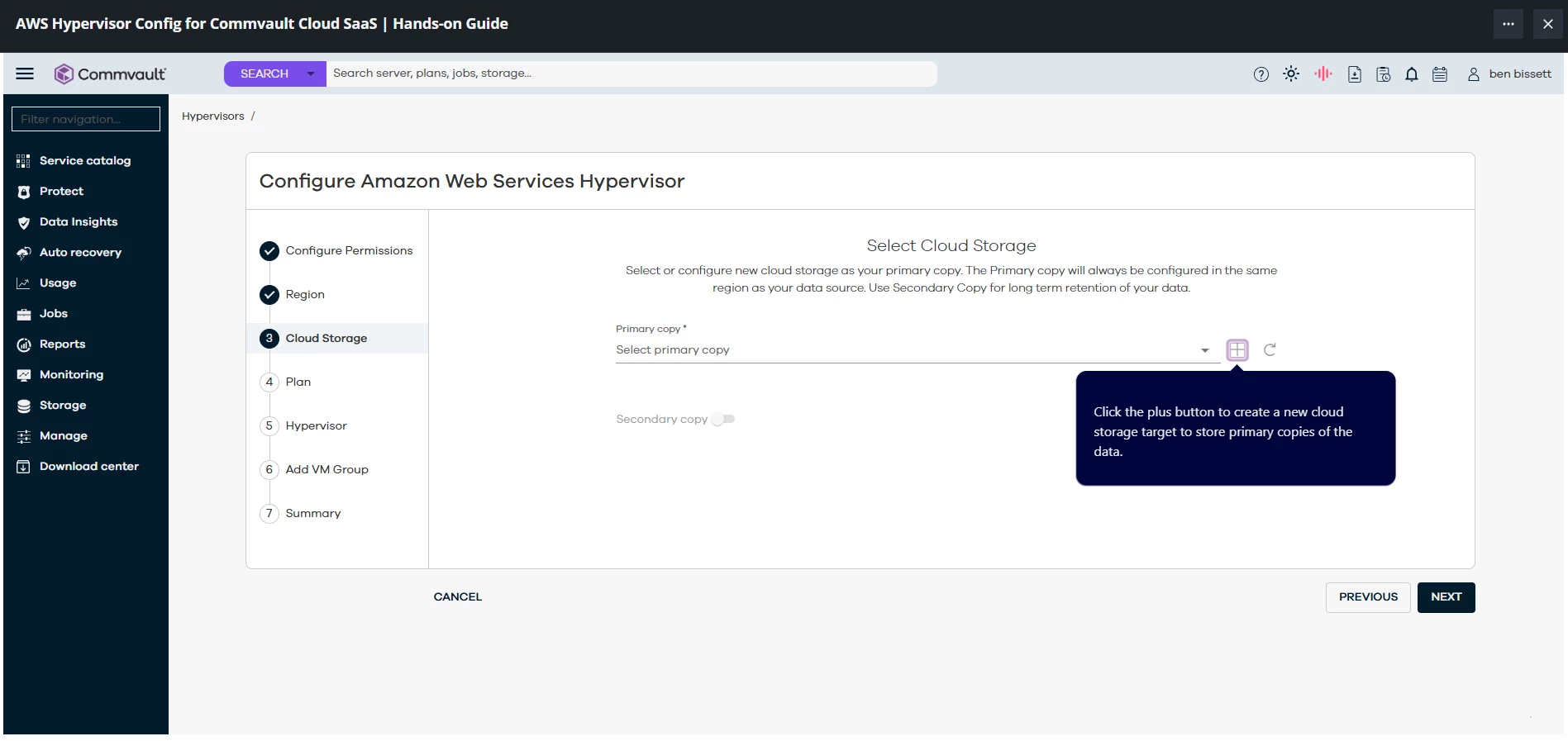
This 1st part is where the “+” button. Sometimes it works randomly after 5 to 10 minutes of clicking everywhere and click the “+” button.

1st Part


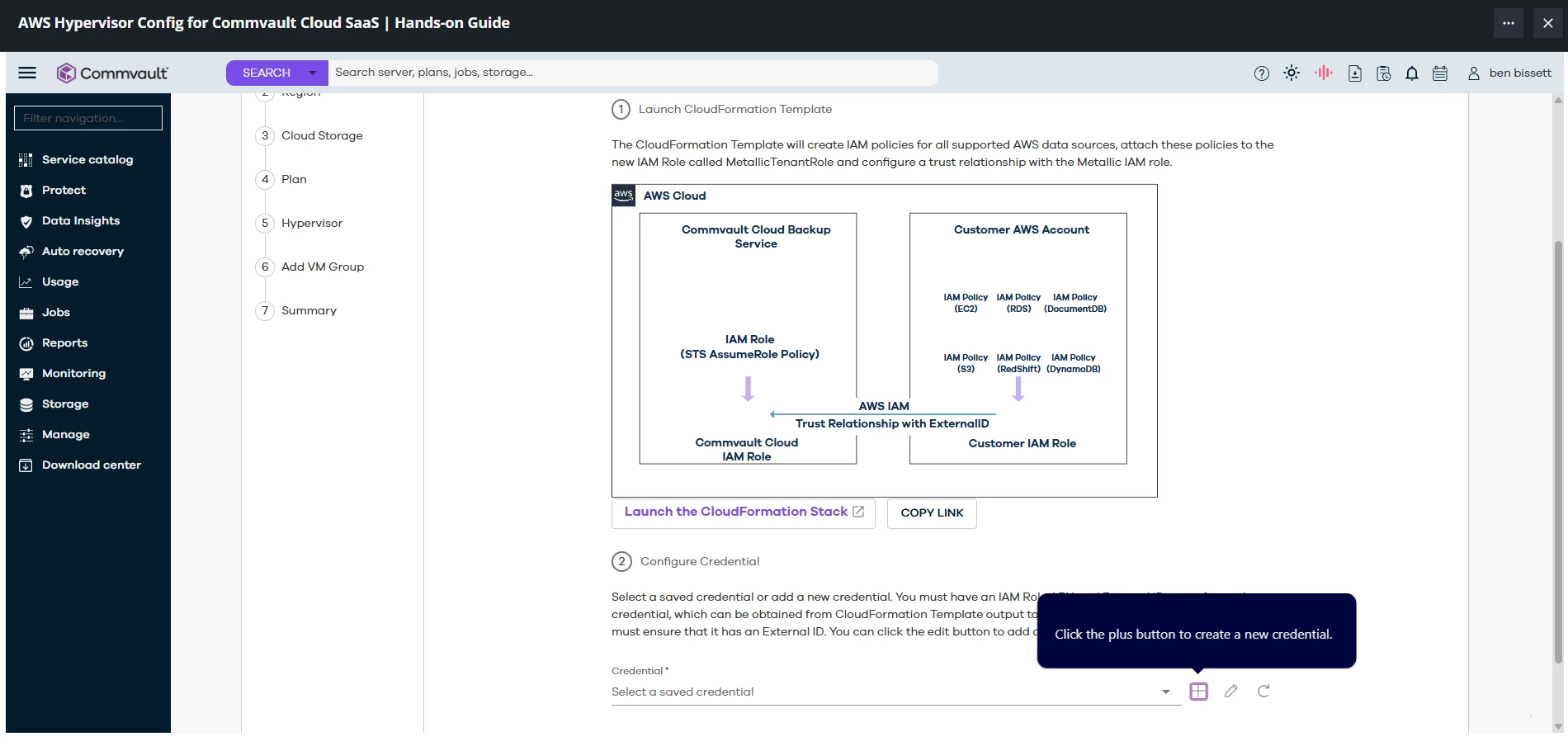
This 2nd part is where I’m also sometimes do get stuck because the “+” button is clicked but not doing anything. Sometimes it works like after a long time.

2nd Part


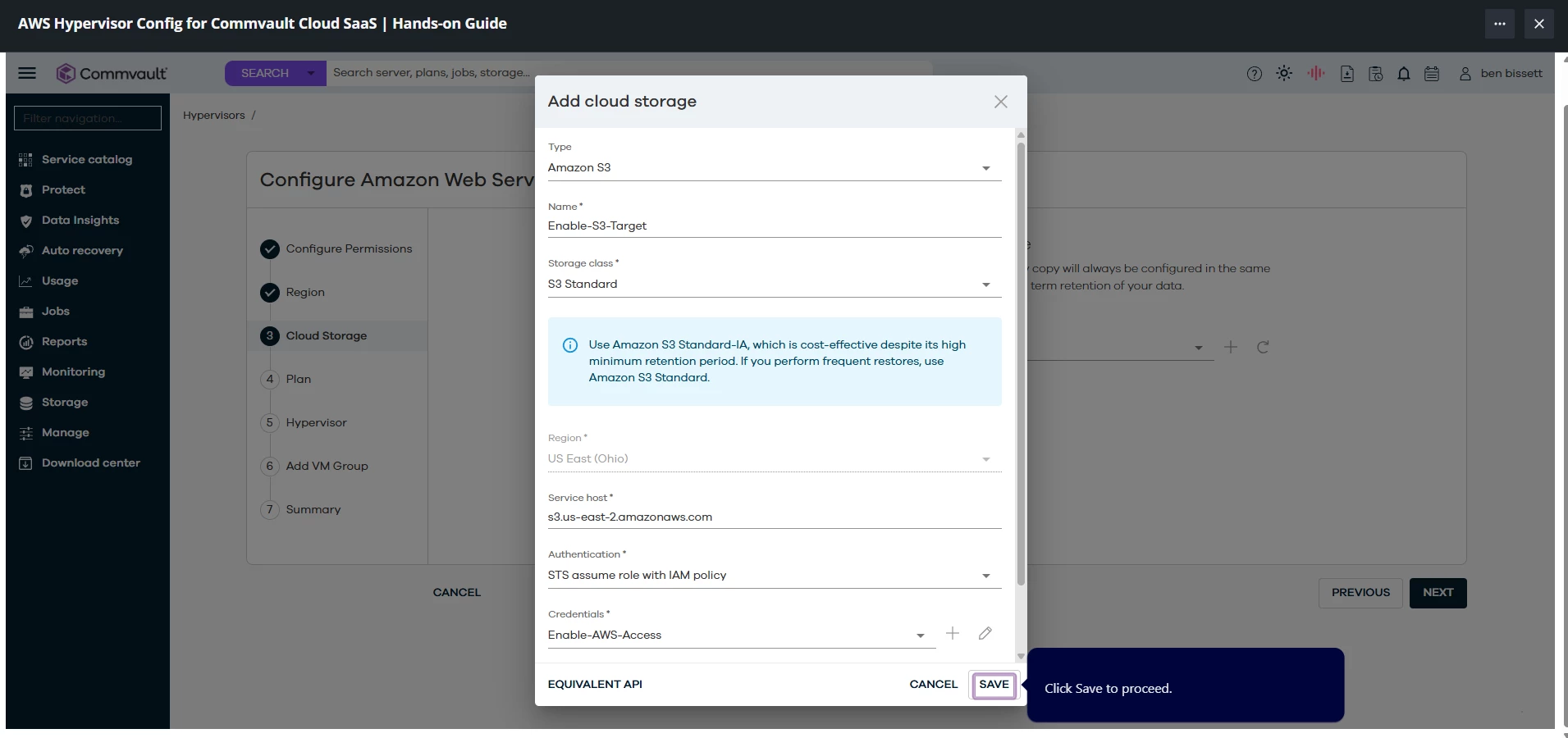
This last part is where I cannot proceed. The save button here does nothing. I tried waiting too or clicking everywhere else but I’m stuck here.
 

Last Part


Sougato Roy
Vaulter
Forum|alt.badge.img+9
  • Vaulter
  • July 21, 2025

I’m having problems finishing the guide since I’m not able to proceed. I keep clicking the “+” sign for adding or the save button sometimes. I already testing using different browsers with no extension and still the same issue.


Course:AWS Hypervisor Config for Commvault Cloud SaaS | Hands-on Guide
URL: https://readiverse.commvault.com/partner/learn/courses/29/aws-hypervisor-config-for-commvault-cloud-saas-hands-on-guide/lessons/217/aws-hypervisor-config-for-commvault-cloud-saas
 

Hi Hemet,

The behavior is unusual. Would you be able to provide a screenshot of the problem here so that I can check it with the enablement team?

Alternatively, you can contact them by emailing enablement-help@commvault.com and informing them of your issue, and they'll help you. Please let us know whichever way works for you.


Thank you,

Roy

Hi Roy, 

I have been stuck in these parts. I have tried like many times to refresh my browser or use another browser. I also used a browser with no extension to see if maybe it was because of an extension.

Here are the screenshots of where I’m stuck.

This 1st part is where the “+” button. Sometimes it works randomly after 5 to 10 minutes of clicking everywhere and click the “+” button.

1st Part


This 2nd part is where I’m also sometimes do get stuck because the “+” button is clicked but not doing anything. Sometimes it works like after a long time.

2nd Part


This last part is where I cannot proceed. The save button here does nothing. I tried waiting too or clicking everywhere else but I’m stuck here.
 

Last Part


Thanks for sharing the screenshots. I'll ask the team and let you know as soon as I have an update on this.


Best regards,

Roy


Forum|alt.badge.img+1
  • Author
  • July 21, 2025

Thanks Roy!

Sincerely,
Hemet


Sougato Roy
Vaulter
Forum|alt.badge.img+9
  • Vaulter
  • Answer
  • July 25, 2025

Hi ​@Hemet,

Thank you for being patient. 
I have received an update from the team that the issue has been resolved. Can you please check from your end and confirm everything looks good?


Thanks,

Roy


Forum|alt.badge.img+1
  • Author
  • July 25, 2025

Hi ​@Sougato Roy


Thank you for the update. It’s working now and everything looks good on my end. Really appreciate your help!

Sincerely,
Hemet