Question

Auto Recovery for FIle System agent

  • March 14, 2025
  • 3 replies
  • 62 views

Forum|alt.badge.img+14

i have an on prem nutanix file share , which is having primary backup copy to on prem disk library 


i have a cloud library configured in the commvault ,i would like to configure replication for this to azure , in azure i have a windows server ready,


we are taking source backup to on premise, i dont want to do the replication from primary copy (disk lib) . instead replication should happen from cloud library


i created a aux copy under storagepolicy and associated only this source , and while creating replication group  i selected this cloudcopy,


is this the right approach, now to the primary schedule is every2 hour and daily synthetic full , and aux copy job is always running , and i dont see a replication happening , does aux copy need to finish comptly for the rplication ?


 

3 replies

wgrande
Vaulter
Forum|alt.badge.img+10
  • Vaulter
  • March 14, 2025

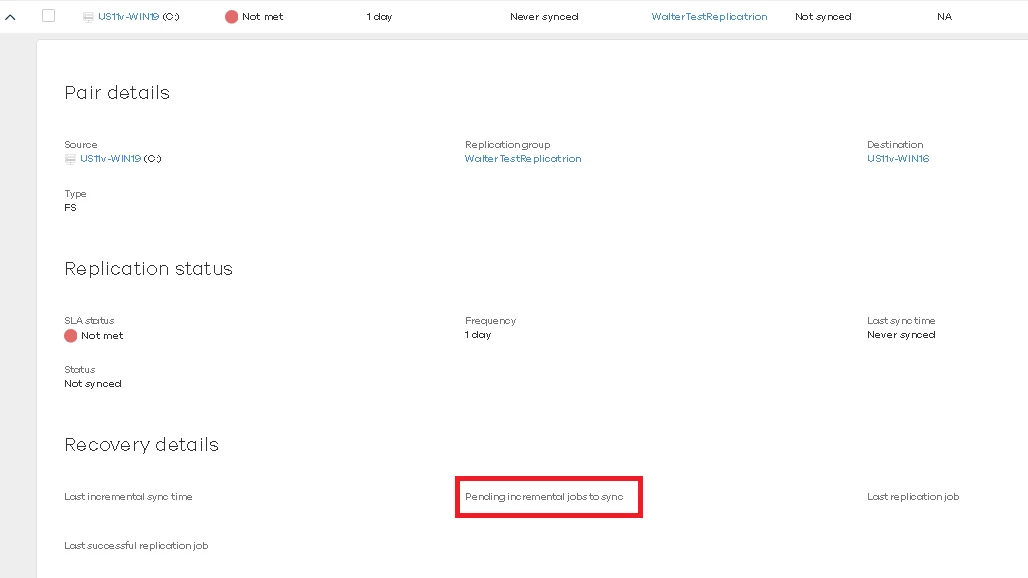
If you navigate into Auto Recovery => Replication Monitor. There is a down arrow that will provide more details as to what the pair is pending replication for. If this was just recently configured, it’s most likely pending the Aux Copy copying the Full/Incrementals over to the cloud copy you defined as the source for file replication.


Forum|alt.badge.img+14
  • Author
  • Explorer
  • March 15, 2025

@wgrande Okay but my question i read it does an incremental job on the source, unlike the vm replication i dont see a scheudle created for this 

If my understanding is correct it looks the storage policy copy we configured and if any qualified jobs available it does the restore…

Now an aux copy job contains 100 job so does the restore wait for aux copy to finish or does it do the restore as soon as jobs getting available on the secondary copy


wgrande
Vaulter
Forum|alt.badge.img+10
  • Vaulter
  • March 17, 2025

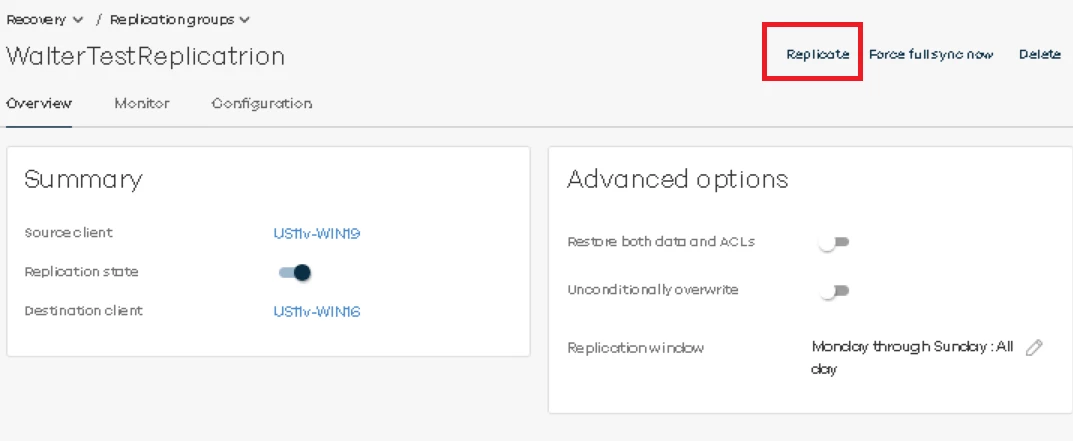
@Ajal - I would suggest attempting to manually submit the “Replicate” operation against the File System Replication Group. If it replicates the content, I would additionally suggest opening a Customer Support case to review. I noticed the pair that I created on Friday still didn’t replicate as well until I manually submitted the replicate operation. However, it should be a scheduled operation per the configurations. I did notice my replication window (within Advanced Options) doesn’t look to be configured as I would have expected which could be part of the issue.