Question

Block-based Backup with Separate proxy for Backup Copy

  • November 12, 2025
  • 8 replies
  • 66 views

Forum|alt.badge.img+10

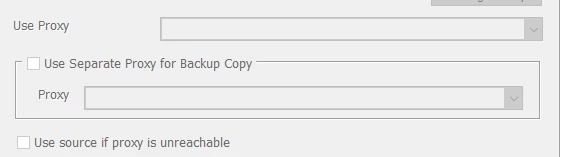
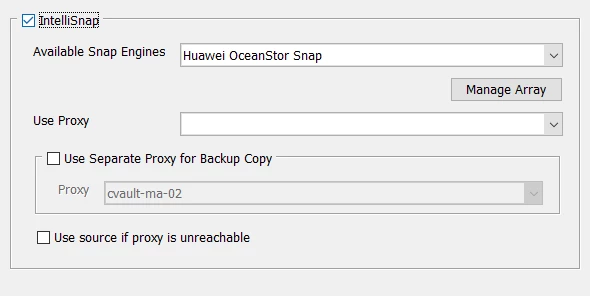
Hi, Is it possible to perform a backup using the Block-based Backup technique with Separate proxy for Backup Copy? 

Client is a virtual machine running Oracle Linux (64-bit), VMware Tools version:11269 (Guest Managed)
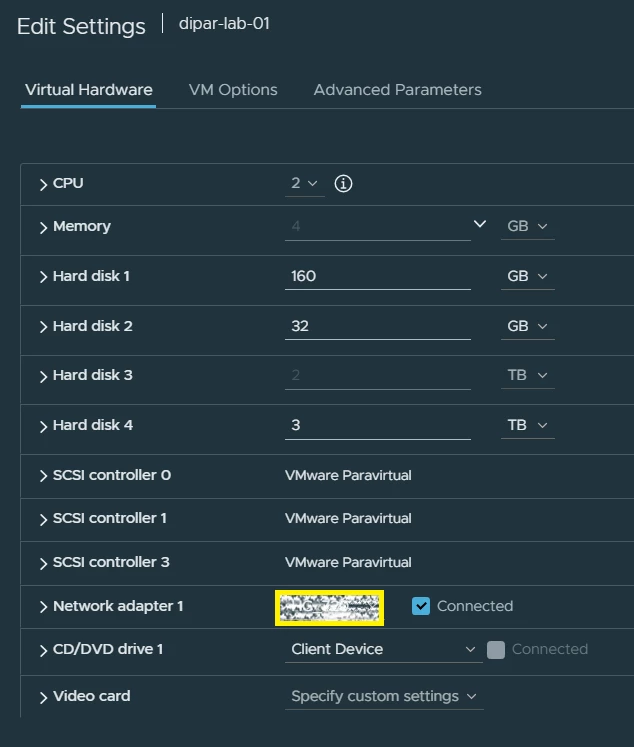


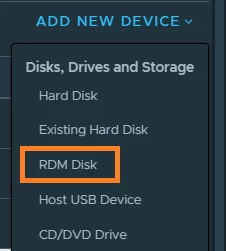
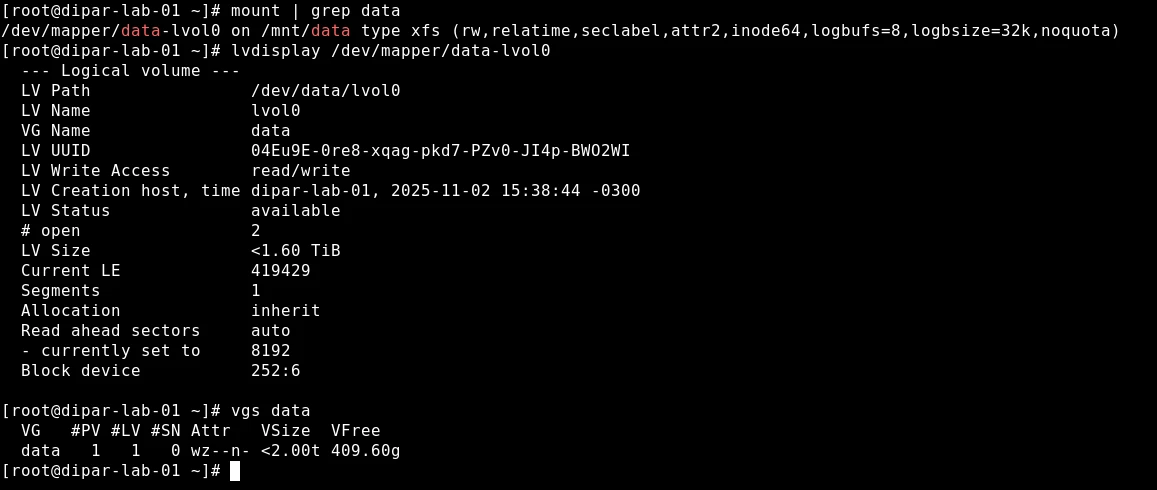
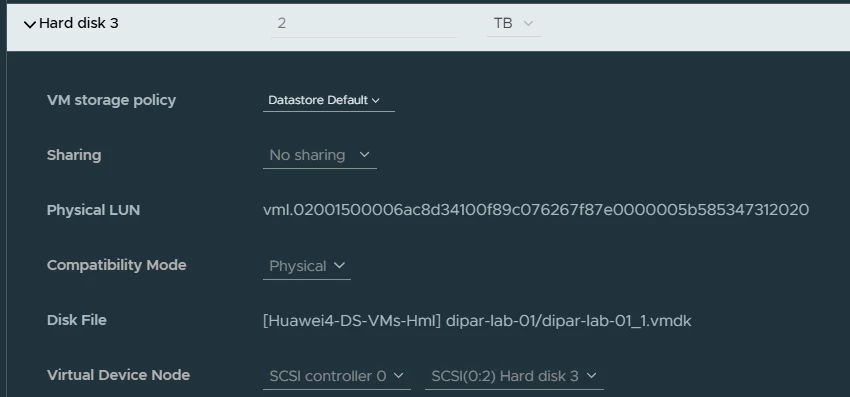
The data is on the “Hard disk 3” mounted on /mnt/data. It’s an RDM disk. 


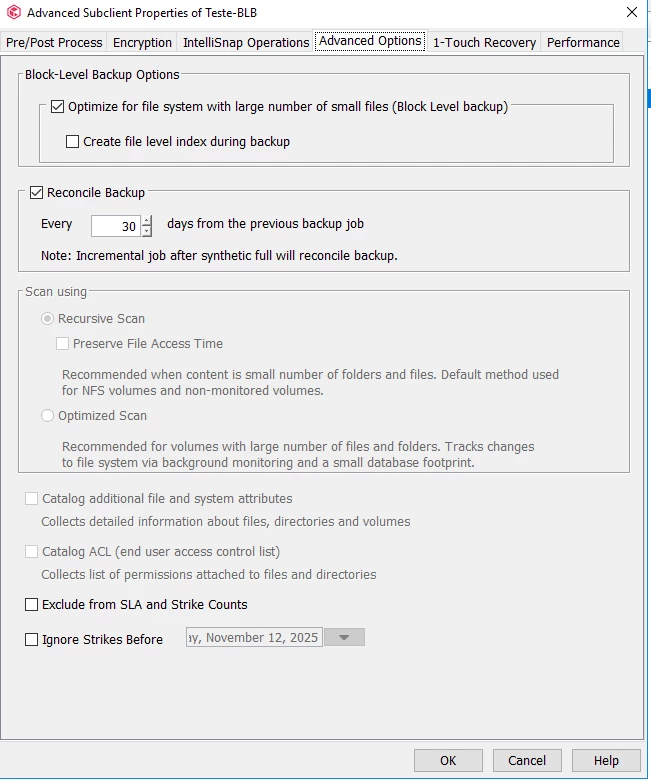
The Block-based Backup technique is working fine. 
 

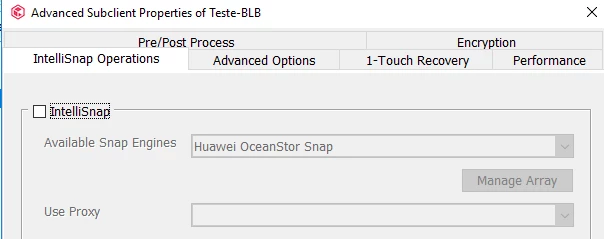
When I check the IntelliSnap option and try to use a Separate proxy for Backup Copy (selecting a virtual machine Linux Media Agent Data Mover), the job completes with errors. 
 

Error Code: [32:392]
Description: Unable to find OS device(s) corresponding to clone(s). Possible reasons could be 1) Improper FC/iSCSI H/W connection between the host and the array 2) The OS didn't find the device corresponding to the clone. : [Unable to find device(s) corresponding to snap(s)/clone(s)]
Source: cvault-ma-09, Process: FileScan


According to the documentation, Block-level backup operations have the following phases:

Snapshot copy phase
Backup copy phase


Both of these phases have several sub-phases. For native (CVBF/LVMs) backup operations, both the phases run as a single job. For hardware snapshots, the snapshot copy phase and the backup copy phase run separately as two jobs.


The Block-based Backup technique and the VM Backup with IntelliSnap are working fine. 

We just want to explore the alternatives. 



8 replies

sarvesh
Vaulter
Forum|alt.badge.img+3
  • Vaulter
  • November 13, 2025

Hi Eduardo,


Yes, it is possible to use a separate proxy for the Backup Copy phase, but only when the Block-Based Backup workflow is configured to use a hardware snapshot engine (IntelliSnap).

By default, Block-Based Backup uses native snapshots (CVBF/LVM). In this mode, the snapshot creation and backup copy phases run together as a single job, and you cannot offload the Backup Copy to a separate proxy.

However, BBB can also operate with hardware snapshot engines, and in this configuration, the workflow changes:

The Snapshot Copy phase runs first.

The Backup Copy phase runs as a separate job (scheduled independently).

In this mode, you can assign a separate proxy to perform the Backup Copy, as long as the proxy has proper FC/iSCSI visibility to the array so that it can access the hardware clone.

Documentation reference:

https://documentation.commvault.com/11.40/software/block_level_backups_for_file_system_agents.html


https://documentation.commvault.com/11.40/software/performing_block_level_backups_for_file_system_agents.html


Note:
RDM disks are not supported by the Hitachi Vantara HDvM snapshot engine.


Forum|alt.badge.img+10
  • Author
  • Byte
  • November 13, 2025

Hi Eduardo,


Yes, it is possible to use a separate proxy for the Backup Copy phase, but only when the Block-Based Backup workflow is configured to use a hardware snapshot engine (IntelliSnap).

By default, Block-Based Backup uses native snapshots (CVBF/LVM). In this mode, the snapshot creation and backup copy phases run together as a single job, and you cannot offload the Backup Copy to a separate proxy.

However, BBB can also operate with hardware snapshot engines, and in this configuration, the workflow changes:

The Snapshot Copy phase runs first.

The Backup Copy phase runs as a separate job (scheduled independently).

In this mode, you can assign a separate proxy to perform the Backup Copy, as long as the proxy has proper FC/iSCSI visibility to the array so that it can access the hardware clone.

Documentation reference:

https://documentation.commvault.com/11.40/software/block_level_backups_for_file_system_agents.html


https://documentation.commvault.com/11.40/software/performing_block_level_backups_for_file_system_agents.html


Note:
RDM disks are not supported by the Hitachi Vantara HDvM snapshot engine.

sarvesh, thank you, If I understand you correctly, It’s possible to use a hardware snapshot engine to backup an RDM VMware disk data, that is, a physical storage partition (LUN) from a SAN that is directly mapped to a virtual machine (VM) using a small mapping file, bypassing traditional virtual disks (VMDKs).

In this case, Can we use a virtual MA as Proxy? 


I'm asking because I'm thinking of using the same virtual Data Mover MediaAgent from Storage Policy as the Proxy. The virtual MediaAgent that I plan to use as a Proxy is on the same VMware Cluster and I've already checked the permission settings on the storage side. All VMware hosts on this cluster have access to the LUN. The client where LUN resides and the Media Agent that I plan to use as Proxy are on the same VMware Cluster. 


sarvesh
Vaulter
Forum|alt.badge.img+3
  • Vaulter
  • November 17, 2025

If the MA (virtual machine) has the capability to mount the snapshot from the hardware array and the zoning is correct, then it should work.

If this is a POC, you can go ahead and try it. After that, you can create a support case and we will assist further.


Forum|alt.badge.img+10
  • Author
  • Byte
  • November 18, 2025

If the MA (virtual machine) has the capability to mount the snapshot from the hardware array and the zoning is correct, then it should work.

If this is a POC, you can go ahead and try it. After that, you can create a support case and we will assist further.

sarvesh, yes, this is a POC, I tried it and It didn’t work. Support told us that Block-based Backup with IntelliSnap (hardware snapshot integration) don’t support to use a virtual machine as the proxy for the backup copy phase of a block-based IntelliSnap backup when hardware snapshots are involved and the operation requires direct FC/iSCSI access to the storage array. The error I am seeing ([32:392] Unable to find OS device(s) corresponding to clone(s)) confirms this limitation.

Could you take another look at that?


https://support.commvault.com/Case/Details/251117-809


sarvesh
Vaulter
Forum|alt.badge.img+3
  • Vaulter
  • November 18, 2025

Hi Eduardo,

Thank you for sharing the case details. I will get in touch with Engineer working on this and share an update. 


Forum|alt.badge.img+10
  • Author
  • Byte
  • November 18, 2025

Hi Eduardo,

Thank you for sharing the case details. I will get in touch with Engineer working on this and share an update. 

Ok, thank you, It appears to me that Commvault is attempting to use the iSCSI protocol. See the screenshot below. I don't recall seeing anything about this in the documentation, at least not in the section about Block-based Backup with IntelliSnap. 


CVMA.log
​​​​​​

I also don't remember configuring the MA server as a Host initiator on storage side, but it's there. Maybe Commvault created it. I took the opportunity to give the LUN access to the iSCSI host cvault-ma-09, but the backup still didn't work. It's as if something is missing on the MA server side.


Forum|alt.badge.img+10
  • Author
  • Byte
  • November 19, 2025

Sarvesh, we have investigated the issue internally and identified the problem as configuration issues on the storage side. I was somewhat disappointed with the documentation, as I wasted time investigating a setup that would not function without first configuring iSCSI on the storage side. This crucial requirement was not clearly noted.

I recommend updating the documentation to explicitly highlight the necessity of iSCSI configuration on the storage device to prevent others from encountering the same delay when trying to select a virtual machine as the proxy and the Backup Copy proxy. 


sarvesh
Vaulter
Forum|alt.badge.img+3
  • Vaulter
  • November 20, 2025

Hi Eduardo,

Thank you for identifying the issue and also for sharing the details after fixing it.
Your feedback is very helpful. We have passed this information to our documentation team so they can add clearer guidance regarding the iSCSI requirement for VM proxies when Hardware Snapshots are used for block-level backups in the below documentation pages:


Documentation Modification request number - 532237 (we will track this internally).


https://documentation.commvault.com/11.40/commcell-console/create_backup_copy_from_hardware_snapshot.html


https://documentation.commvault.com/11.40/commcell-console/prdm_mount_operation.html


We appreciate you taking the time to highlight this “it will help other users avoid the same confusion”.


Let us know if you need any further assistance.