Question

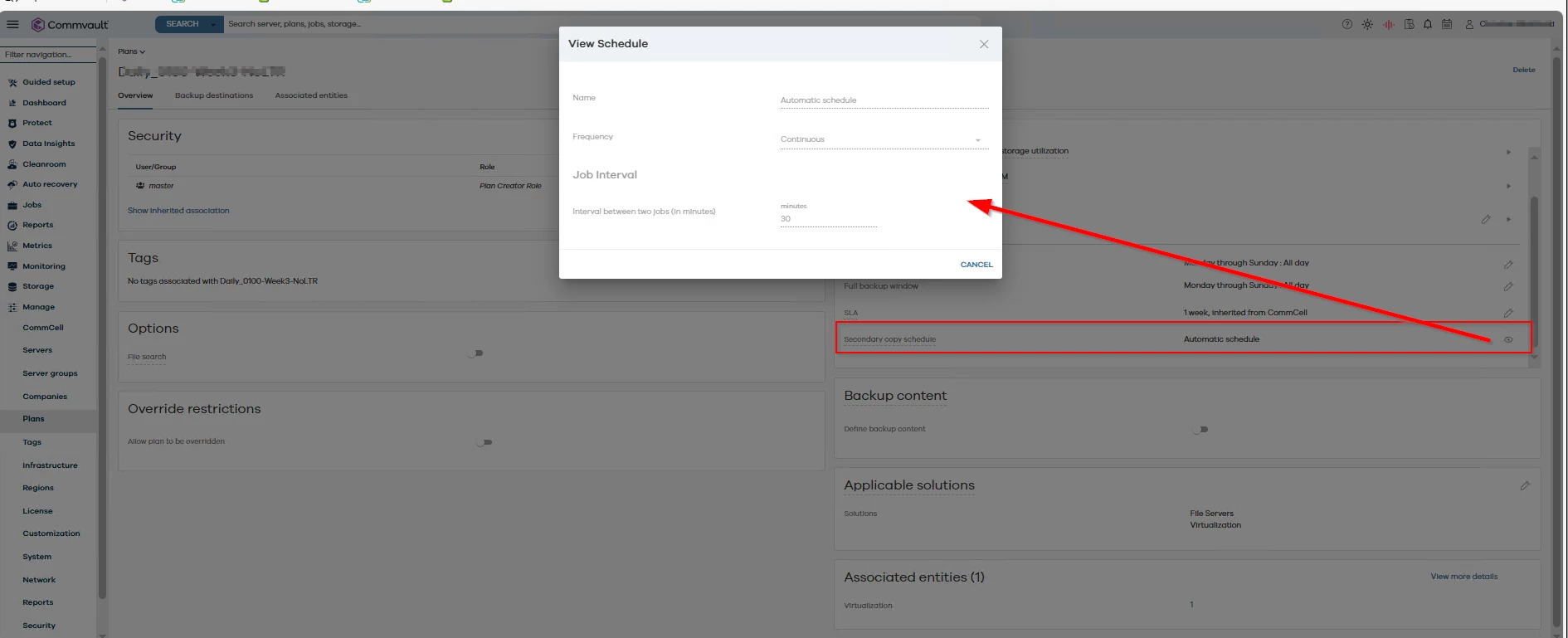
Change auxcopy automatic schedule without commcell console

  • June 11, 2025
  • 2 replies
  • 46 views

Forum|alt.badge.img+1

Hi, there is a chance to change the auxcopy automatic schedule from 30 min to 15 min in commandcenter or with a script? I’m in version 11.36 and with new installations commcel console GUI isn’t available. Additionalsetting Showschedulepolicy is not a valid way.

Thanks

2 replies

Forum|alt.badge.img+5
  • Vaulter
  • June 12, 2025

Hi ​@MelchiottiChristian,


You can modify the schedule from the Storage option from command center.


1. Log into Command Center
 

2. Navigate to Storage > select the library type associated with the aux copy for which you want to modify the schedule.

3. From the list of storage pool select the storage pool and then go to associated plans.

4. Select the  plan and from the RPO option on the right side you modify the schedule and see it helps

Please let me know incase of any queries.


Regards,

Karthik


Forum|alt.badge.img+1

Thanks, but i can’t modify the schedule.