Question

Command Center webparts not loading

  • March 5, 2026
  • 3 replies
  • 29 views

Forum|alt.badge.img

Hi,

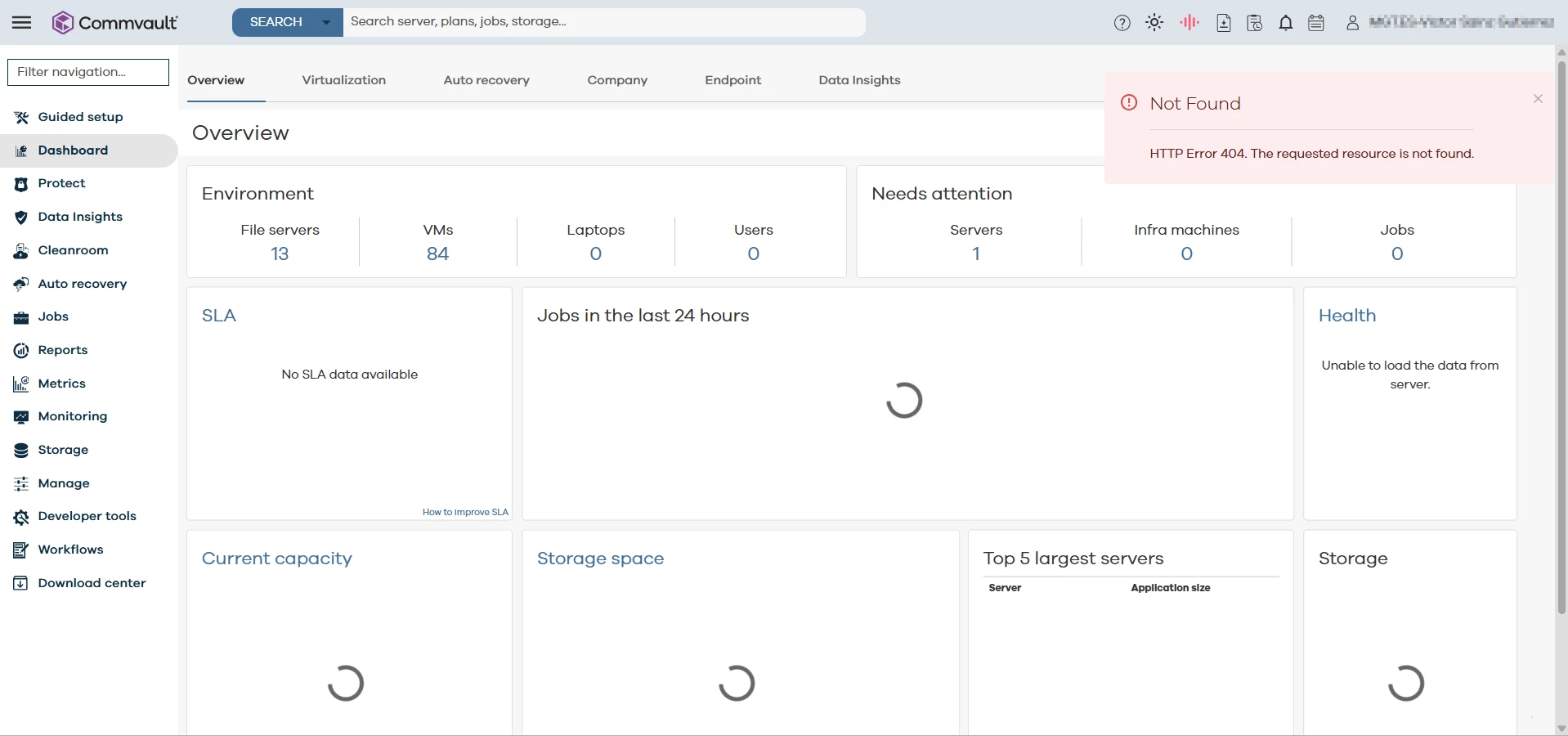
I have several CommServe installations in our different offices, and I’m experiencing the same issue in all of them. I can access the CommServe URL without any problem, but many sections and pages do not display the information.

They keep loading indefinitely, and a “Not Found 404” message appears briefly. I have tried restarting the Tomcat services and running iisreset, but the issue remains the same. I’m running version 11.36.87.

Everything has been working with no problem for a long time, but now it’s not. Any idea about what can I do?



3 replies

Forum|alt.badge.img+15
  • Vaulter
  • March 6, 2026

Hi ​@Gestamp RD ,

Kindly verify below configuration and logs and share the observations here to advice next step.

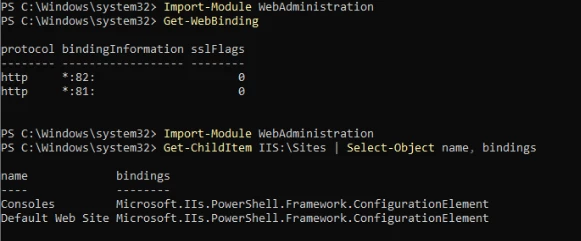
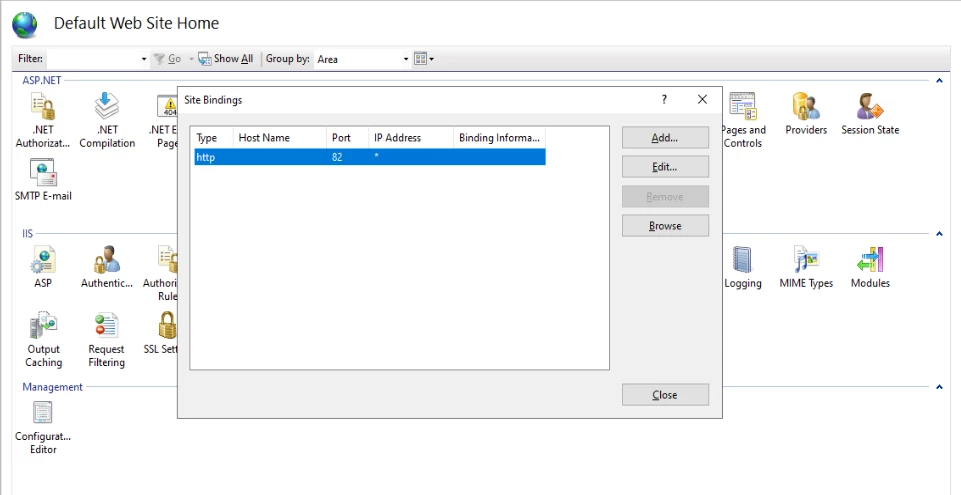
  • Confirm that IIS is bound to port 81.

  • Verify whether port 80 is listening to Tomcat.

  • While accessing the dashboard, review WebServer.log, CustomReportsEngine.log, and CommandCenter.log for additional error details.


Forum|alt.badge.img
  • Author
  • Novice
  • March 6, 2026

IIS is only pointing to port 82?


About Tomcat, in the server.xml (D:\Program Files\Commvault\ContentStore\Apache\conf):

    <Connector port="80" protocol="HTTP/1.1" connectionTimeout="60000" redirectPort="443" server="" compression="on" noCompressionUserAgents="gozilla,traviata" compressionMinSize="500" compressableMimeType="text/html,text/json,application/json,text/xml,text/plain,application/javascript,text/css,text/javascript,text/js" useSendfile="false" maxPostSize="2097152" maxHttpHeaderSize="32768" maxThreads="2500" acceptorThreadCount="20"/>  
 

About the logs when trying to access via website to the CommandCenter…

CommandCenter.log:
 

3880 3 03/06 09:50:36 ### 10.42.20.2   ERROR CVCoreUtil:parseJson:400 - Failed to create json tree.
3880 3 03/06 09:50:36 ### 10.42.20.2   ERROR CVCoreUtil:parseJson:401 - 
3880 3 03/06 09:50:36 ### 10.42.20.2   ERROR EntityServiceImpl:isPublicMetrics:832 - Error while getting metrics type

 3880 2 03/06 09:50:46 ### 10.42.20.2   ERROR CVCoreUtil:parseJson:400 - Failed to create json tree.
 3880 2 03/06 09:50:46 ### 10.42.20.2   ERROR CVCoreUtil:parseJson:401 - 

No more errors found


Forum|alt.badge.img+15
  • Vaulter
  • March 7, 2026

Hi ​@Gestamp RD ,

The command center logs pasted above looks generic error lines. Kindly change the IIS port to 81 and access below webconsole URL from the registry and confirm the webservice status.
 

Note: Change the hostname to webserver or commserv hostname, else to localhost and verify the URL status.

  • The WebService URL is typically stored in the Windows Registry on the Web Console server:
    • HKEY_LOCAL_MACHINE\SOFTWARE\CommVault Systems\Galaxy\Instance001\WebConsole\baseURL
  • The value should be in the format:
    • http://<hostname>:<port>/SearchSvc/CVWebService.svc/