
Question

Commvault Auxiliary Copy Traffic Flow Between StoreOnce Appliances for DR

  • July 31, 2025
  • 2 replies
  • 39 views

Nikos.Kyrm
Byte
Forum|alt.badge.img+15

Hello Commvault community,

I would like some clarification about the traffic flow for auxiliary copy jobs in a Commvault environment integrated with HPE StoreOnce appliances.

Scenario:

  • At our primary site, have a StoreOnce appliance used for backup storage.

  • At the DR site, there is a second StoreOnce appliance intended for auxiliary (Copy-2) backups.

Specific Question:
In our case, I am unsure about the exact data path during the auxiliary copy operation. Does the backup traffic for the auxiliary (Copy-2) copy flow:

  1. Directly from StoreOnce at the primary site to StoreOnce at the DR site?
    or

  2. From the primary site's MediaAgent to the primary StoreOnce, then to the DR site's MediaAgent, and finally to the DR StoreOnce?

I want to make sure I understand whether the transfer between StoreOnce appliances can leverage Catalyst Copy directly (StoreOnce-to-StoreOnce) or if MediaAgents at both sites are always involved in the path. My main goal is to optimize efficiency and minimize WAN usage for DR copies.

Can anyone clarify the standard behavior and any necessary configuration in Commvault to ensure the most efficient traffic flow?

Thank you! 

Best regards,
Nikos

2 replies

Emils
Vaulter
Forum|alt.badge.img+13
  • Vaulter
  • August 4, 2025

Hi ​@Nikos.Kyrm 

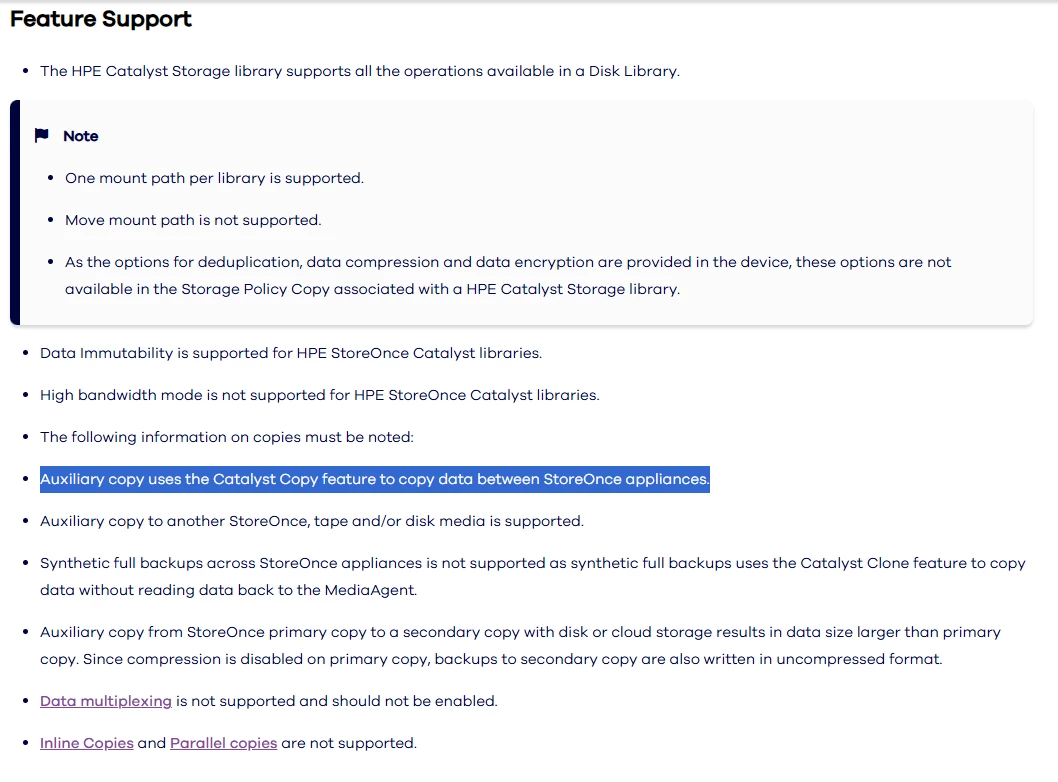
Thanks for reaching out. As per our documentation, Commvault utilizes the Catalyst Copy feature when copying between supported StoreOnce libraries:


Nikos.Kyrm
Byte
Forum|alt.badge.img+15
  • Author
  • Byte
  • November 13, 2025

Dear ​@Emils 

Thanks for your reply!

From Commvault documentation, see that the way to configure auxiliary copies is through MediaAgents.

https://documentation.commvault.com/2024e/commcell-console/configuring_auxiliary_copy_for_hpe_storeonce_catalyst_library.html


Also, from Case 251113-708, here is the Data Flow for Auxiliary Copy Between Two StoreOnce Appliances:

1. Job Initiation in Commvault
An auxiliary copy job is started in Commvault to replicate backup data from the primary StoreOnce appliance (source) to the secondary StoreOnce appliance (destination).
The job is managed and tracked by the Commvault MediaAgent (MA).
2. MediaAgent Coordination
The MediaAgent is responsible for job orchestration, metadata management, and control traffic.
It does not handle the actual backup data transfer; its role is to instruct the StoreOnce appliances and update Commvault’s catalog.
3. Catalyst Copy Data Transfer
The Catalyst Copy protocol is used for the actual data movement.
The source StoreOnce appliance reads the required backup data (chunks) from its Catalyst Store.
Only unique, deduplicated data blocks are selected for transfer—reducing bandwidth and storage usage.
4. Direct Appliance-to-Appliance Transfer
The source StoreOnce appliance sends the deduplicated data blocks directly to the destination StoreOnce appliance.
The destination StoreOnce writes these blocks into its own Catalyst Store.
No bulk data passes through the MediaAgent; only control and metadata traffic does.
5. Metadata and Control Traffic
The MediaAgent sends job control commands and metadata to both StoreOnce appliances.
It tracks which data blocks have been transferred and updates the Commvault catalog for restore and compliance purposes.
6. Monitoring and Verification
You can monitor the data transfer in the StoreOnce Management Console:
Outbound Copy tab on the source StoreOnce shows data being sent.
Inbound Copy tab on the destination StoreOnce shows data being received.
Commvault logs (e.g., CVJobReplicatorODS.log) will show metadata activity, not bulk data transfer.
7. Job Completion
Once all required data blocks are transferred, the auxiliary copy job is marked complete in Commvault.
The destination StoreOnce now holds a deduplicated, restorable copy of the backup data, fully managed by Commvault.
 

Best regards,
Nikos