Solved

Commvault HS3300 HyperScale Appliance disk7 offline

  • January 26, 2023
  • 1 reply
  • 546 views

Forum|alt.badge.img+3

Hello !

The appliance includes 3 servers: simpana-ma-13,simpana-ma-14,simpana-ma-15. There was a disk7 error for server simpana-ma-13 - disk7 Offline - see info below.

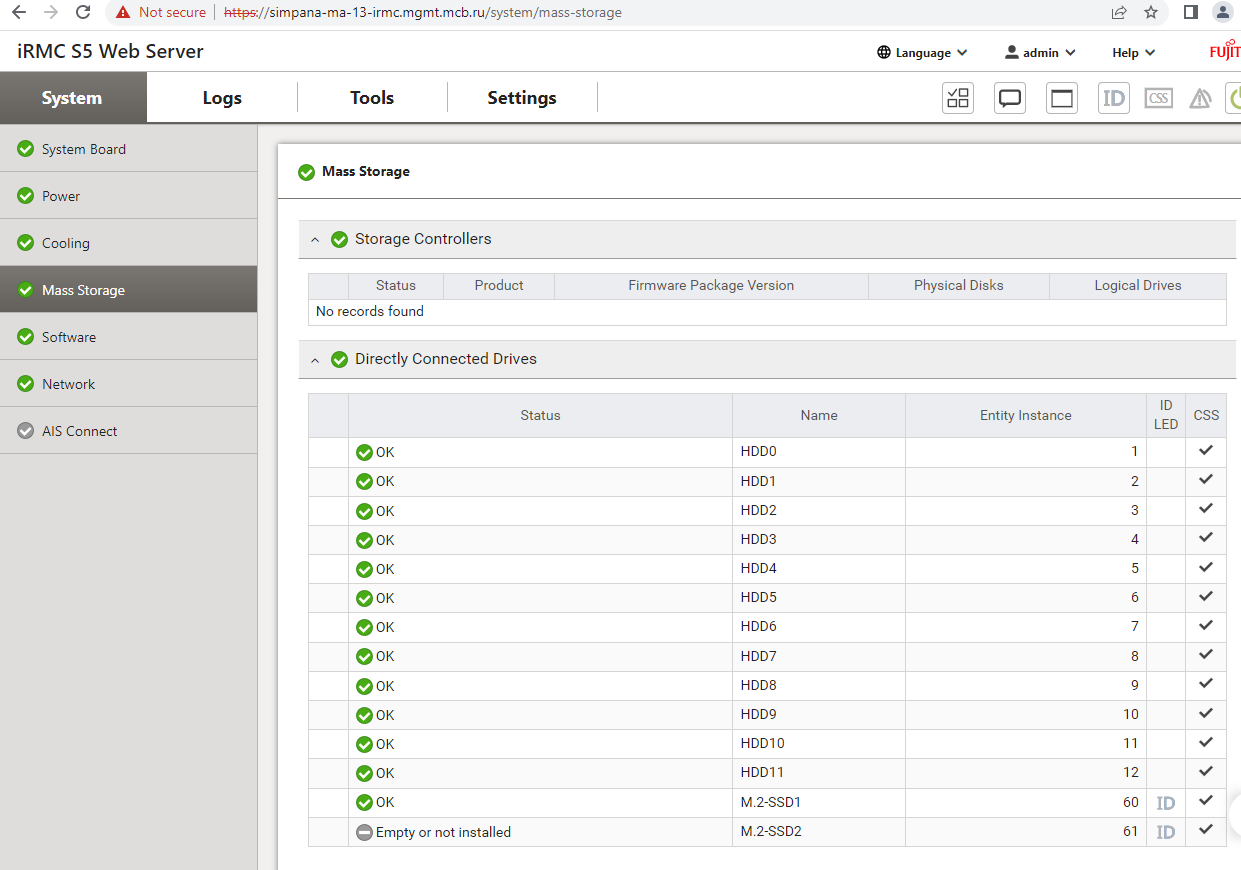
However, through the “iRMC S5 Web Server” console, the disk seems to be normal.

Tell me, please, how can I fix the error?

===================

[root@simpana-ma-13 ~]# gluster v status | more
Gluster process                             TCP Port  RDMA Port  Online  Pid
------------------------------------------------------------------------------
...

Brick simpana-ma-13sds.mcb.ru:/ws/disk7/ws_
brick                                       N/A       N/A        N       N/A
 

Scale out disk health

CommCell: simpana-csrv

Type: Custom Rules - ScaleOutDiskHealthRule

  • Alert Rule Name : ScaleOutDiskHealthRule
  • Storage Pool : Global_HyperScale_01
  • Node : simpana-ma-13.mcb.ru
  • Drive : /dev/sdh
  • Mount Point : /ws/disk7
  • Issue : Disk Daemon Offline


Regards Aleksandr

Best answer by Alex_Moscow

I ran the command and disk 7 is now online.

[root@simpana-ma-13 ~]# gluster volume start Global_HyperScale_01 force


Could this be done or is there another way?

1 reply

Forum|alt.badge.img+3
  • Author
  • Novice
  • Answer
  • January 26, 2023

I ran the command and disk 7 is now online.

[root@simpana-ma-13 ~]# gluster volume start Global_HyperScale_01 force


Could this be done or is there another way?