


Commvault virtualize-me VMware for linux machine

  • July 13, 2023
  • 7 replies
  • 161 views

Forum|alt.badge.img+3

Hello,

Dears all,

I am trying to performe migration of physical linux machine to VMware virtual machine using the commvault. I am using the Virtualize me options, and for this operation i’ve enabled 1-touch recovery in the source machine and a sucessfully backup.

For some reason after a successfully restore of System state backup, this error appears in the screen.
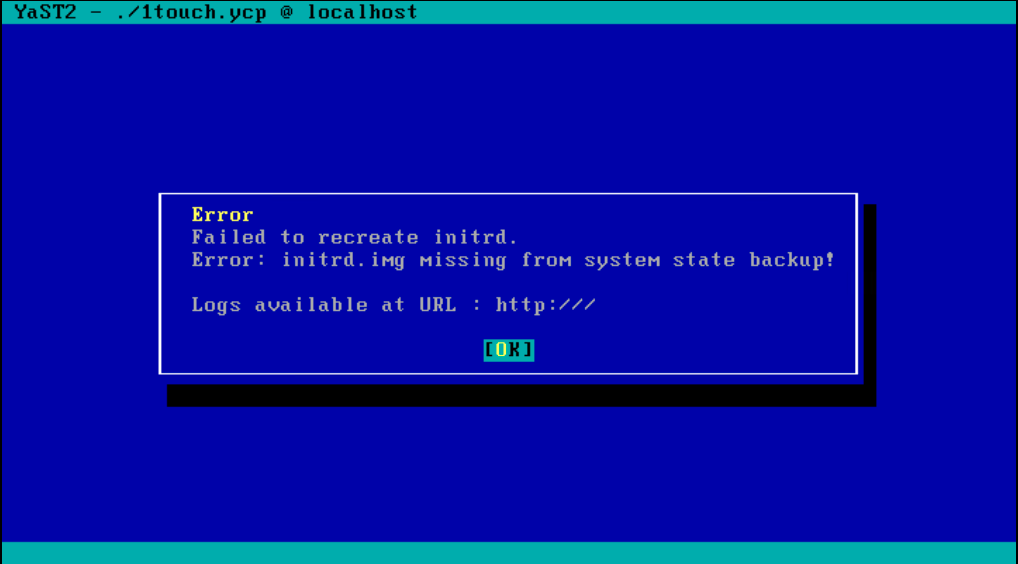


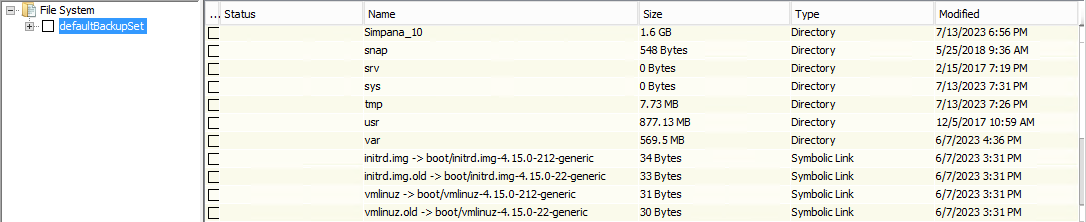
but these file initrd.img is a content of the defaultBackupSet


I’m using commvault version 11.24 and the machine use ubuntu 18 as operating system.


Please help me to solve this issue.

7 replies

Rajiv
Vaulter
Forum|alt.badge.img+12
  • Vaulter
  • July 14, 2023

Hello @varsenia 

Could you please try to take 2 more backups and re try the recovery? I have seen some scenarios where first backup gives such issues with Ubuntu. 

Best,

Rajiv Singal


Forum|alt.badge.img+3
  • Author
  • Novice
  • July 14, 2023

Hi @Rajiv 

I made 2 more backups but i still having the same problems.


Rajiv
Vaulter
Forum|alt.badge.img+12
  • Vaulter
  • July 17, 2023

Hello @varsenia while on this screen, please press ALT+F2  and tail for the cvrestore.log: tail -100f /tmp/cvrestore.log

Best,

Rajiv Singal


Forum|alt.badge.img+3
  • Author
  • Novice
  • July 17, 2023

I @Rajiv,

Thanks for the time,

I have solved the problem.


Rajiv
Vaulter
Forum|alt.badge.img+12
  • Vaulter
  • July 18, 2023

Hello @varsenia I am glad the issue has been resolved. Could you please share the resolution here with us for other’s references?

Best,

Rajiv Singal


Forum|alt.badge.img+3
  • Author
  • Novice
  • July 19, 2023

Hi @Rajiv,

It is seems like the symbolic link initrd.img does not work properly after the restore of system state backup.


So before the backup i copy the initrd.img-kernel_version from /boot to / and performe a backup. 

After that it work properly. 


Rajiv
Vaulter
Forum|alt.badge.img+12
  • Vaulter
  • July 19, 2023

Hello @varsenia Thanks for the update! Yeah it could be ACL issues with the backup itself where symbolic links might not be backed with proper permissions however I am glad that the restore has worked for you! 

Best,

Rajiv Singal


