




I want to create an Alert Defination for Some 5 VMs which should send email notification to someone email id on Backup Failure.
Solved
Creating New Alert Defination
- Novice
Best answer by SparshGupta
Creating a new alert definition from Command Center is a relatively straightforward procedure.
- Navigate to Monitoring → Alerts → Alert Definition → Add Alert Definition
- Select appropriate “Alert Type” depending on the requirement. In this case, there’s a predefined alert type “VM backup failed”
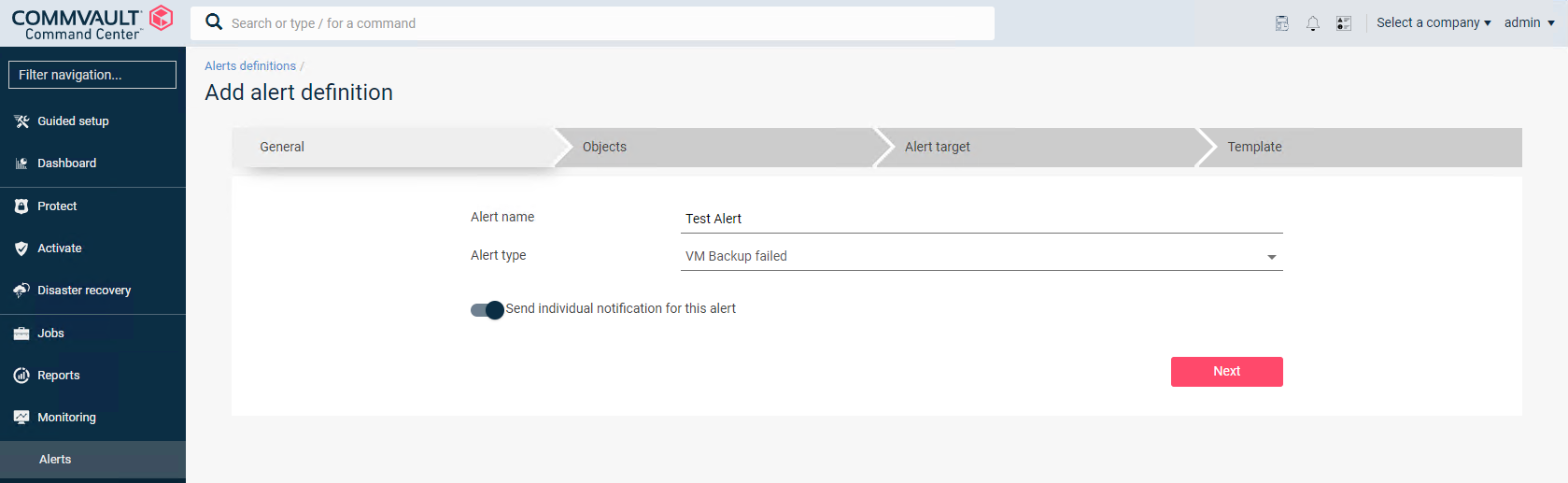
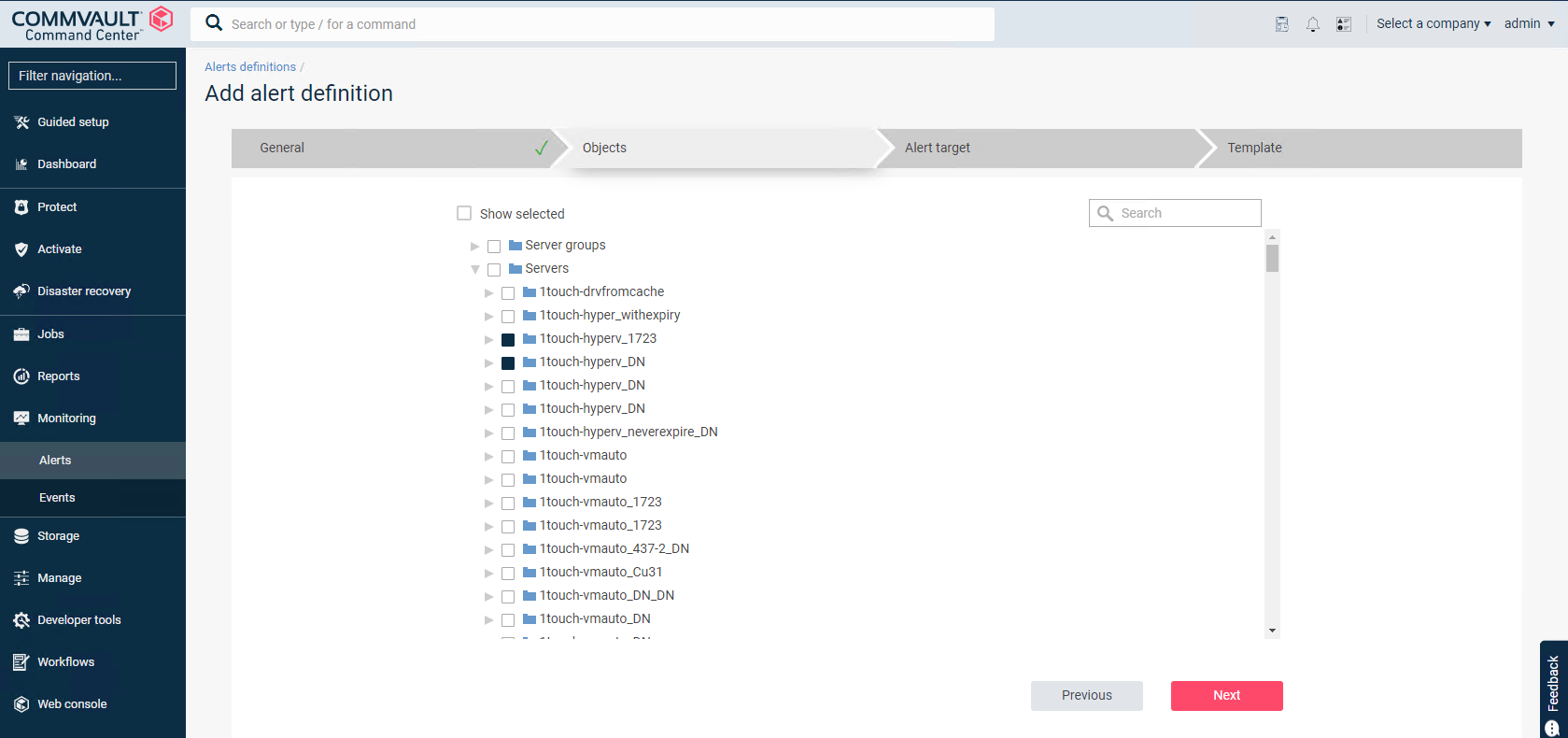
- Select the entities or VM’s that you want to associate with this alert
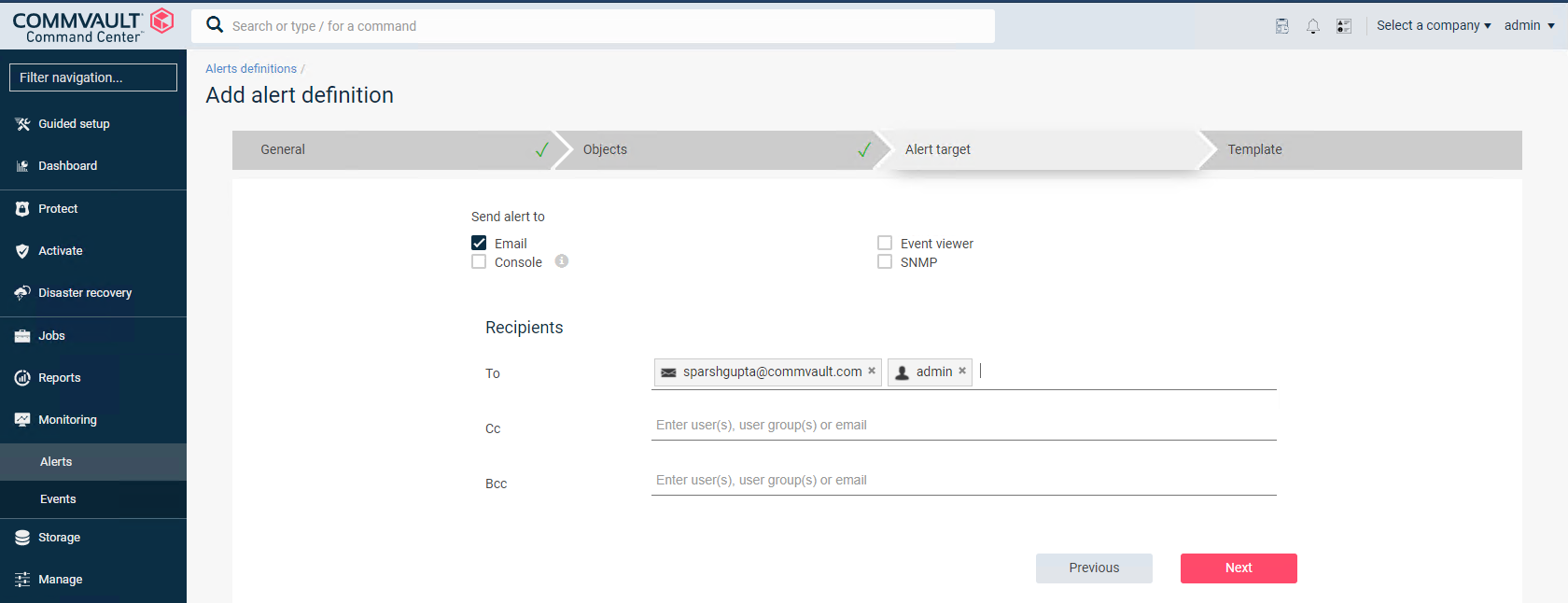
- Email alerts can be sent to their intended recipients by selecting Email as the notification type. You can configure email alerts for CommCell users, external domain users, and recipients outside of the CommCell environment. However, external domain users receive email alerts only if they have previously logged on to the CommCell environment.
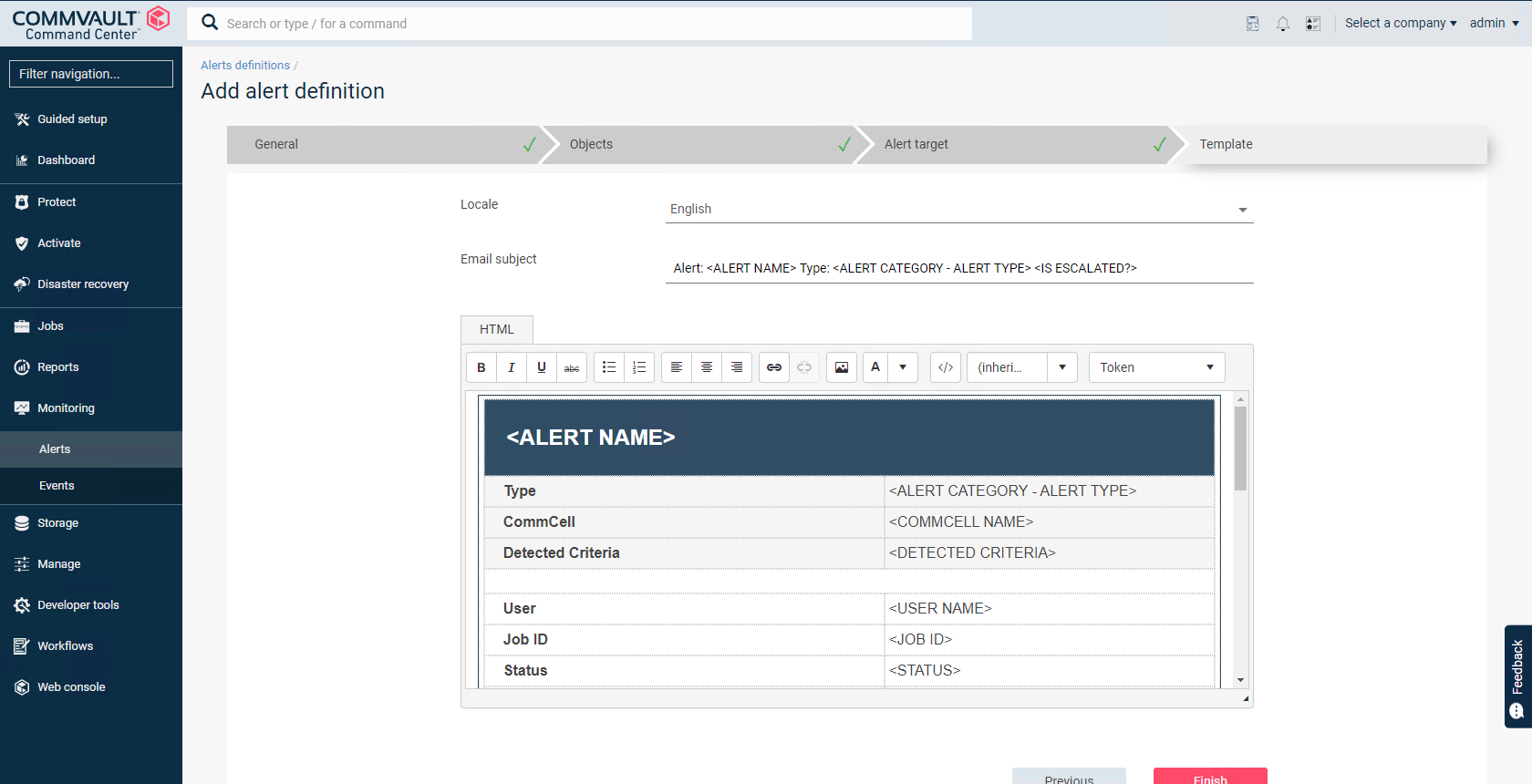
- Modify the template as needed and click on Finish
You can also refer the below link to perform the same operation from Commcell Console -
https://documentation.commvault.com/commvault/v11/article?p=5197.htm



Readiverse Academy Certifications

Enter your E-mail address. We'll send you an e-mail with instructions to reset your password.