


Answer

Database Snap Management - Array is not detected when enabled

  • March 18, 2025
  • 5 replies
  • 53 views

Forum|alt.badge.img+2

Hi 

I have added the instance server with a subclient database. When snap management is enabled in the subclient, it does not detect the Array—Nimble. I have checked the passkeys.
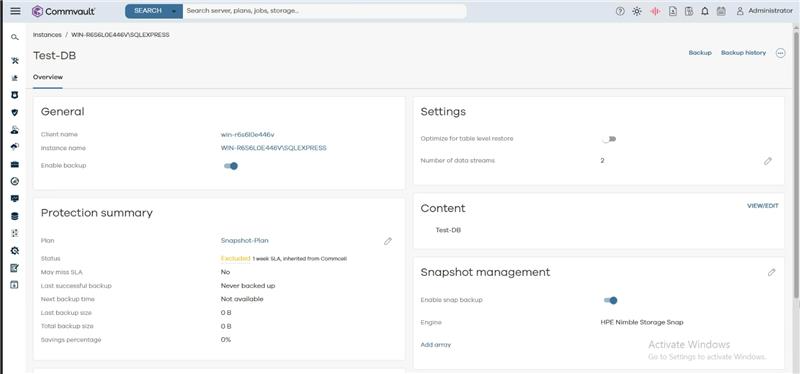
Array is not detected even after adding the array in snapshot management box


Best answer by dude

Did you follow the config steps?: https://documentation.commvault.com/11.38/expert/configuring_hpe_nimble_storage_nimble_dhci_hpe_alletra_6000_series_hpe_alletra_5000_series_array_using_array_management.html

5 replies

dude
Byte
Forum|alt.badge.img+16
  • Byte
  • March 18, 2025

Forum|alt.badge.img+2

Hi ​@dude  The HPE Nimble storage - version is 6.1.2.500


dude
Byte
Forum|alt.badge.img+16
  • Byte
  • Answer
  • March 18, 2025

Forum|alt.badge.img+1
  • Bit
  • March 19, 2025

I am also facing similar issue ​@dude 


Forum|alt.badge.img+2

Verify that all source volumes are part of a volume collection in the array console. And, in the Schedule of Volume Collection area, enable the Snapshot triggered by CommVault option.

After creating the Volume collection and enabling the snapshot by thrid party. The issue was resolved


