


Answer

Delete Edge Monitor don t working

  • March 15, 2022
  • 8 replies
  • 282 views

Forum|alt.badge.img+10

Hi, 


I have question.

Disabling / removing Edge Monitor does not work according to Hiding Edge Drive on Laptops (commvault.com) instructions

https://documentation.commvault.com/11.24/expert/41431_hiding_edge_drive_on_laptops.html

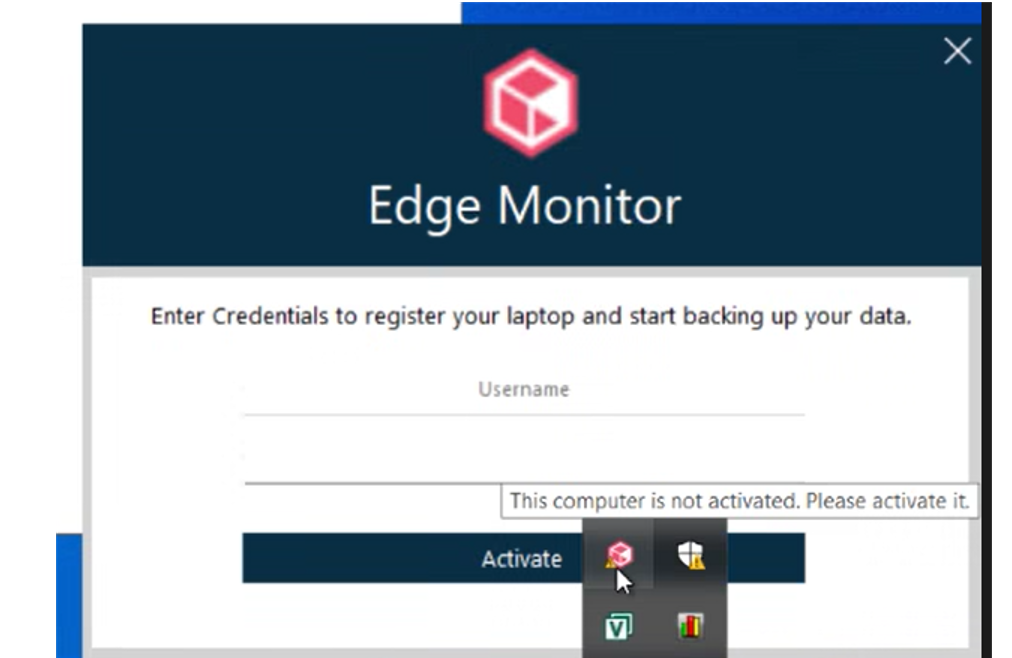
Edge Monitor still appears in the corner of the screen:
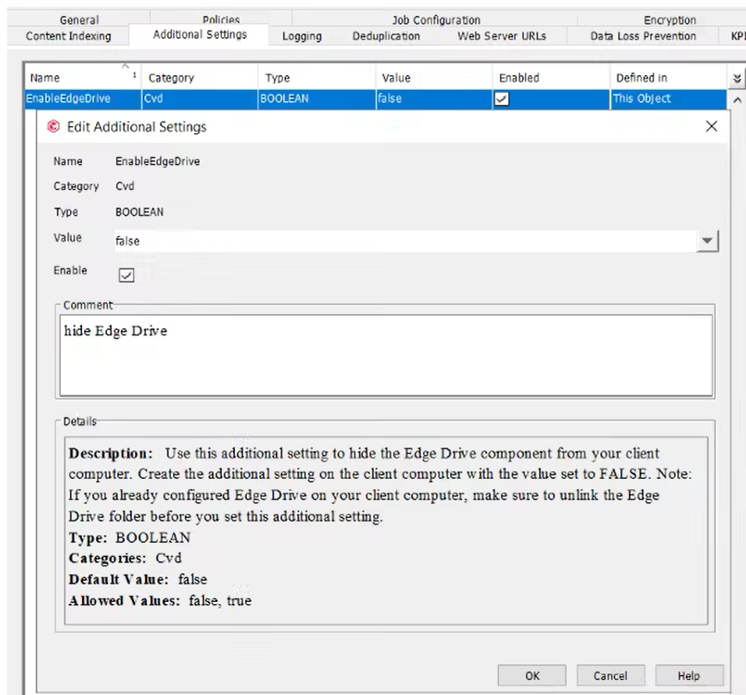
Setting on the client in the CV console:
I will be very appreciate for help

Greetings, 

Kinga

Best answer by Mike Struening

@kszaf , looks like things aren’t working as expected.

Can you open a support case and share the incident number here?

8 replies

Forum|alt.badge.img+15
  • Vaulter
  • March 15, 2022

 Good morning.  If you restart the client after the Additional Setting is added, doe the Edge Monitor still show?


Forum|alt.badge.img+10
  • Author
  • Novice
  • March 15, 2022

@Orazan thanks for your time. It was restart few times after added additional settings. 


Forum|alt.badge.img+10
  • Author
  • Novice
  • March 17, 2022

@Orazan but restart not helping 


Mike Struening
Vaulter
Forum|alt.badge.img+22

@kszaf , looks like things aren’t working as expected.

Can you open a support case and share the incident number here?


Forum|alt.badge.img+10
  • Author
  • Novice
  • March 23, 2022

@Mike Struening @Orazan maybe you now how permanently delete edge monitor?


Forum|alt.badge.img+15
  • Vaulter
  • March 23, 2022

 @kszaf Good morning.  As @Mike Struening  mentioned, it would be best if you opened a case with customer support.  Please post the incident number here when you do so that we can track the progress.


Mike Struening
Vaulter
Forum|alt.badge.img+22

Hey @kszaf , following up on this one.  Any chance you were able to get an incident created?


Mike Struening
Vaulter
Forum|alt.badge.img+22

Hey @kszaf , following up on this one.  Any chance you were able to get an incident created?

Thanks!!


