





Question

Disable Security Notice for DR Backup

  • August 4, 2025
  • 2 replies
  • 37 views

SteveF
Vaulter
Forum|alt.badge.img+6

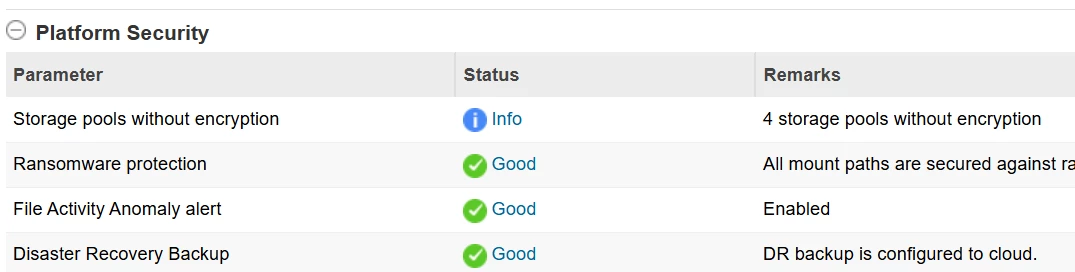
Have a dark-site customer that cannot upload to cloud.commvault.com. They would like to not have the security alert be red all the time for Health tile - Security Assessment - Platform Security -  DR backup.

Configured to the cloud makes it green, but since they cannot....

Is there a way to disable that alerting or review?

The below is from a CS that has it configured and is green/good.


2 replies

Forum|alt.badge.img+12
  • Vaulter
  • August 5, 2025

Hi ​@SteveF ,

We can disable the Threat Indicator Alert under Platform Security. However, we could not locate specifically for DR upload  Hence recommend following the steps below before proceeding with the alert disablement. Kindly review and let us know if this helps.

https://documentation.commvault.com/2024e/expert/viewing_enabling_disabling_and_triggering_alerts.html

  1. Log in to the Command Center.
  2. Navigate to Configuration > Alerts.
  3. In the Alerts section, locate the alert related to DR upload to cloud.
  4. Select the alert and click Disable to turn off the alert.


SteveF
Vaulter
Forum|alt.badge.img+6
  • Author
  • Vaulter
  • August 5, 2025

Thank you Pradeep. We will give that a shot.

