

Solved

Enable FileSystem Agent

  • January 12, 2024
  • 2 replies
  • 126 views

Henke
Novice
Forum|alt.badge.img+12

Hello,

I have a client that is backed up as a virtual instance plus a native SQL agent. Now I’d Like to change that and remove from virtual and add a File&Systems agent.


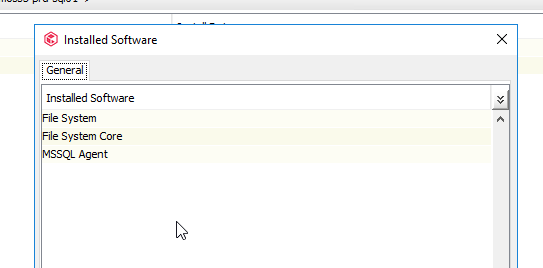
Though it seems it is already installed, as seen below, but I don’t see the agent under the client.

Is there a way to add the license for it? I can’t reinstall it it seems since it’s already there?


Anyone know how I should proceed?

BR
Henke


Best answer by Naresh G

Hi @Henke


Good day!

Right click on the client > All Task > Use ‘Add filesystem agent’ to list the FS agent for the client. Reconfigure the agent to add the license to the FS agent and configure FS backup for the client. 


Kindly let us know if this helps.


Thanks,

Naresh G

2 replies

Naresh G
Vaulter
Forum|alt.badge.img+4
  • Vaulter
  • Answer
  • January 12, 2024

Hi @Henke


Good day!

Right click on the client > All Task > Use ‘Add filesystem agent’ to list the FS agent for the client. Reconfigure the agent to add the license to the FS agent and configure FS backup for the client. 


Kindly let us know if this helps.


Thanks,

Naresh G


Henke
Novice
Forum|alt.badge.img+12
  • Author
  • Novice
  • January 12, 2024

Thank you @Naresh G 

That solved the issue.


BR

Henke