Solved

Feature Release update to 11.30 is failing with error "Update history file is corrupt"

  • March 30, 2023
  • 6 replies
  • 293 views

Forum|alt.badge.img+8

Feature Release update to 11.30 is failing with error "Update history file is corrupt" 

is there any KB for this error?

I’m unable to find one



Best answer by Sebastien Merluzzi

@alligator ,

This usually happens when the process or machine crashed.

Can you try Resume first and then if that’s not working Cleanup and start again?

Let me know

Best Regards,

Sebastien

6 replies

Forum|alt.badge.img+17

Hi @alligator ,

We have seen this issue once, can you rename that file and try again please?

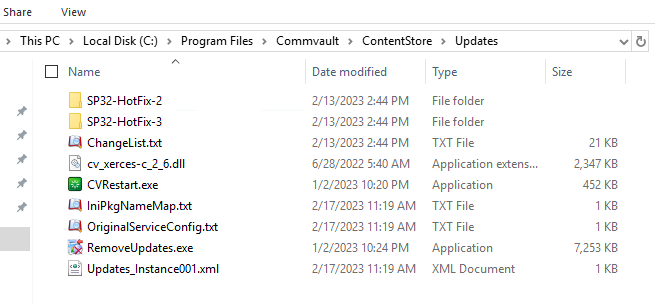
\Commvault\ContentStore\Updates\Updates_Instance001.xml

Best Regards,

Sebastien


Forum|alt.badge.img+8
  • Author
  • Explorer
  • March 30, 2023

@Sebastien Merluzzi I don’t see that file in Updates folder “Updates_Instance001.xml”


Forum|alt.badge.img+17

@alligator ,

Do you have that folder and some files then?

Do you have the option to repair the installation?

Best Regards,

Sebastien


Forum|alt.badge.img+8
  • Author
  • Explorer
  • March 30, 2023

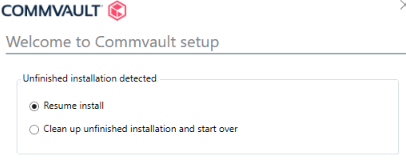
@Sebastien Merluzzi Its detecting that as an unfinished installation, i can resume install or cleanup and startover

I’m not getting the Repair Instance option.


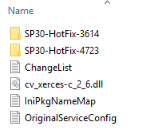
these are the files that I could find in Updates folder


Forum|alt.badge.img+2

Hi @alligator ,

Could you please send me the entire UpdateInfo.log? It would assist us in identifying the problem and recommending the best way to resolve it.


Forum|alt.badge.img+17

@alligator ,

This usually happens when the process or machine crashed.

Can you try Resume first and then if that’s not working Cleanup and start again?

Let me know

Best Regards,

Sebastien