

Answer

Incorrect URL (IP address) for Web Server

  • January 11, 2022
  • 7 replies
  • 521 views

Kamil W
Certified Expert
Forum|alt.badge.img+10


Hi guys,

I need your help.

The Customer’s CommServe is running CommServe Failover configuration as follows:

  • CS Active: 10.100.9.200
  • CS Passive: 192.168.209.200

Once I click an icon of any web services in CommCell Console (Web Console, Command Center, SLA, etc.) CVLT takes me to the CS Standby IP address which is 192.168.209.200
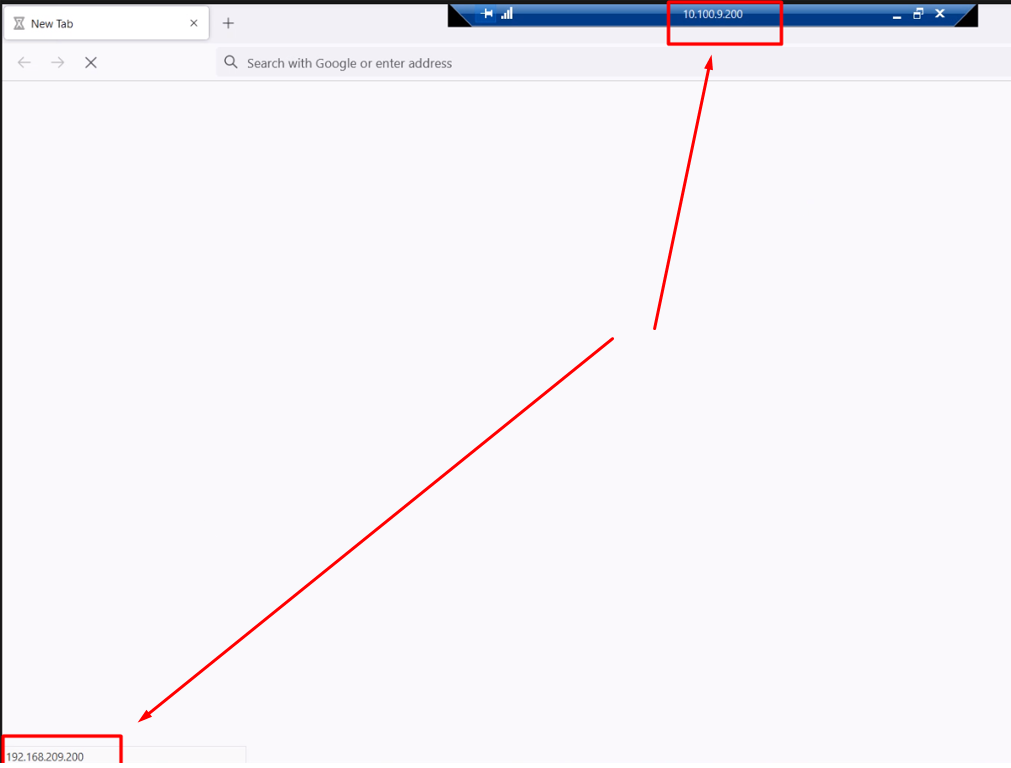
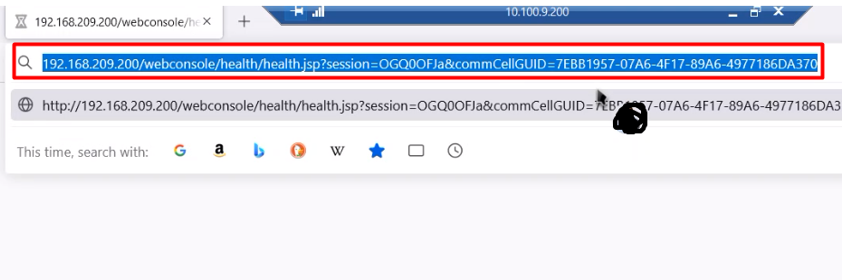
 

Can you tell me guys, how can I change it?

Rgds,

Kamil 
Best answer by Kamil W

Hello guys,

Sorry, my mistake but everything’s clear now.  

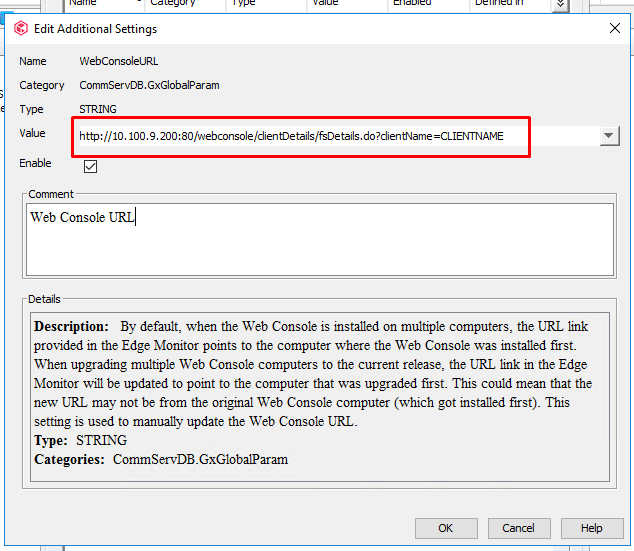
I put an IP address of Web Server, like this:

instead of full Web Console URL as BOL says

https://documentation.commvault.com/11.24/expert/4344_changing_web_console_url_for_commserve.html

As results shortcut icons of Command Center and Web Console disappeared  and I were getting an error that I mentioned about before.

After correcting the URL, the icons of Command Center and Web Console went back to their place The links are working as aspected now.

Many thanks for your help, guys.

Rgds,

Kamil

7 replies

MichaelCapon
Vaulter
Forum|alt.badge.img+14
  • Vaulter
  • January 11, 2022

Hi @Kamil W ,

Have you checked the WebConsoleURL setting on the CommServe: https://documentation.commvault.com/additionalsetting/details?name=%22WebConsoleURL%22&id=4615


Best Regards,

Michael


Kamil W
Certified Expert
Forum|alt.badge.img+10
  • Author
  • Certified Expert
  • January 11, 2022

Hi Michael,

No, I haven’t.

I’ll try and let you know, how it goes ASAP.

Rgds,

Kamil


Kamil W
Certified Expert
Forum|alt.badge.img+10
  • Author
  • Certified Expert
  • January 12, 2022

Hi,

After adding WebConsoleURL setting on the CommServe I cannot see Command Center and Web Console icons.

When I click on SLA icon I get the following error:

Any ideas?

Should I re-install Web Console package?

Rgds,

Kamil


Kamil W
Certified Expert
Forum|alt.badge.img+10
  • Author
  • Certified Expert
  • January 12, 2022

OK guys, I think I know where the problem is.

I’ll let you know, how it goes ASAP.

Rgds,

Kamil


Matthew M. Magbee
Novice
Forum|alt.badge.img+12

I would suggest a reinstall of the Web console package. Question, did this just happen? or has it been an issue?


Kamil W
Certified Expert
Forum|alt.badge.img+10
  • Author
  • Certified Expert
  • Answer
  • January 14, 2022

Hello guys,

Sorry, my mistake but everything’s clear now.  

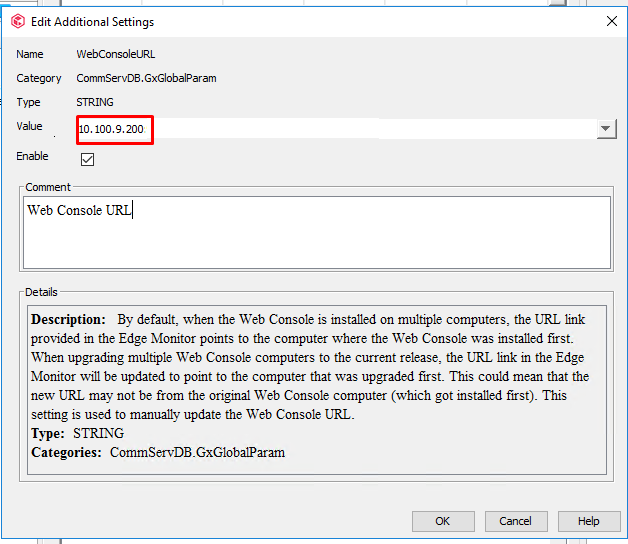
I put an IP address of Web Server, like this:

instead of full Web Console URL as BOL says

https://documentation.commvault.com/11.24/expert/4344_changing_web_console_url_for_commserve.html

As results shortcut icons of Command Center and Web Console disappeared  and I were getting an error that I mentioned about before.

After correcting the URL, the icons of Command Center and Web Console went back to their place The links are working as aspected now.

Many thanks for your help, guys.

Rgds,

Kamil


Matthew M. Magbee
Novice
Forum|alt.badge.img+12

Good find!