Question

Issue with Commvault Plans and schedule policies

  • March 9, 2026
  • 3 replies
  • 62 views

Forum|alt.badge.img+10

Hi, If anyone can explain, I would appreciate it.

Commvault 11.32.119 


Our company is gradually using Plans and a question has come up. 
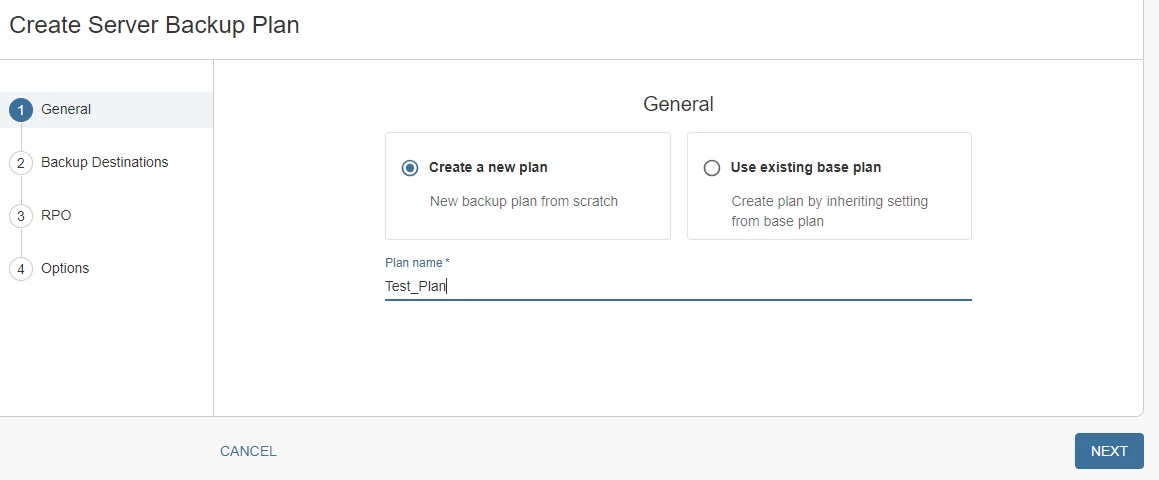
 

A question here. 

According to my research, Commvault creates two scheduling policies to satisfy the RPO.

 

One is generic and the other is more specific to database agents.

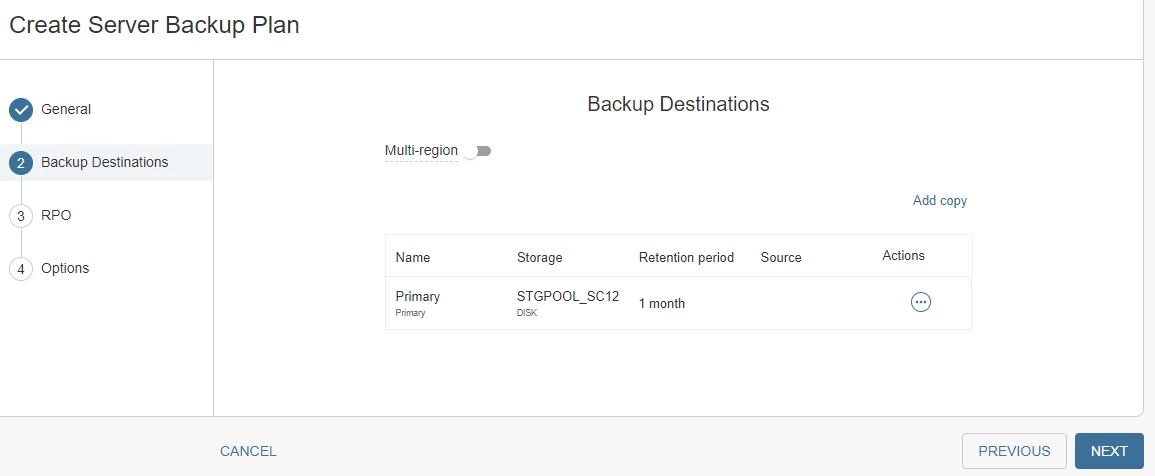
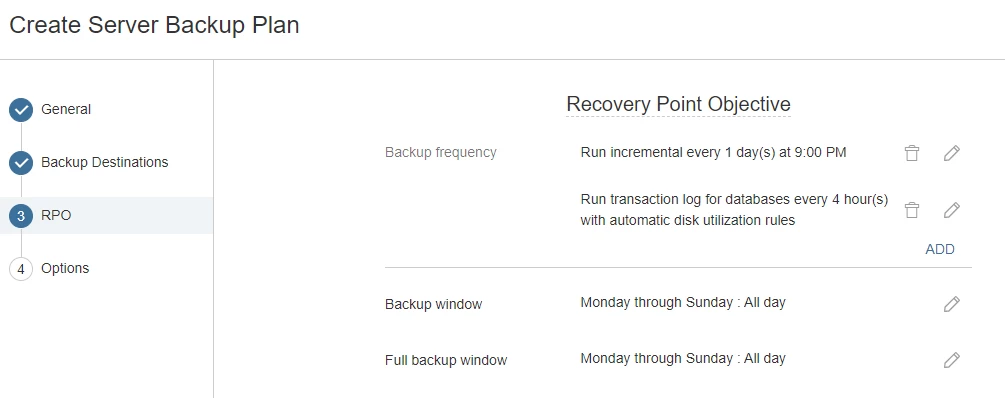
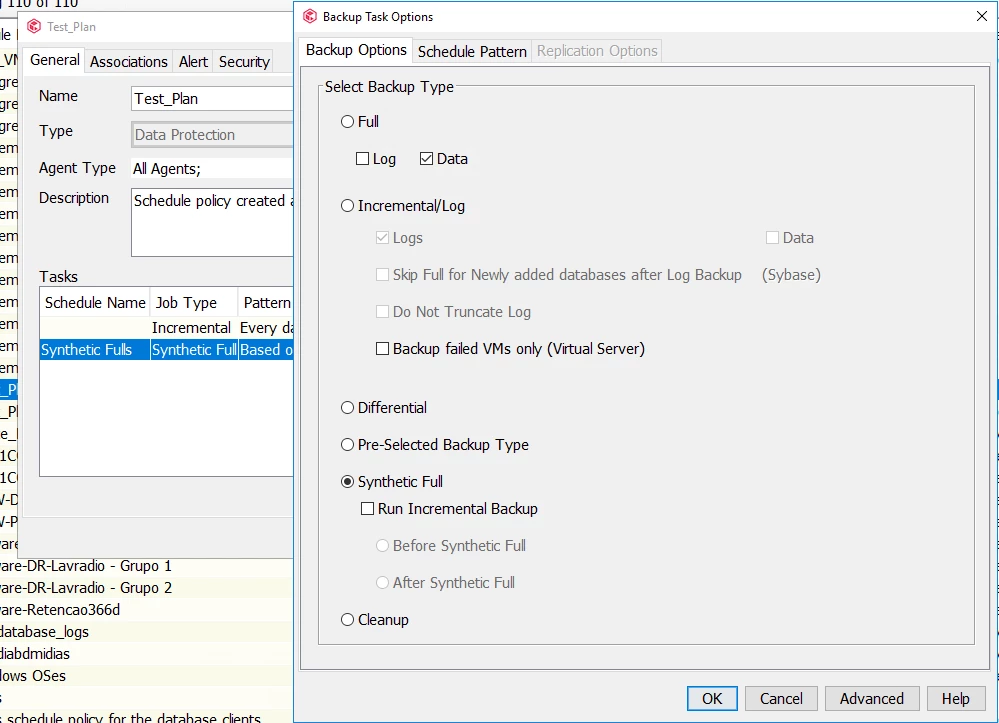
If the most specific database policy only has just one task, which is precisely the task that commands the Incremental backup, where is Commvault configuring the task to run a Full backup? Has Commvault configured the Full backup task in the generic policy (Test_Plan)? 

It seems to me that is what happened, but examining the policy, it's not possible to find anything in the Full backup task settings that states that a Full backup will run every hour, for example.


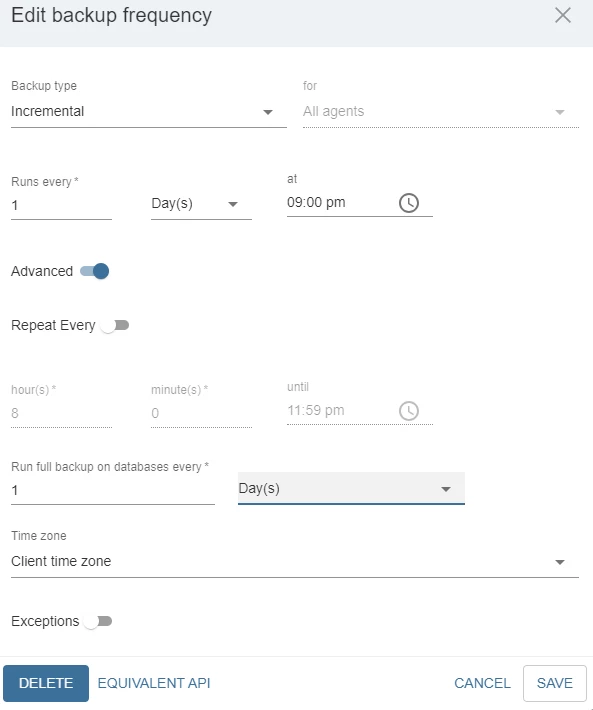
I modified the rule "run incremental every 1 day(s) at 9:00 PM" by clicking on the pen icon and adding a rule. See the screen below. I checked the "Run full backup on databases every" option.


When examining the policies created using the Commcell Console, I cannot find in which task, or in which schedule policy, this Full backup was configured.
 

3 replies

Forum|alt.badge.img+4

When you use Plans for scheduling backups, the system automatically manages backup schedules to meet your defined RPO (Recovery Point Objective). Here’s how it works:

  • Two Schedule Policies per Plan:
    • Generic Policy: Applies to all agents (e.g., file system, VSA).
    • Database-Specific Policy: Applies to database agents (e.g., SQL, Oracle).
  • Incremental Backup Task:
    • The generic schedule policy typically contains a task for incremental backups (e.g., "run incremental every 1 day at 9:00 PM").
  • Full Backup Scheduling (Automatic Conversion):
    • You will not see a separate, explicit "Full Backup" task in the schedule policy.
    • Instead, Commvault uses backup conversion rules:
      • For database agents, the incremental backup schedule is automatically converted to a full backup at the interval you specify (e.g., every 7 days, or as set in "Run full backup on databases every X days").
      • This means the same scheduled task for incrementals will, at the defined interval, trigger a full backup instead of an incremental, for applicable workloads.
    • This logic is not visible as a separate "Full" task in the CommCell Console or Command Center. It is handled internally by Commvault.

Key Points

  • You will not find a separate "Full" backup task in the schedule policy for database agents.
  • The "Run full backup on databases every X days" setting controls how often the incremental schedule is converted to a full backup.
  • This is by design and is not directly visible as a separate schedule in the CommCell Console.

See below documentation for workload specific conversion rules.

Automatic Server Plan Backup Schedules and Associated Conversion Rules


Forum|alt.badge.img+10
  • Author
  • Apprentice
  • April 27, 2026

When you use Plans for scheduling backups, the system automatically manages backup schedules to meet your defined RPO (Recovery Point Objective). Here’s how it works:

  • Two Schedule Policies per Plan:
    • Generic Policy: Applies to all agents (e.g., file system, VSA).
    • Database-Specific Policy: Applies to database agents (e.g., SQL, Oracle).
  • Incremental Backup Task:
    • The generic schedule policy typically contains a task for incremental backups (e.g., "run incremental every 1 day at 9:00 PM").
  • Full Backup Scheduling (Automatic Conversion):
    • You will not see a separate, explicit "Full Backup" task in the schedule policy.
    • Instead, Commvault uses backup conversion rules:
      • For database agents, the incremental backup schedule is automatically converted to a full backup at the interval you specify (e.g., every 7 days, or as set in "Run full backup on databases every X days").
      • This means the same scheduled task for incrementals will, at the defined interval, trigger a full backup instead of an incremental, for applicable workloads.
    • This logic is not visible as a separate "Full" task in the CommCell Console or Command Center. It is handled internally by Commvault.

Key Points

  • You will not find a separate "Full" backup task in the schedule policy for database agents.
  • The "Run full backup on databases every X days" setting controls how often the incremental schedule is converted to a full backup.
  • This is by design and is not directly visible as a separate schedule in the CommCell Console.

See below documentation for workload specific conversion rules.

Automatic Server Plan Backup Schedules and Associated Conversion Rules


I'd like to follow up on this. 

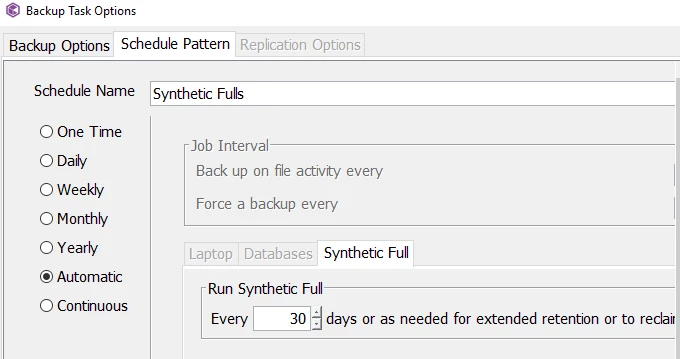
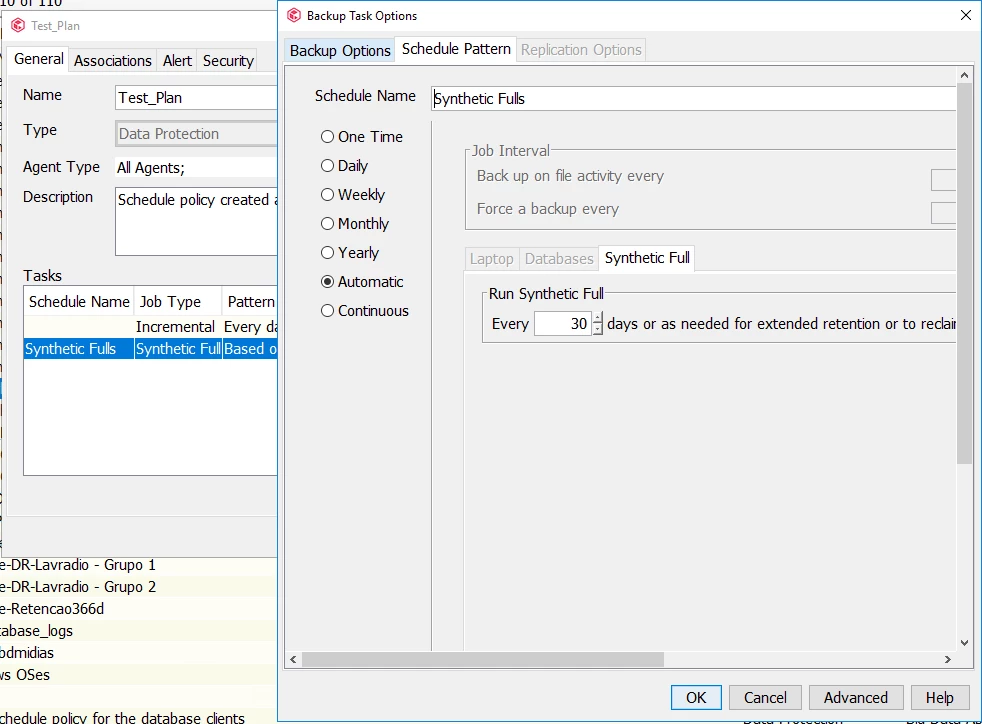
In other words, with the default configuration, LVL0 backups are run only once a month. LVL1 backups, on the other hand, are run daily. Is that correct? Commvault triggers a Full Synthetic backup (LVL0) every 30 days.


Forum|alt.badge.img+4

@Eduardo Braga 

The value of 30 days in the synthetic full schedule is simply the maximum number of days after which a synthetic full job is enforced. The key point to note is that synthetic full job can run sooner based on the configured retention and selective copy rules or if Commvault determines that significant space can be reclaimed on running synthetic full.

https://documentation.commvault.com/11.40/software/configurations_for_rpo.html#synthetic-full-schedules

Starting 11.40, in the plan details page, the synthetic full schedules will also show a tool tip help text indicated the projected run time.