Answer

Low capacity

  • April 25, 2022
  • 5 replies
  • 1307 views

Forum|alt.badge.img+7

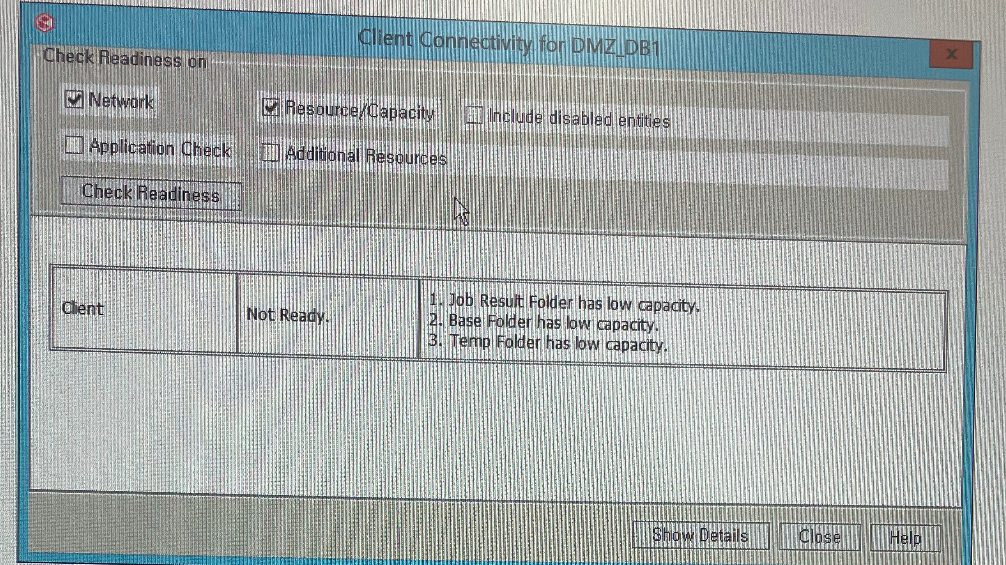
There's an error like this all of a sudden during check readness.

How shall I do it?
 

Best answer by Carl Manzi

@chris_ahn if you’d like to determine why this is reporting incorrectly, that will likely require a support case. If you’d just like to clear those messages, you can do that with some additional settings. https://documentation.commvault.com/commvault/v11/article?p=8681.htm


This first one will clear the warning for /tmp:

Name: nSYSTEMP_MIN
Category: QMachineMaint
Type: Integer
Value: 0


nGALAXY_MIN will clear the warning for the Base directory and nJOBRESULTS_MIN will clear the warning for Job Results. They all take the same Category, Type, and Value.


After configuring those, it can take up to an hour before the next space check, or you can bounce services and it will check again within a couple minutes.

If you have a question or comment, please create a topic

5 replies

Jos Meijer
Community All Star
Forum|alt.badge.img+16
  • Community All Star
  • April 25, 2022

Ideally you should expand the disk within the server.

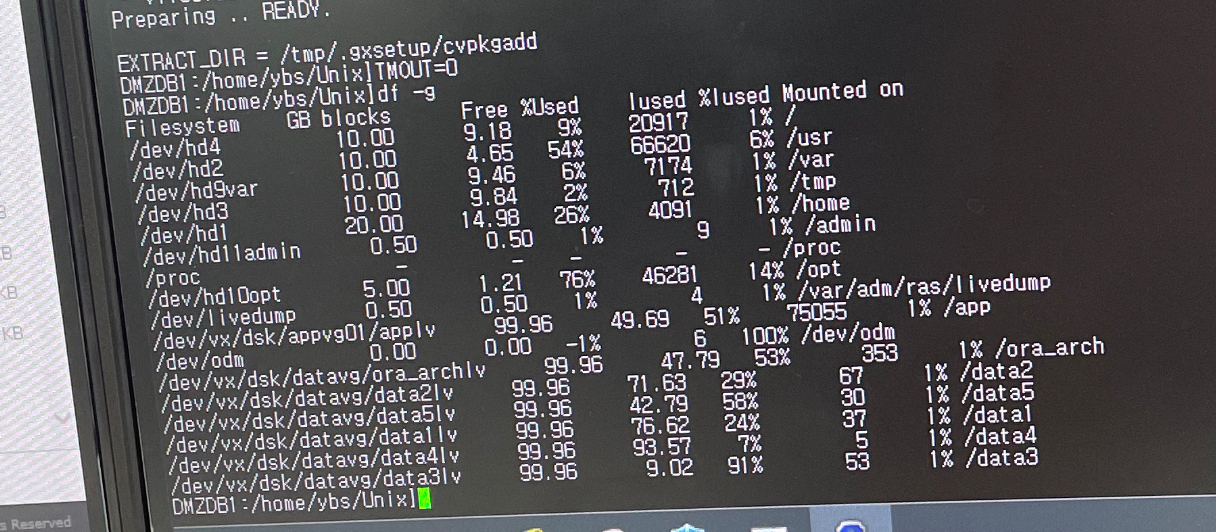
Check with commandline "df -h" within the os how much space you actually have for these paths and expand to the minimum requirements or more.


Forum|alt.badge.img+7
  • Author
  • Novice
  • April 25, 2022


install path : /home

/tmp, /var  There's a lot of space. Why is that?


Jos Meijer
Community All Star
Forum|alt.badge.img+16
  • Community All Star
  • April 25, 2022

Can you please double check the install location by running “commvault status” ?
I expect the installation to be /opt/commvault

Why /tmp and /var have so much space? That depends, not sure how to answer this without detailed server information. But it might have to do with where you installed the commvault package.
Please check commvault status for these locations:

Home Directory = 
Log Directory = 
Core Directory = 
Temp Directory =


Forum|alt.badge.img+7
  • Author
  • Novice
  • April 25, 2022

I installed it somewhere else because there was not enough space in the /opt


Home Directory = /home/commvault/Base
Log Directory = /var/log/commvault/Log_files
Core Directory = /home/commvault
Temp Directory =/home/commvault/Base/Temp

Jpb results Directory = /home/commvault/iDataAgent/jobResults


Forum|alt.badge.img+7
  • Vaulter
  • Answer
  • April 25, 2022

@chris_ahn if you’d like to determine why this is reporting incorrectly, that will likely require a support case. If you’d just like to clear those messages, you can do that with some additional settings. https://documentation.commvault.com/commvault/v11/article?p=8681.htm


This first one will clear the warning for /tmp:

Name: nSYSTEMP_MIN
Category: QMachineMaint
Type: Integer
Value: 0


nGALAXY_MIN will clear the warning for the Base directory and nJOBRESULTS_MIN will clear the warning for Job Results. They all take the same Category, Type, and Value.


After configuring those, it can take up to an hour before the next space check, or you can bounce services and it will check again within a couple minutes.