





Hi,
currently I am trying to restore the folder Inbox only.
So no subfolders should be restored, just all emails in Inbox.
If I select the Inbox, all subfolders are included, please see screenshot, “Posteingang” is german and means Inbox.
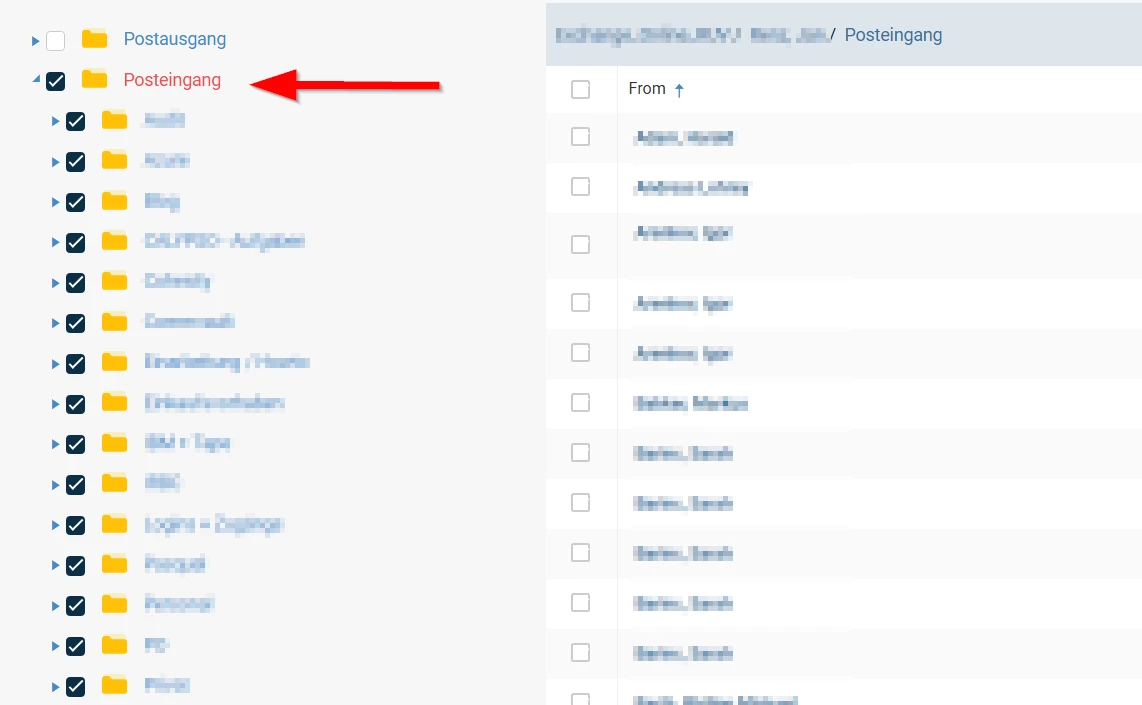
If I click again on the inbox folder, nothing is selected. If I deselect all subfolders, nothing is selected.
If I select the checkbox beside “From”, only the emails on the site are selected. Since I can show only 500 emails per site, I can not select all emails. In this inbox are up to 10.000 emails which should be restored...is there a possibility to select with one click all emails in Inbox but not in any subfolder?
Maybe I’ve overseen it, maybe it isn’t there?
Setup:
11.32.65, Exchange Online
Thanks in advance for your help!


