Question

MAXDB backup via workflo

  • November 26, 2025
  • 5 replies
  • 47 views

Forum|alt.badge.img+1

Hello!

I hope you all doing well!

I am playing with backup configuration for MAXDB, we would like to control it via worklof.

Unfortunately while triggering backup via workflow we are getting two errors…
One error for workflow called “SAP MaxDB” is:



While trying to run workflow “SAP MaxDB XUSER” i do have this error:



When we do trigger a backup from server by the same command as is int the script/log:



Then backup is working - but only triggered from server…
Now we do have backup scheduled from crone, but we would like to trigger it from CV.
5 replies

CV_GK
Vaulter
Forum|alt.badge.img+7
  • Vaulter
  • November 27, 2025

Hi ​@Grzegorz_Z 

Are all details defined under workflow correct?

Is client’s check rediness passing from CS?

At which phase does the workflow fail?


sarvesh
Vaulter
Forum|alt.badge.img+3
  • Vaulter
  • November 27, 2025

Hi Grzegorz,

Thank you for the details. I checked your questions and here are my points:


Just to add on top of what my Colleague ​@CV_GK mentioned


1. Check the instance configuration and OS user

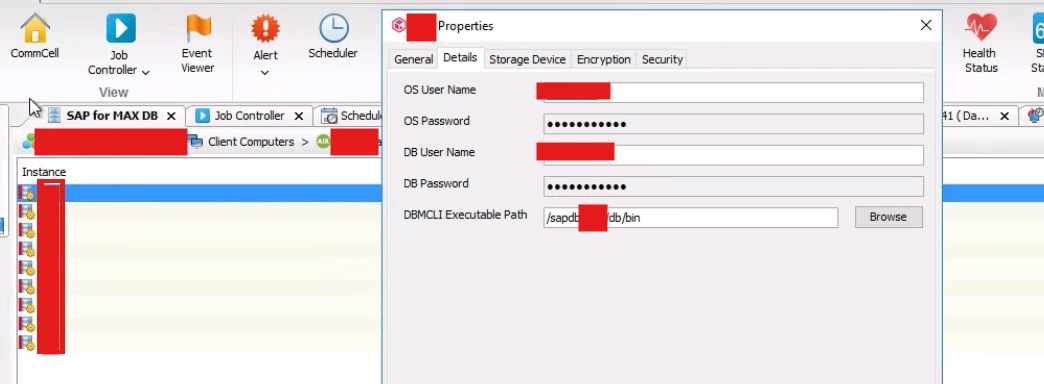
Go to Client Computers → SAP MaxDB instance → Properties and check which OS user is configured there.


Log in to the database server with that same OS user and try to run:

the dbmcli backup command, or

the same script that the workflow uses.

Make sure this user can run the backup directly on the server.
If the OS user cannot run it manually, the workflow will also fail, because Commvault uses this user to run MaxDB commands.


2. Use the correct workflow

The correct workflow for MaxDB backup is “SAP MaxDB”.

The workflow “SAP MaxDB XUSER” looks like a custom workflow and is not the one used for standard backups.

Official workflow link:https://cloud.commvault.com/commandcenter/?_gl=1*nbj2y7*_gcl_au*NDc5ODM5ODMxLjE3NTg3MDMzODI.#/softwareStore/12699


3. Check the workflow version

If step 1 works fine, please check the version of the SAP MaxDB workflow in your Commcell.

If the version is older than 1.1.2.22 (updated on Oct 30, 2025), download and deploy the latest one.

Guide for updating workflows:

https://documentation.commvault.com/2024e/commcell-console/downloading_and_updating_workflows_from_commvault_store.html


Kindly let us know if you have further queries.


Forum|alt.badge.img+1
  • Author
  • Bit
  • November 27, 2025

Hi!

Thanks for your response!

Check the instance configuration and OS user

We do have checked and backup triggered from the server is working  fine with the same user.

No matter is anything configured on client instance from CV side backup is failing anyway.

We are using the same user which is able to trigger backup directly from server.


Use the correct workflow

We have used those two workflows, both are failing.


Check the workflow version

Both wofrklows were downloaded directly from cloud.commvalt (store.commvault) like week ago.


Forum|alt.badge.img+1
  • Author
  • Bit
  • November 27, 2025

Check readiness is passing fine, we do have checked workflow input many times. I have posted a screenshot in 1st post regarding where errors occurs. 


sarvesh
Vaulter
Forum|alt.badge.img+3
  • Vaulter
  • November 28, 2025

I would recommend creating a support case and uploading the CommServe logs, client logs, and the CSDB backup. With those details, the support team can take a deeper look and provide more accurate guidance.