Answer

mongo db client removal

  • December 27, 2021
  • 3 replies
  • 127 views

Forum|alt.badge.img+9


We never backed up the client with MongoDB and want to remove it from the client and just leave the File System only.

Question, if I remove the MongoDB software, will it prompt me to uninstall the Media Agent, Storage Accelerator and IntelliSnap or do I have to remove them one by one ?



Current
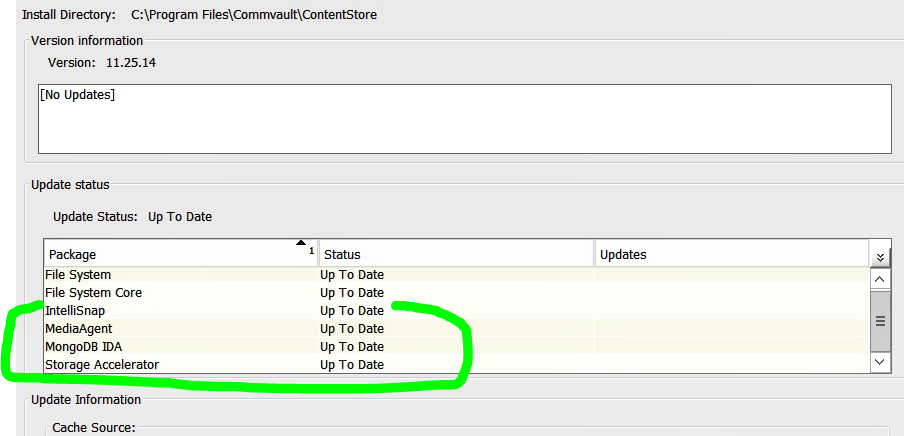


my goal​​​​​


Best answer by Henry Zhan

Hi Gary, 

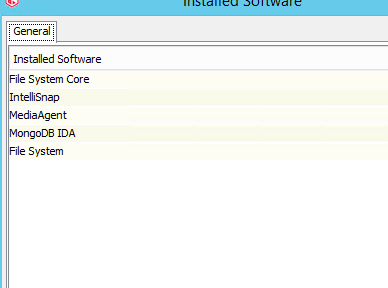
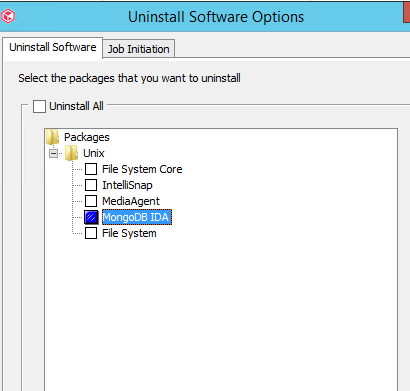
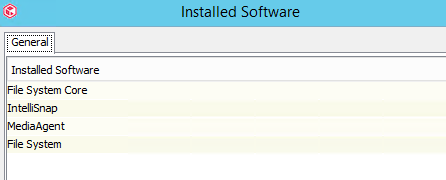
I tested this in my lab sp24.7. It will not prompt for other components. Only Mongo component is removed.


Before removal:


After successful removal job


So please select all the components you want to remove when initiating the uninstall.

3 replies

Forum|alt.badge.img
  • Vaulter
  • Answer
  • December 27, 2021

Hi Gary, 

I tested this in my lab sp24.7. It will not prompt for other components. Only Mongo component is removed.


Before removal:


After successful removal job


So please select all the components you want to remove when initiating the uninstall.


Forum|alt.badge.img+9
  • Author
  • Novice
  • December 28, 2021

@Henry Zhan  , Would you try removing Media Agent, Storage Accelerator, IntelliSnap and see if it prompts you to restart the client ?


Forum|alt.badge.img
  • Vaulter
  • December 29, 2021

Hi Gary,

It will restart Commvault services but not restart the OS.

I verified removing MA and Intellisnap in lab. Storage Accelerator was not installed in my environment.